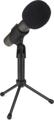
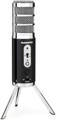
Q: “How can I use the Samson C01U USB mic with Apple programs?”
A: If you have installed Mac OS X 10.4 (“Tiger”) or later, here is the process for setting up the CO1U:
- Open Audio MIDI Setup (from the Applications/Utilities folder)
- Go to the Audio Menu – Open Aggregate Device Editor
- Click on the “+” button to create a new device
- It’s a good idea to rename it (double click on Aggregate Device in the list and enter the new name, e.g., CO1U)
- The list at the bottom of the window will show all the audio devices connected to the computer. Select the one(s) you want the device to use by checking the “Use” button. For instance, if you only have a CO1U connected you will need to check CO1U and Built-in Audio. Check the clock button on one of the devices, not the CO1U.
- Click Done
The device will then appear in your application under Audio Hardware and Drivers as an available I/O.