
What Is a Device Driver?
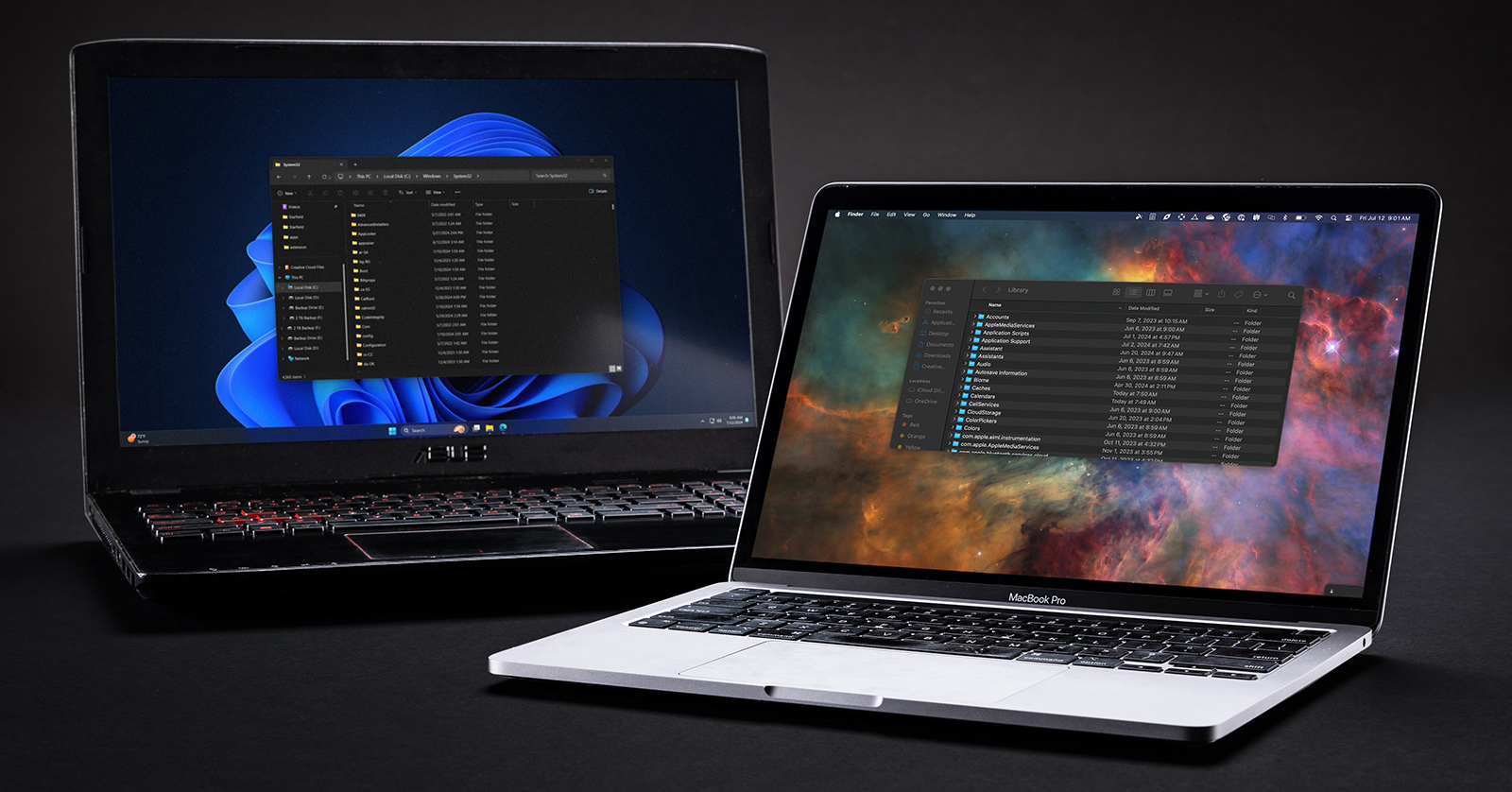
Device drivers are software your computer’s operating system needs to communicate with peripherals. Windows and macOS already have built-in drivers for many of these peripherals. However, certain devices may require you to install a custom device driver. In this guide, we’ll explain device drivers and point you to the resources you need to get the components of your computer working correctly.
- What is a Device Driver?
- What is a Class-Compliant Device?
- What is a Kernel?
- How to Update Drivers on PC
- How to Update Drivers on Mac
What is a Device Driver?
A device driver is a piece of software code that enables a computer’s operating system to communicate with third-party peripherals, such as a mouse, keyboard, or audio interface. Without a driver, the device will not function correctly. Think of a driver as a product instruction manual. When you perform a function on the device, the driver tells the computer or application what the device is doing. Some devices use proprietary drivers, which are needed for them to fully function correctly. Others operate using drivers that are built into your computer’s operating system.
Device Control Applications
Some devices, like audio interfaces, have standalone control software that allows you to access more functions. Oftentimes, these applications automatically install the device’s latest driver and notify you if your device has a new driver version (or firmware) available. Visit the manufacturer’s website to see if your device needs a device control application.
What is a Class-Compliant Device?
A class-compliant device is one that the manufacturer has designed to work with the computer’s operating system and does not require a custom, third-party driver. Simply put, they’re plug-and-play devices. Many everyday peripherals, such as standard USB keyboards, mice, and external hard drives, are class-compliant.
NOTE: If you are on Windows and have a wireless peripheral, a keyboard or mouse with RGB control, or a device that has specific functions, additional drivers may be required. Please visit the manufacturer’s website to learn more.
What is a Kernel?
There are times when you will hear the term kernel when discussing computers. The kernel is essentially the heart of your entire system.
The kernel is the core of your computer’s OS. The apps you run on the OS must communicate with your computer’s hardware: the central processor, disk storage, memory, and all the peripherals. The kernel is the software that makes those connections.
When we speak of drivers, we refer to the pieces of code that enable the kernel to pass instructions between the operating system and peripherals.
Windows Kernel
Windows PCs can have many different hardware configurations. Different PCs may have a different motherboard, AMD or Intel processor, RAM, graphics card, or means of connecting internal disk drives (M2 slots, SATA connections).
The Windows kernel is the software that provides an interface that all manufacturers can use to design their products to be compatible with Windows.
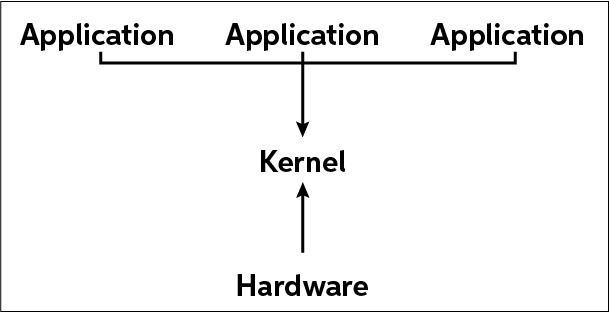
Kernel ‘workflow’
macOS Kernel
Like Windows, the macOS operating system has a kernel. However, because Apple designs both the hardware and operating system on every Mac, things are more closely integrated. Like Windows, Apple provides drivers built into macOS, so manufacturers who follow Apple’s specifications can make class-compliant peripherals.
These days, there are relatively few devices whose manufacturers provide a custom device driver for use on Mac. The exception is with specific audio interfaces and MIDI devices.
How to Update Drivers on PC
How to Update Drivers on Mac
Related Articles
When you need help, Sweetwater has the answers!
Our knowledge base contains over 28,000 expertly written tech articles that will give you answers and help you get the most out of your gear. Our pro musicians and gear experts update content daily to keep you informed and on your way. Best of all, it’s totally FREE, and it’s just another reason that you get more at Sweetwater.com.

