
Soundcraft Ui Series Tutorials
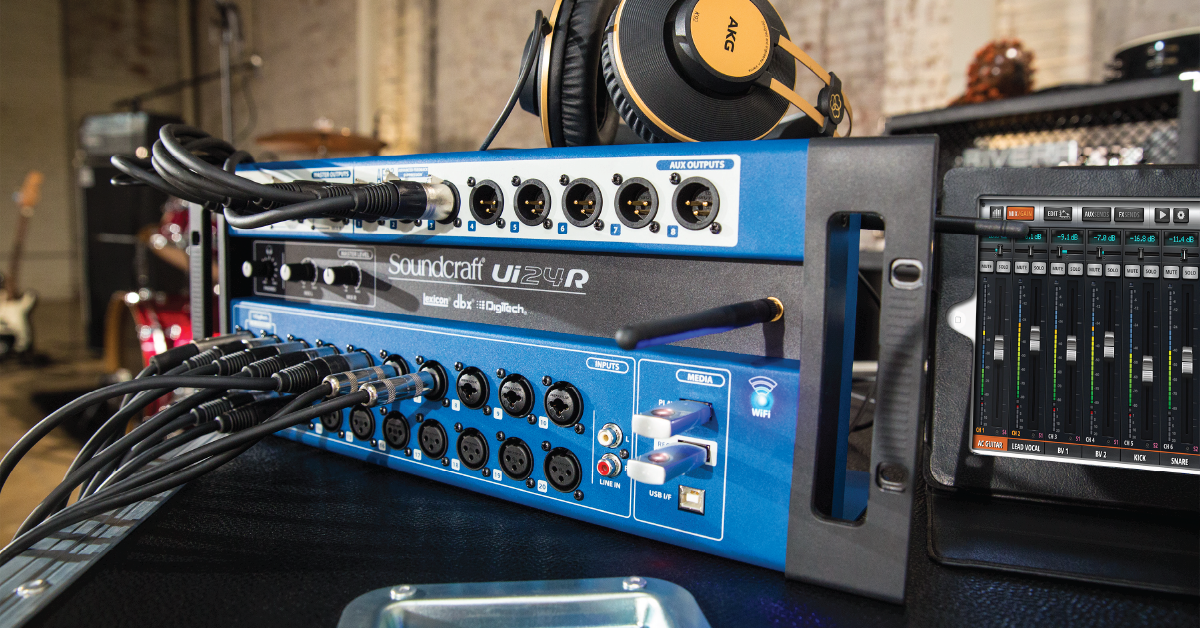
Our friends at Soundcraft have created tons of great content to get you up and running with your Ui Series digital mixer. From unboxing to advanced routing, they have you covered, so check everything out to start mixing!
- Connection and registration
- Soundcraft Ui Series tutorial videos
- Updating the Firmware
- Chapter 1 – Getting Started
- Chapters 2 and 3 – Network Configuration and Main Fader Page
- Chapter 4 – EQ’s and Dynamics
- Chapter 5 – Auxes and Outputs
- Chapter 6 – Advanced Processing
- Chapters 7 and 8 – Sub Groups and USB Playback
- Chapters 9 and 10 – Automation System and Advanced Settings
- Getting Connected to the Ui
- Input Channel Processing
- Creating Shows & Snapshots
- FX Sends & Aux Sends
- Output Processing & User Workflows
- External Router Setup
- Factory Reset
- Resetting Passwords
Soundcraft Ui Series: Connection and Registration
Learn how to initially connect your mixer via WiFi, register your purchase with Soundcraft, view the User Manuals, and update the firmware.
Soundcraft Ui Series tutorial videos
You can see the whole playlist on YouTube at this link.
Updating the Firmware
Soundcraft Ui Series Tutorial – Firmware Update
Chapter 1 – Getting Started
Soundcraft Ui Series Tutorial – Chapter 1: Unboxing and getting started
Chapters 2 and 3 – Network Configuration and Main Fader Page
Soundcraft Ui Series Tutorial – Chapter 2: WiFi and Ethernet setup
Soundcraft Ui Series Tutorial – Chapter 3: Overview of Main Fader Page
Chapter 4 – EQ’s and Dynamics
Soundcraft Ui Series Tutorial – Chapter 4 pt 1: Overview of Edit Mode
Soundcraft Ui Series Tutorial – Chapter 4 pt 2: Dynamics Processing
Soundcraft Ui Series Tutorial – Chapter 4 pt 3: Aux Sends, FX Sends, and Miscellaneous
Chapter 5 – Auxes and Outputs
Soundcraft Ui Series Tutorial – Chapter 5 pt 1: Overview of Auxes and Outputs
Soundcraft Ui Series Tutorial – Chapter 5 pt 2: More me!
Chapter 6 – Advanced Processing
Soundcraft Ui Series Tutorial – Chapter 6 pt 1: Introduction to Advanced Processing
Soundcraft Ui Series Tutorial – Chapter 6 pt 2: In-depth with DigiTech Amp Modeling
Soundcraft Ui Series Tutorial – Chapter 6 pt 3: In-depth with dbx Automatic Feedback Suppression
Soundcraft Ui Series Tutorial – Chapter 6 pt 4: In-depth with Lexicon FX
Chapters 7 and 8 – Sub Groups and USB Playback
Soundcraft Ui Series Tutorial – Chapter 7: Setting up subgroups, mute groups, and view groups
Soundcraft Ui Series Tutorial – Chapter 8: USB Playback and recording
Chapters 9 and 10 – Automation System and Advanced Settings
Soundcraft Ui Series Tutorial – Chapter 9: Shows, snapshots, and isolates
Soundcraft Ui Series Tutorial – Chapter 10: Advanced Settings
Getting Connected to the Ui
Soundcraft Ui Mixers | Getting Connected to the Ui
Input Channel Processing
Soundcraft Ui Mixers | Input Channel Processing
Creating Shows & Snapshots
Soundcraft Ui Mixers | Creating Shows & Snapshots
FX Sends & Aux Sends
Soundcraft Ui Mixers | FX Sends & Aux Sends
Output Processing & User Workflows
Soundcraft Ui Mixers | Output Processing & User Workflows
External Router Setup
Soundcraft Ui Mixers | External Router Setup
Factory Reset
Soundcraft Ui Mixers | Full Factory Reset
Resetting Passwords
Soundcraft Ui24r | Network Config Password Reset
Soundcraft Ui24r | Master Access Password Reset
When you need help, Sweetwater has the answers!
Our knowledge base contains over 28,000 expertly written tech articles that will give you answers and help you get the most out of your gear. Our pro musicians and gear experts update content daily to keep you informed and on your way. Best of all, it’s totally FREE, and it’s just another reason that you get more at Sweetwater.com.

