
Overloud Software Activation Instructions
Getting started
In this guide, we will show you how to register, install, and authorize your new Overloud software. Follow the sections below to get started.
Register and download the product
IMPORTANT: If you have purchased Dusty Racks Vol. 1, please download your product here.
The first step in the activation process is to register and download the product with Overloud. You’ll need to create an account with Overloud and use the serial number(s) provided by your Sweetwater Sales Engineer. Follow these steps to complete the registration.
- Log in to your Overloud account. If you don’t have an account, you can create one here.
- Navigate to the download page, and select your product. You will receive an e-mail with a unique download link from Overloud.
- Click the download link, then select the installer for your OS.
- Go to your Downloads folder then run the installer by double-clicking the .exe file (PC) or .pkg file (Mac).
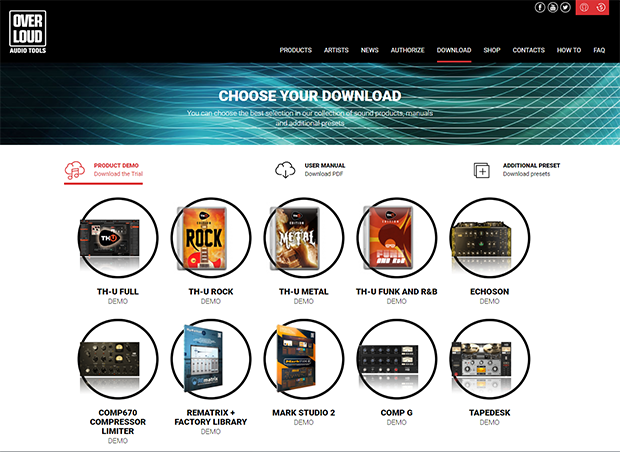
Click here to download your software.
Authorize the software
The final step in the process is to authorize the software. There are to ways to authorize it; either send the license file to your computer or to a USB flash drive. To do this, you will need to launch the standalone software or load the plug-in onto a track inside your DAW, then use the serial number to authorize it. Follow these steps to finish the activation process.
- Load the plug-in, then click Authorize in the pop-up window.
- Enter your Overloud account information, then click Next.
- Select where to send the license (This computer or USB removable device if connected).
- Enter the Serial Number and a unique name for your computer, then click Next to complete the process.
When you need help, Sweetwater has the answers!
Our knowledge base contains over 28,000 expertly written tech articles that will give you answers and help you get the most out of your gear. Our pro musicians and gear experts update content daily to keep you informed and on your way. Best of all, it’s totally FREE, and it’s just another reason that you get more at Sweetwater.com.

