
JBL EON One Compact Bluetooth Setup
Getting started
In this guide, we will show you how to connect your Bluetooth device to the JBL EON One Compact speakers. Follow each of the sections below to get started.
- Bluetooth Pairing
- Update Firmware
- Stream audio over Bluetooth
- Broadcast Bluetooth to additional speakers
Bluetooth Pairing
The JBL EON One Compact speakers feature both remote control and stereo audio streaming, all via Bluetooth. The JBL Compact Connect app can be downloaded from the App Store or Google Play Store.
To set up your speaker(s), you should first check for firmware updates. After completing any updates, you can then connect the Bluetooth device to one “host” speaker. Additional speakers are set to “remote” and receive the Bluetooth Broadcast from the host.
Update Firmware
- Download the JBL Compact Connect app for your device from either the App Store or Google Play Store.
- Power on your device and enable both Bluetooth and Wi-Fi/data.
- Open the JBL Compact Connect app and press the Link icon to connect your EON speaker(s).
- Give each speaker a unique name and use the Locate icon to identify each speaker by its flashing lights.
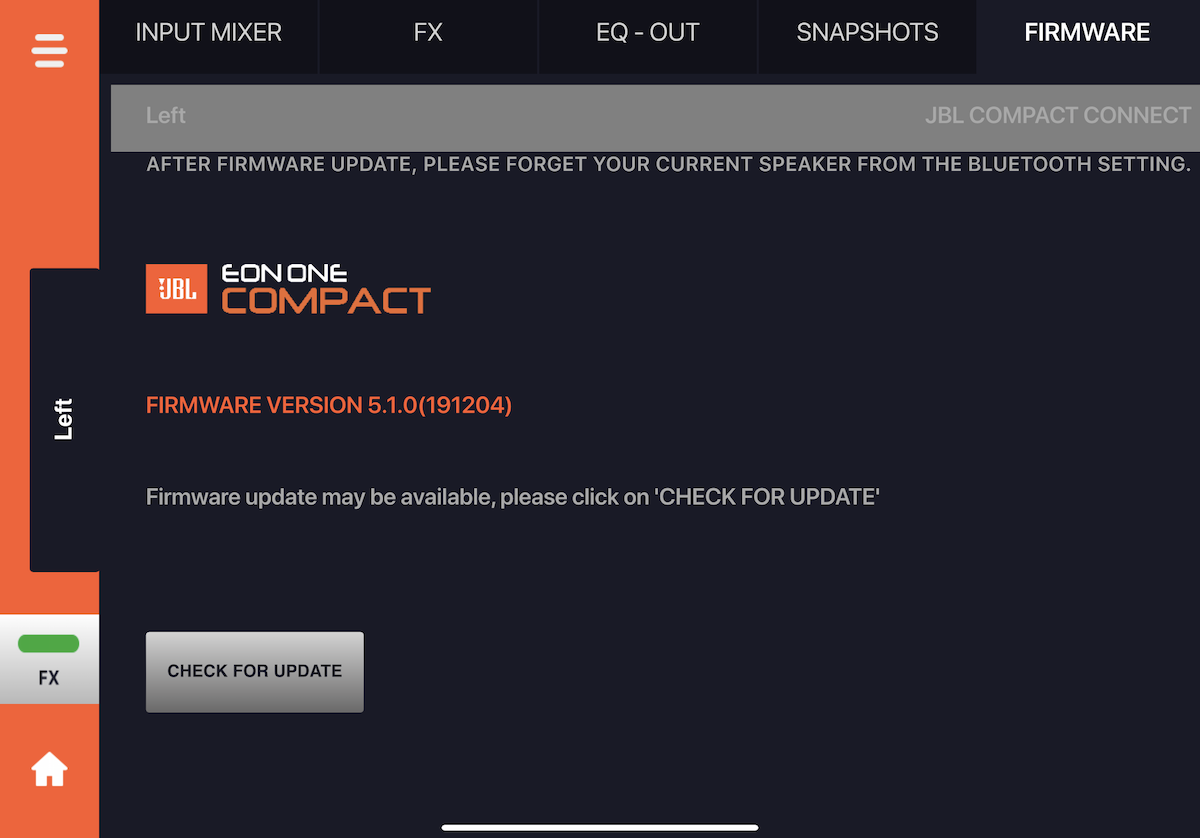
- Press your speaker’s Mixer icon and select the Firmware tab.
- Follow the on-screen instructions to update your speaker (5-10 minutes).
- Once the update completes, touch the Check for Update icon to confirm no further updates are available.
- Repeat these steps to update additional speakers. Do not continue until all speakers have been updated to the latest firmware version.
Stream audio over Bluetooth
IMPORTANT! If your app does not playback audio while in the background, switching between playback and JBL One Compact apps may cause the speaker to automatically switch channel four’s BT/Aux input setting. Reselect BT to continue audio streaming or use an app that plays audio while in the background.
- Download the JBL Compact Connect app for your device from either the App Store or Google Play Store.
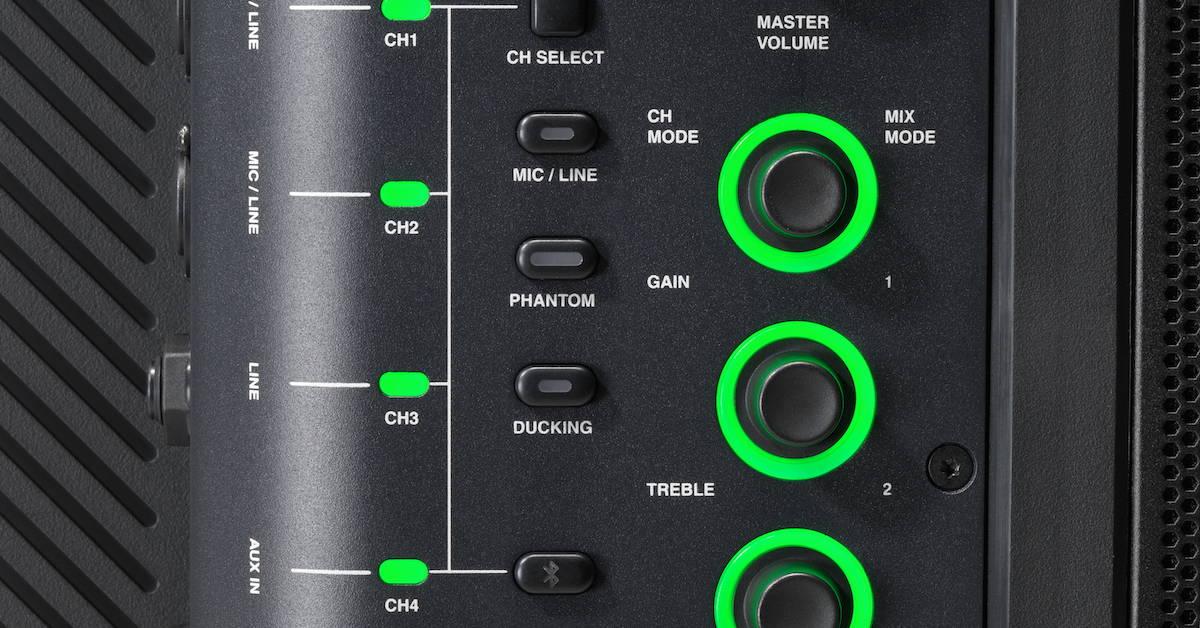
- Enable Bluetooth on your streaming device and press the speaker’s Bluetooth Pair button until it flashes.
- Select EON ONE Compact from your device’s Bluetooth pairing list. Once paired, the Bluetooth LED will stop flashing and stay lit.
- Connecting any additional speakers should only be done by pressing the Link icon on the JBL Compact Connect Home screen. Do not manually pair any other speakers via Bluetooth.
- Open the JBL Compact Connect app and press the Link icon to connect your EON speaker.
- Give each speaker a unique name and use the Locate icon to identify each speaker by its flashing lights.
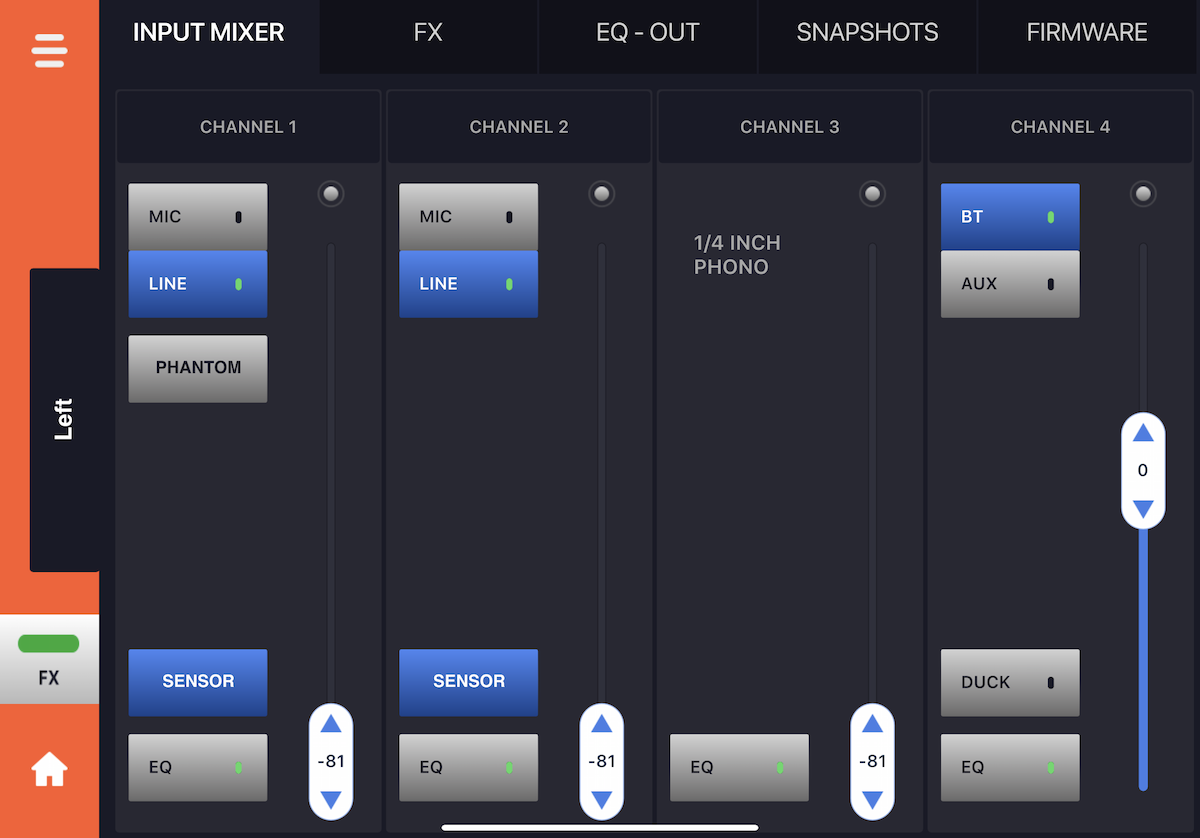
- Press your speaker’s Mixer icon to access its mix.
- Select BT for channel four and turn its level up to 0.
- Adjust the device’s volume (turn it up) and open the audio playback app to start streaming audio.
- Press the Home icon and use the Master Volume level to control the speaker’s overall volume.
- Follow the Broadcast Bluetooth to additional speakers instructions to link additional speakers to the first.
Broadcast Bluetooth to additional speakers
- Follow the Stream Bluetooth audio instructions to pair a “host” speaker. Connecting any additional speakers should only be done by pressing the Link icon on the JBL Compact Connect Home screen. Do not manually pair any other speakers via Bluetooth.
- Give each speaker a unique name and use the Locate icon to identify each speaker by its flashing lights.
- Go to the Home screen and turn up the Bluetooth channel for each speaker:
- Press each speaker’s Mixer icon to access its mix.
- Select BT for channel four and turn its level up to 0.
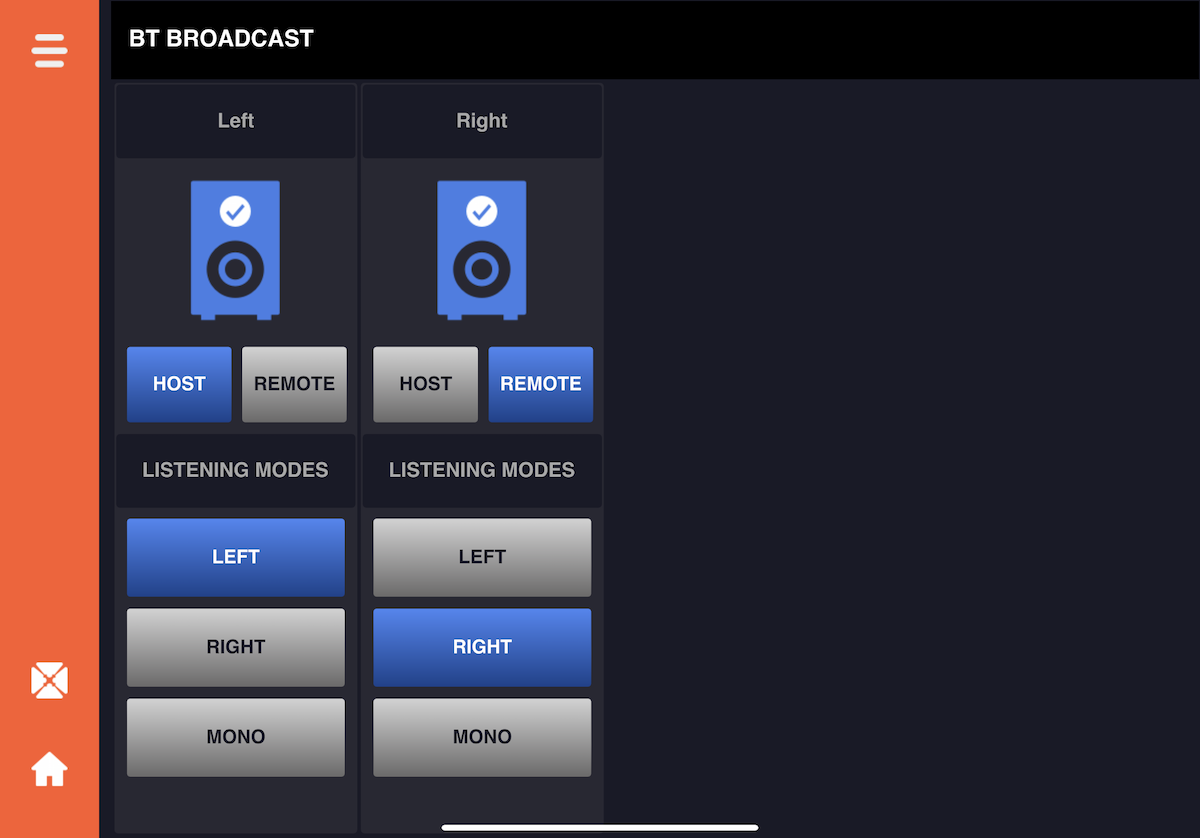
- Press the Menu icon and select BT Broadcast.
- Press the speaker’s (paired in step one) Speaker icon to enable it and then Host icon to select it as the Bluetooth “host”.
- If not automatically configured, enable all other EON One Compact speakers and select remote.
- Select whether each speaker receives either Mono, Left, or Right Bluetooth audio channels.
When you need help, Sweetwater has the answers!
Our knowledge base contains over 28,000 expertly written tech articles that will give you answers and help you get the most out of your gear. Our pro musicians and gear experts update content daily to keep you informed and on your way. Best of all, it’s totally FREE, and it’s just another reason that you get more at Sweetwater.com.

