

JBL EON One and EON One Pro Bluetooth Setup
Overview
The JBL EON One and EON One Pro speaker arrays are both capable of Bluetooth audio streaming. They do not require a remote control app and just need to be selected within your device’s Bluetooth settings. That makes it easy to set up, connect, and then stream audio right away.
- Power on your streaming device and enable Bluetooth.
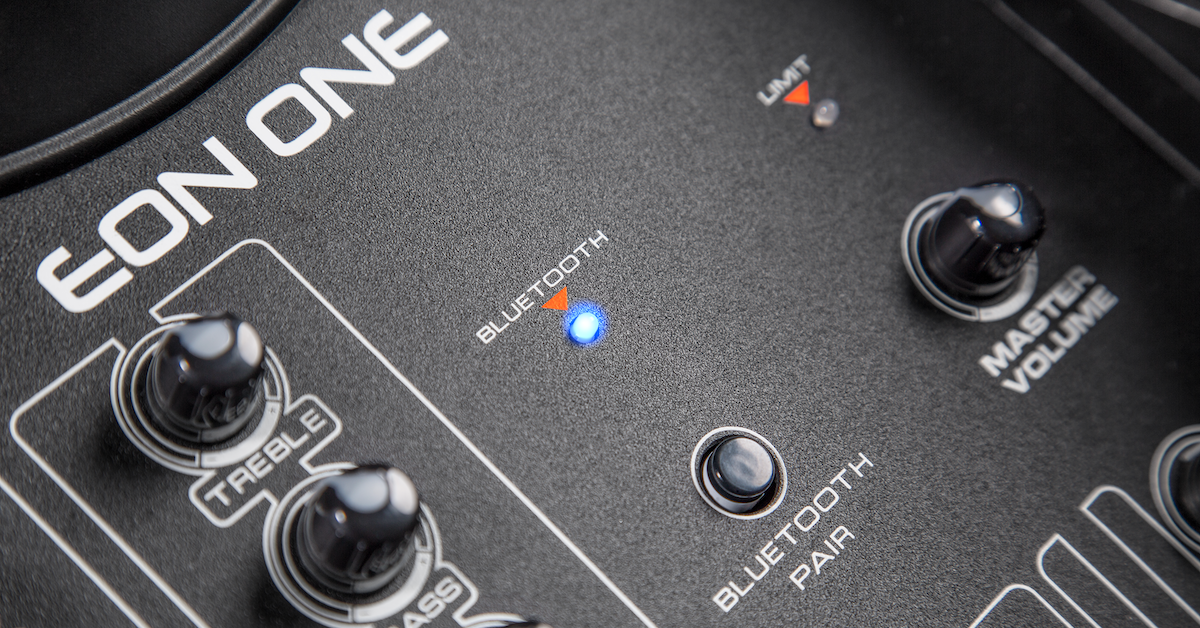
- Press and the Bluetooth Pair button until it starts to flash.
- Select EON One/Pro from your device’s Bluetooth pairing list. Once paired, the Bluetooth LED will stop flashing and stay lit.
- Open your audio playback app to stream audio and adjust the device’s volume.
- Use the Master Volume knob to control the speaker’s overall volume.
When you need help, Sweetwater has the answers!
Our knowledge base contains over 28,000 expertly written tech articles that will give you answers and help you get the most out of your gear. Our pro musicians and gear experts update content daily to keep you informed and on your way. Best of all, it’s totally FREE, and it’s just another reason that you get more at Sweetwater.com.

