

How do I upgrade my PreSonus Studio One 2 software?
Follow along with this guide to activate your Studio One 2 upgrade. This applies if you are running Studio One 2 Free, Artist, or Producer and are making an upgrade to another version.
- First, launch your existing copy of Studio One 2.
- Once it’s open, click on the Studio One menu at the top of the screen and choose Studio One Activation.
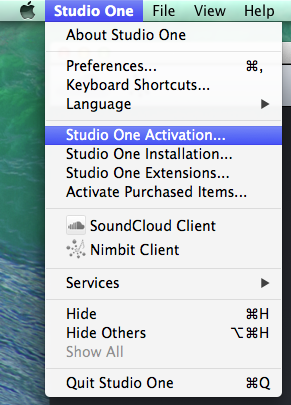
- When the Studio One Activation menu pops up, select Activate or Upgrade.

- Next, choose Activate Online.
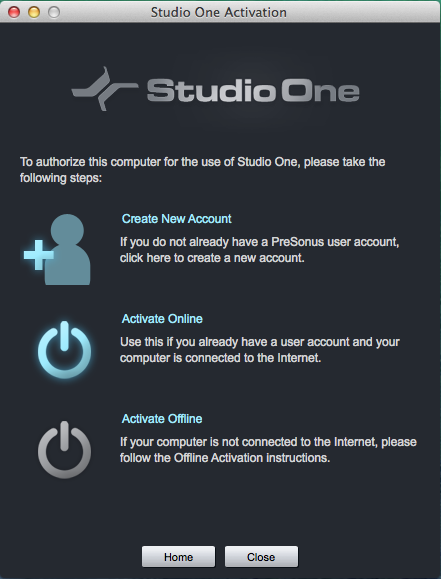
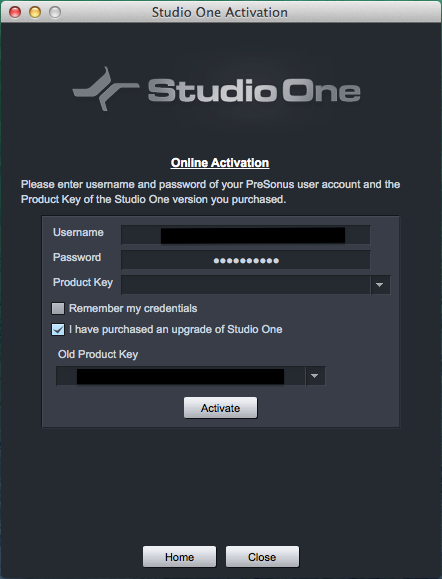
- On the following screen, enter your PreSonus account information and check the box for “I have purchased an upgrade of Studio One.”
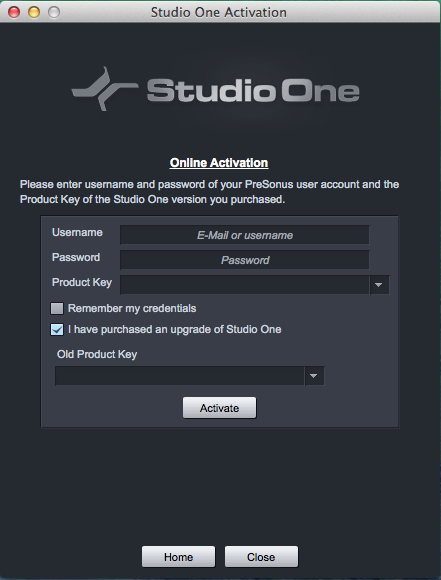
- In the drop down box for Old Product Key, select Refresh to bring up your existing Studio One product key, then select it.
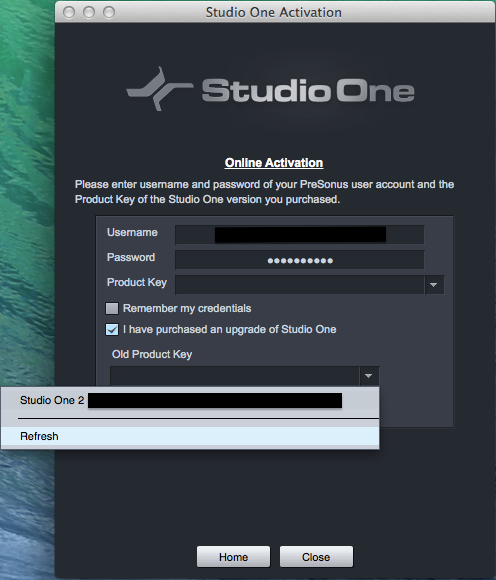
- Next, enter your new product key for your Studio One upgrade in the box labeled Product Key under your account info, then click Activate.
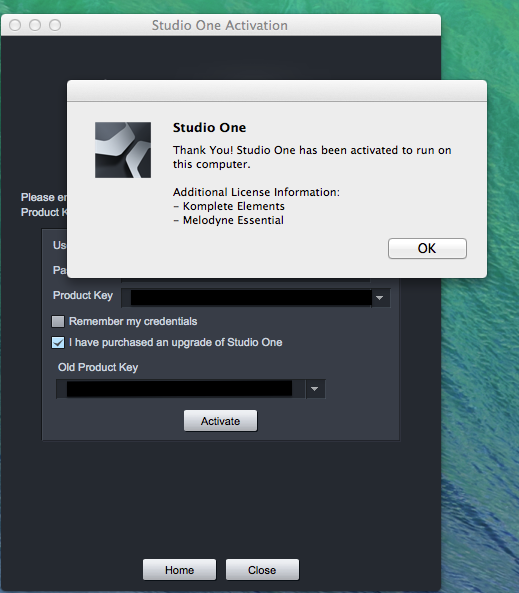
- A window will pop up to verify activation. Click OK.
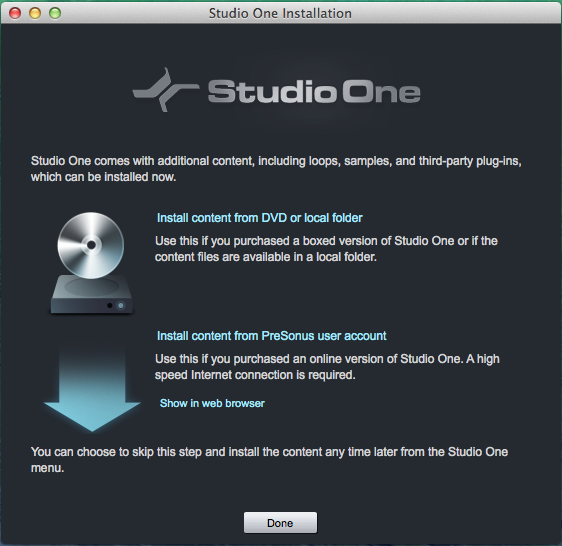
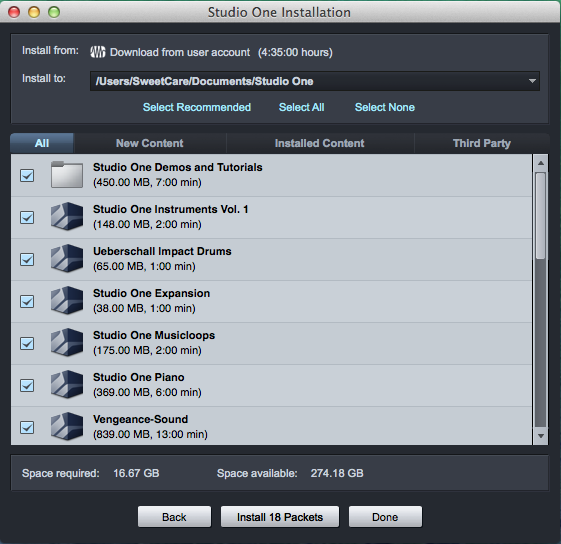
- Next, you will see a window telling you about the additional content that comes with Studio One. Simply choose “Install content from PreSonus user account,” then on the next window select what you want to download and Studio One will automatically download and install the additional content for you.
- That’s it! Your new version of Studio One should be up and running.
When you need help, Sweetwater has the answers!
Our knowledge base contains over 28,000 expertly written tech articles that will give you answers and help you get the most out of your gear. Our pro musicians and gear experts update content daily to keep you informed and on your way. Best of all, it’s totally FREE, and it’s just another reason that you get more at Sweetwater.com.

