¡Obtenga asesoría en español!  Llámenos hoy a (800) 222-4701
(800) 222-4700 Talk to an expert!
Loading Cart
Your Cart Is Empty

See what's new at Sweetwater.

My Cart this.cartQty
Recording Guitar Bass Keyboard Drums Live Sound DJ Band & Orchestra Content Creators Worship

A workaround for retriggering on the Korg CX-3.

A workaround for retriggering on the Korg CX-3.

Here’s a cool tip from our friends at Korg that will help you get the most out of your CX-3 organ.

Some CX-3 users have been bothered by the retriggering. Remember, retrigger is an expected behavior with waterfall keys and the ‘true to the original’ instant triggering mechanism. It reacts just the way its classic predecessors did, so for the most part it’s not organ enthusiasts that are disliking that. Either way, there’s a really cool workaround that will minimize that retrigger. The reason for the retrigger is easy enough to understand. An organ uses a method that is different from a typical synth to sense key push. The contact is immediately triggered once the key is pressed down. So, the key doesn’t really have to travel far to produce a noise. Since the “point of note on” is so close to untouched position, it doesn’t take much to have the key bounce back below that trigger point during normal playing. On a regular velocity sensitive synth, the trigger occurs when the key hits more towards the bottom. A processor measures the time it takes for the metal strip at the top of the key to leave untouched position and touch the bottom contact. That converts to a velocity value… But the fun fact is that the CX3 actually has BOTH technologies… that’s why you can use it to play other synths via MIDI with velocity. So the idea is to stop the first, immediate trigger from happening and only hear the second velocity based one. We actually learned this from a customer on the internet… I think it was on www.howtogetanythingtoworkbyscrewingwithit.com. Here’s how to do it:

1. Enter the Global Mode by pressing the Global button.
2. Press the 2 key under the screen and page over with the button until you get to Upper TX.
3. Set the Upper Transmit past 16 to OFF… that eliminates the initial trigger.
4. Press the button once again to get the Upper 2nd screen. This is the channel on which that second, velocity sensitive message goes out.
5. Set that to the Global channel (1 by default, of course).
6. Press the 5 button.
7. Press the < cursor a couple of times to get to the Local Control setting.
8. Shut off Local Control.
9. Run MIDI cable from the IN to the OUT.
10. Grind. Now, you’re not getting the first trigger. You’re only getting the second trigger, which is coming around in a MIDI loop. And it will still play a fixed velocity, because that’s what the CX3 uses.

Pros: No retrigger.
Cons: You’re not hearing the initial trigger, only the second, so there is an eeeeever so slight lag.
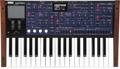
Korg Best Sellers

Shop Sweetwater

Offer applies only to single-receipt qualifying purchases. Select manufacturers may require that only the manufacturer’s products qualify towards the minimum purchase amount needed to be eligible for promotional financing. Otherwise, an invoice that meets the minimum purchase amount and contains at least one qualifying manufacturer product is eligible for promotional financing. No interest will be charged on promo purchase balance, and equal monthly payments are required on promo purchase until it is paid in full. The payments equal the amount financed divided by the number of months in the promo period, rounded up to the next whole dollar. These payments may be higher than the payments that would be required if this purchase was a non-promo purchase. During the last month(s) of the promo period the required monthly payment may be reduced due to the prior months’ rounding. Regular account terms apply to non-promo purchases. New Accounts as of 07/31/2025: Purchase APR is 34.99%. Penalty APR is 39.99%. Min Interest Charge is $2. Existing cardholders: See your credit card agreement terms. Subject to credit approval.

Offer applies only to single-receipt qualifying purchases. No interest will be charged on the promo balance if you pay it off, in full, within the promo period. If you do not, interest will be charged on the promo balance from the purchase date. The required minimum monthly payments may or may not pay off the promo balance before the end of the promo period, depending on purchase amount, promo length and payment allocation. Regular account terms apply to non-promo purchases and, after promo period ends, to the promo balance. New Accounts as of 07/31/2025: Purchase APR is 34.99%. Penalty APR is 39.99%. Min Interest Charge is $2. Existing cardholders: See your credit card agreement terms. Subject to credit approval.

The estimated required monthly payment shown which excludes taxes and delivery equals the amount financed divided by the number of months in the promo period, rounded up to the next cent. During the last month(s) of the promo period the required monthly payment may be reduced due to this rounding. These payments apply only with the financing offer shown. If you make these payments by the due date each month, you should pay off this amount financed within the promo period, if it is the only balance you are paying off. If you have other balances on your account, this payment will be added to any other minimum monthly payments.

Applies only to select items from this manufacturer. Ask your Sweetwater Sales Engineer for more details.