Way back in the mid-1960s, our home organ had four built-in effects: spring reverb, Leslie rotating speaker, tremolo, and wah-wah (triggered with a toe switch on the volume pedal). In the mid-1970s, I also bought a used Gibson portable organ with those same effects plus vibrato. The previous owner had added a 1/4″ audio output jack for connecting to an external Leslie cabinet. The very first guitar pedal I connected to that organ was an MXR flanger pedal. That’s when everything changed for me; it was so obvious that effects pedals could bring new life and excitement to keyboards I had already tweaked to death.
My first synthesizer with seriously tweakable multi-effects was the Korg M1, which I bought in 1988. It taught me that you could make all of your synth creations even better by choosing the right effects for your preset and then carefully setting each effect’s values in ways to make the sound much more compelling. The best part was that, when I sold or traded a preset, the recipient would hear exactly what I heard on my synth.
As the ’90s moved into the 21st century, pretty much all keyboard workstations and many synthesizers featured built-in effects that got better every year. But then, an interesting fork appeared in the synth universe. Fascination with true-analog synths and synth modules brought us to an era when some synths and modules had either a very simple effect (such as a chorus or a delay) or no effects at all. However, these synths can do even more amazing things with the addition of a guitar pedal or three. But you unfortunately lose that staggeringly convenient ability to store specific effects settings for each preset.
Here is a great solution for adding multiple effects, each stored with your handcrafted settings (per synth preset), to your favorite synthesizer: guitar multi-effects pedals.
By connecting the MIDI Out of your effects-challenged synth to the MIDI In of a multi-effects pedal, you’ll be able to assign a specified effects preset number to one or more of your synth’s preset numbers. Now, when you change to a preset on your synth, the multi-effects pedal will go to an effects preset of your choosing.
As an added bonus, most of these multi-effects pedals include a high-resolution tuner, which can be invaluable for those with analog synthesizers, whose pitches drift as the temperature changes.
Two important questions you’ll need to answer are:
1. Does the multi-effects unit need to have stereo inputs, or is a single mono input acceptable?
The answer to this question comes from the type of keyboard you’re connecting to your multi-effects pedal. If your synth’s output is mono (monaural — one output jack), then you can choose from any multi-effects pedal, whether it has mono or stereo inputs. If your synth does have stereo output jacks, see if it’s only stereo because of a built-in stereo effect. If so, you can still use a mono-in multi-effects pedal. If your synth is stereo because it has the ability to pan voices or layers, you will probably want to choose a multi-effects pedal that has stereo input jacks.
2. Does the multi-effects unit need to have the ability to change effects presets via MIDI Program Change messages sent from your synth?
The answer to this question depends on how important it is that every synth preset has a specified multi-effect that gets called up when you change to that preset. If your synth doesn’t have presets, then a 5-pin DIN MIDI In jack is not as important. You may also not care about MIDI Program Changes if you just want a universal multi-effects setting that works on all of your synth sounds.
Here are some of the many multi-effects pedals that I have found are ideal for keyboards and synths:
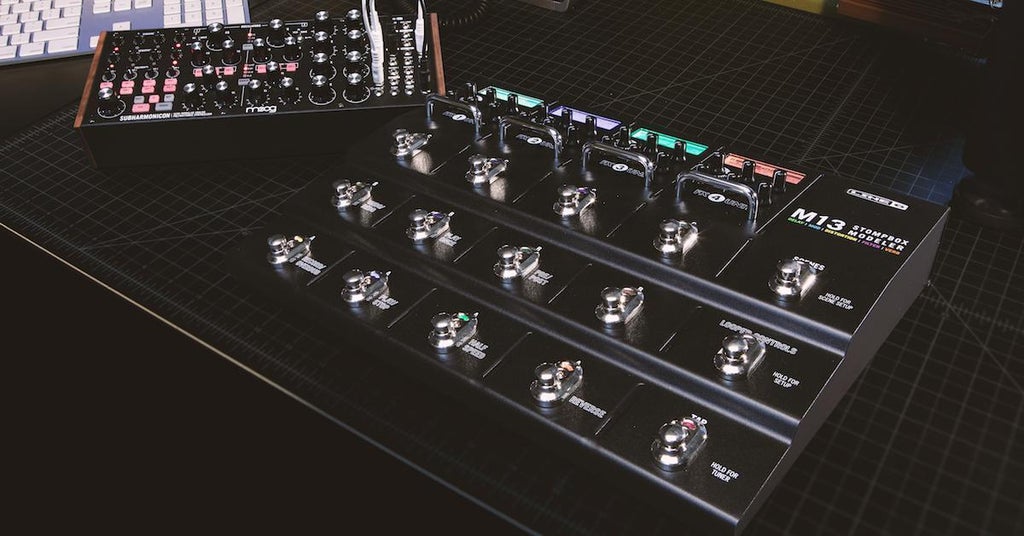
Line 6 M13 Stompbox Modeler Pedal

I’m recommending this pedal first because it has so many features that make it ideal for keyboards and synths. For starters, it simply looks cool. (One of my previous synth rigs had three of these side by side on the floor under my synths. It looked like it was from the future!) The Line 6 M13 has stereo in and out jacks, 5-pin DIN MIDI In and Out jacks, two (!) assignable expression pedal input jacks, and stereo FX send and return jacks. You can have up to four effects at once, and each can be any of 100 effect types. But the best part is that you can have four different effects waiting in each of the four slots, ready to be called upon by pressing its dedicated chrome footswitch. This makes the M13 the perfect synth multi-effects unit, whether you’re creating separate effects presets to go with each synth preset or simply creating a universal multi-effect that lets you enable/disable or switch individual effects on the fly. The two expression jacks allow musically complex sweeps of specified effects parameters.
If you only need three stereo effects at once, consider the Line 6 M9 Stompbox Modeler Pedal.
TC Electronic PLETHORA X5 TonePrint Multi-FX Pedalboard

If you’re already a fan of TC Electronic’s TonePrint series of pedals (like me), then you already appreciate the power of downloading effects presets by your favorite artists or creating your own effects masterpieces using the computer-based or mobile-based TonePrint Editor/Librarian application that can access your pedal via Bluetooth or USB. Now try to imagine how much more powerful it would be if you could store up to 75 TonePrint effects in each of the five built-in effects. The PLETHORA X5 also features stereo ins and outs, FX send and return jacks, 5-pin DIN MIDI In and Thru jacks, an assignable expression pedal jack, and a USB port for firmware updates and TonePrint Editor/Librarian connection. The PLETHORA X5’s coolest feature might be that all five of the effect-bypass footswitches are what TC calls MASH footswitches, meaning that they are pressure sensitive and can be assigned to three different parameters at once, each with their own custom-drawn response curves. Amazing!
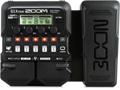
Zoom G1X FOUR Multi-effects Processor

The Zoom G1X FOUR is an example of a multi-effects pedal for those who only need to send a mono (monaural) signal and won’t be using MIDI Program Change messages to change effects presets. But even at this low price point, you’re still getting five simultaneous effects (with a choice of 70+ effect types) plus a master EQ, a tuner, a drum-pattern player, a 30-second looper, and a built-in assignable expression pedal.
There are many more multi-effects pedals at every price range. Check Sweetwater.com to see what popular multi-effects pedals are currently available. Use the pull-down menu (right above the first product shown) to sort them by price, popularity, customer ratings, release date, or brand.