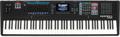
Been wanting to know how to save a single bank of objects and the Master Table (mix) without saving everything in a Kurzweil K2? This is a surprisingly common question our technical support staff gets.
Resident Sweetwater Sound VAST Guru, Daniel Fisher enlightens us. This is actually easy to do. Instead of saving with Banks (200….299, 300…399) hit “Save” and then “Object”. Now you will see a list of all User Objects in your machine. Use the Select softkey to choose all the Objects you want saved including the Master Table (it says: Table 16 Master). Then press the OK softkey.
If you want to get fancier, you can use the Multi softkey to select “Type: All Types, Bank: 200’s” to choose everything in the Bank in one shot. Then, all you have to do is Select the Master Table afterwards.