Bob Crowley and Chris Regan founded RF Venue in 2011. Their mission? Eliminate the signal dropouts and radio-frequency interference that have plagued wireless audio systems for decades. Since their founding, RF Venue has successfully overhauled more than 10,000 wireless installations in locations all around the world. This extensive, industry-leading experience is why the pros continue to turn to RF Venue — RF Venue knows its stuff!
RF Venue understands the challenges today’s wireless microphone and in-ear monitor (IEM) users face, especially when you consider the ever-shrinking radio-frequency (RF) spectrum that’s available. Signal dropouts and interference problems have never been worse!
Dropouts and interference are absolute performance killers. Even a one-second dropout can throw off your performance. Plus, it will likely give your technical crew a panic attack.
So, what can you do about these issues? Contrary to popular belief, it’s not rocket science. These are all-too-common problems that are easy to solve once you understand the underlying issues that cause them.
Why Do Wireless Microphones Drop Out?
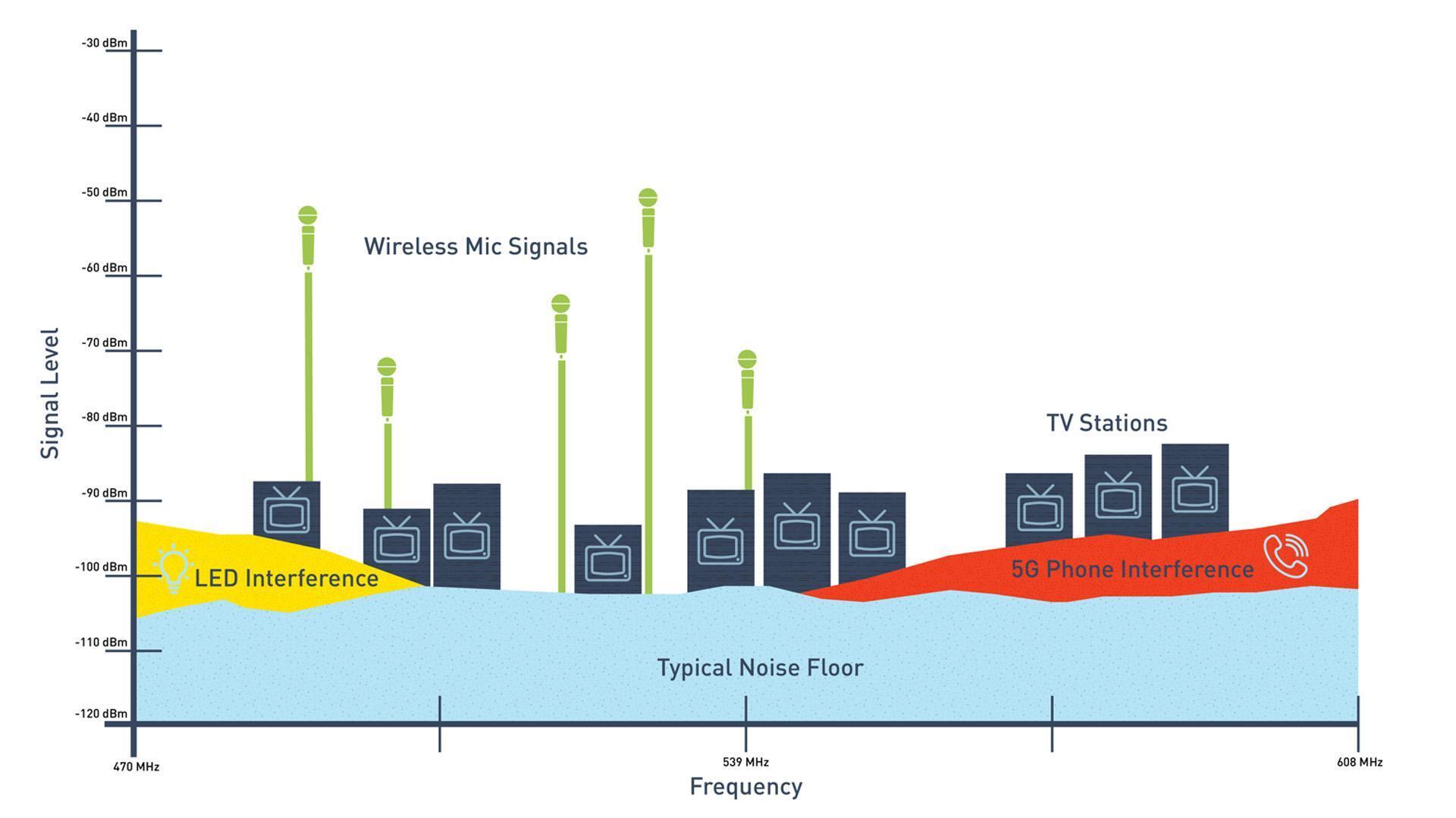
So, what causes dropouts anyway? Interference from local television stations, video walls, LED lighting, and cellular services are the usual suspects. These sources, all added together, form your venue’s RF noise floor. You can think of your RF noise floor in the same way you would headroom in an audio system — without adequate headroom, your audio suffers. Similarly, without enough wireless signal above the RF noise floor, your microphones will drop out.
In this example, we can see wireless microphone signals alongside sources that increase your RF noise floor:
When you add RF Venue’s patented antennas, such as their Diversity Fin or CP Beam, to your system, you get a very different picture with a lower noise floor and improved wireless-microphone signal quality:
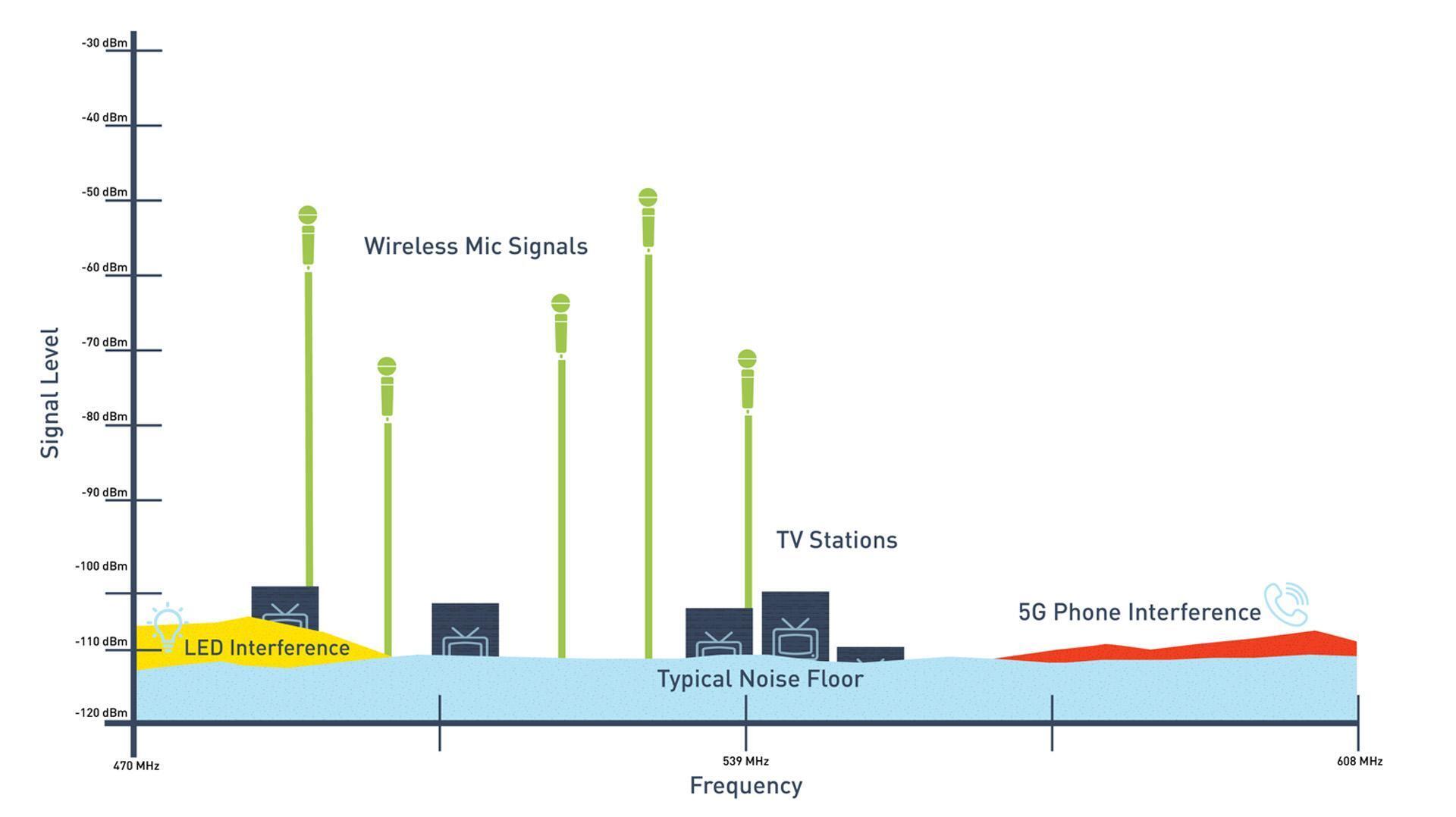
With an antenna like the RF Venue RF Spotlight, and with bandpass filters, a 10dBm–15dBm reduction in interference and noise floor is certainly possible. When you have a nearfield antenna that reduces the noise floor yet maintains the mic signal levels, and then you further reduce the noise floor by putting in filters, you can get that kind of result. It’s especially effective in crowded RF environments — downtown major cities, trade shows, etc.
Here’s how the experts at RF Venue fine-tune the performance of a wireless system during a chaotic trade-show exhibit using professional antennas and bandpass filters:
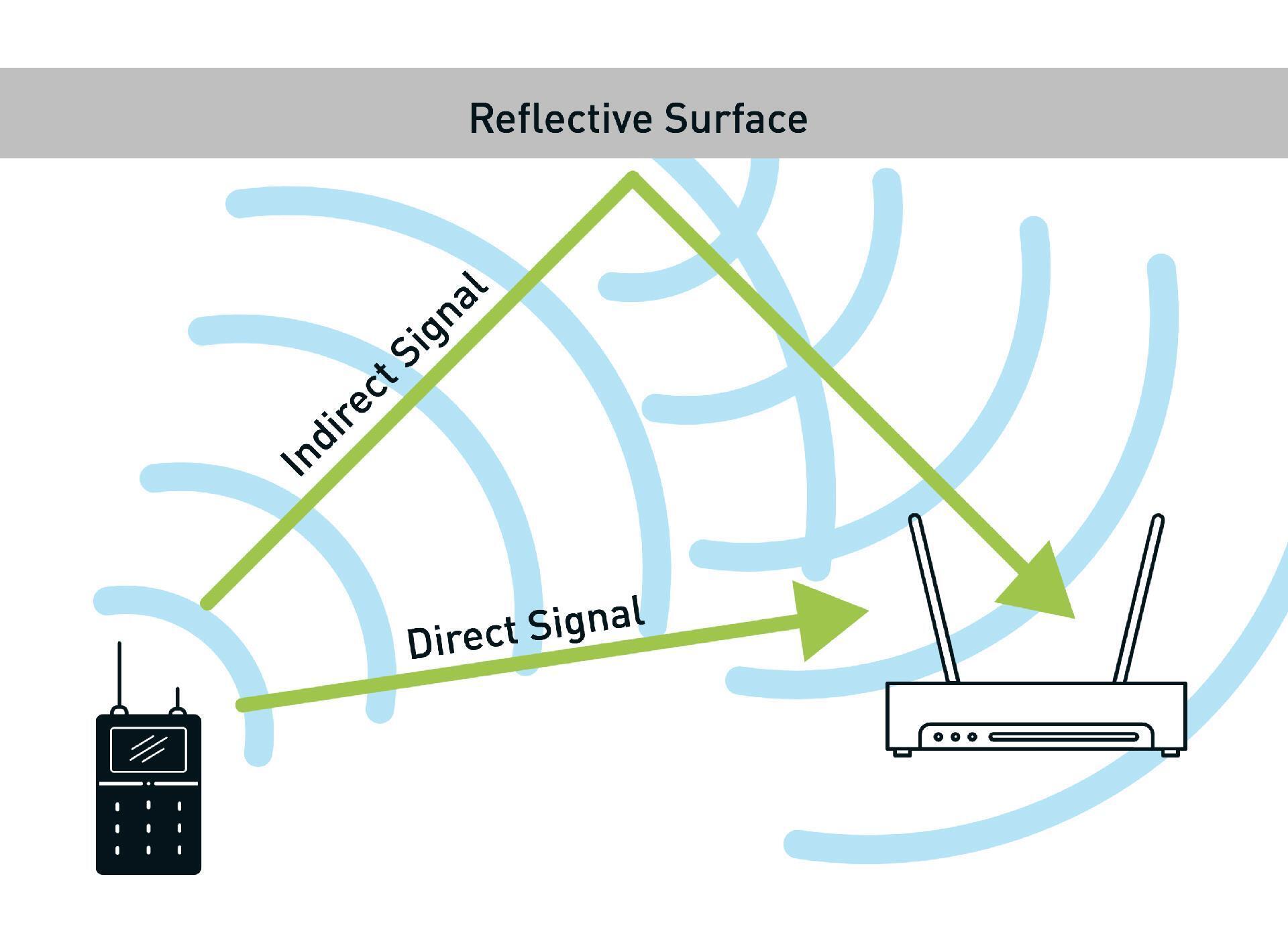
Another common cause of wireless interference is the reflections of your wireless microphone signals, mainly off walls or other nearby objects. These reflections change the signal’s orientation and cause it to drop out when it reaches the antenna. This type of interference is especially problematic for microphones since mics change angle every time the performer moves. Even a minor change can create a dropout.
Professional antennas, bandpass filters, and high-quality cables are easy — and inexpensive — ways to upgrade your wireless system.
Antennas for Wireless Mics
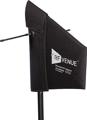
Unlike run-of-the-mill paddle- or shark-fin–style antennas, the RF Venue Diversity Fin permits your wireless system to see a constant signal irrespective of microphone angle. This ensures minimal dropouts no matter how the performer holds his or her microphone.
A single Diversity Fin antenna provides better coverage than two shark-fin antennas. The Diversity Fin is also less expensive than buying two separate antennas. Plus, it’s a breeze to install!
The following demonstrates how most common signal dropouts are solved with the Diversity Fin antenna:
Use Pro-Level Accessories for Any Brand of Wireless System
Contrary to common belief, your antenna doesn’t need to be the same brand as your microphone or in-ear monitor system. RF Venue antennas are compatible with a wide range of systems from top-selling manufacturers like Shure, Sennheiser, and Audio-Technica. Thanks to industry-standard connectors, most wireless systems can be used with any antenna or distribution system that employs the same frequency range.
It doesn’t matter if your wireless system is analog or digital. Either way, it handles RF signal the same way. Consequently, you can swap antennas, mix and match brands of wireless microphones on antenna-distribution equipment, and plug and play accessories to fine-tune your wireless system.

Antennas for In-Ear Monitors
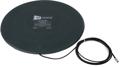
The CP Beam is a helical antenna, meaning that it has a distinctive corkscrew-like design. This gives it outstanding directionality — even better than shark-fin antennas — with high gain. What’s more, the corkscrew shape creates a circularly polarized signal. And why is that important? Three words: better signal quality.
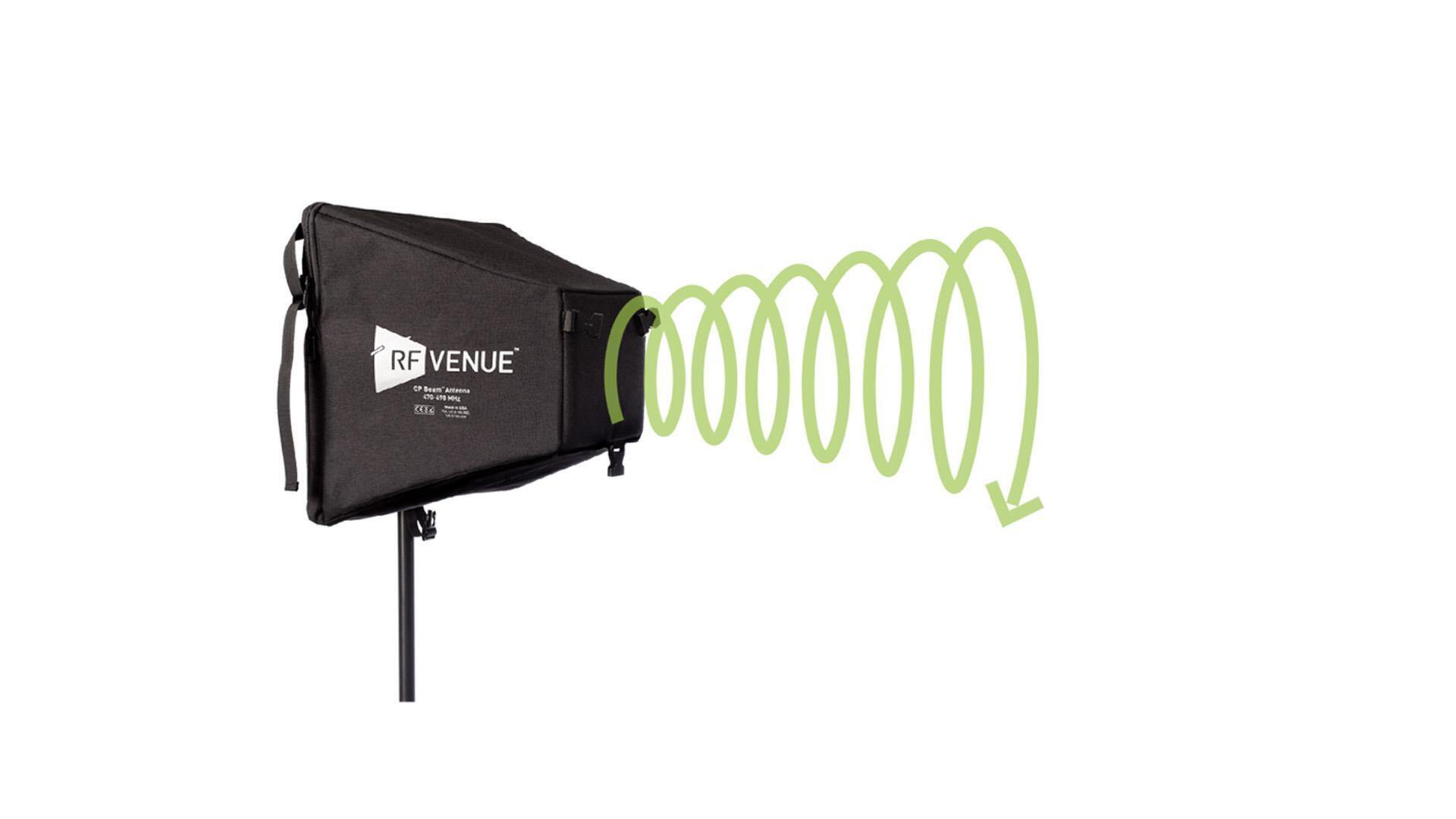
Not only does the CP Beam provide a better-quality signal to your IEM bodypack receiver, but its flexible design also makes storage a piece of cake. Fold the CP Beam down, and it fits effortlessly in a rack drawer — no special flight case required.

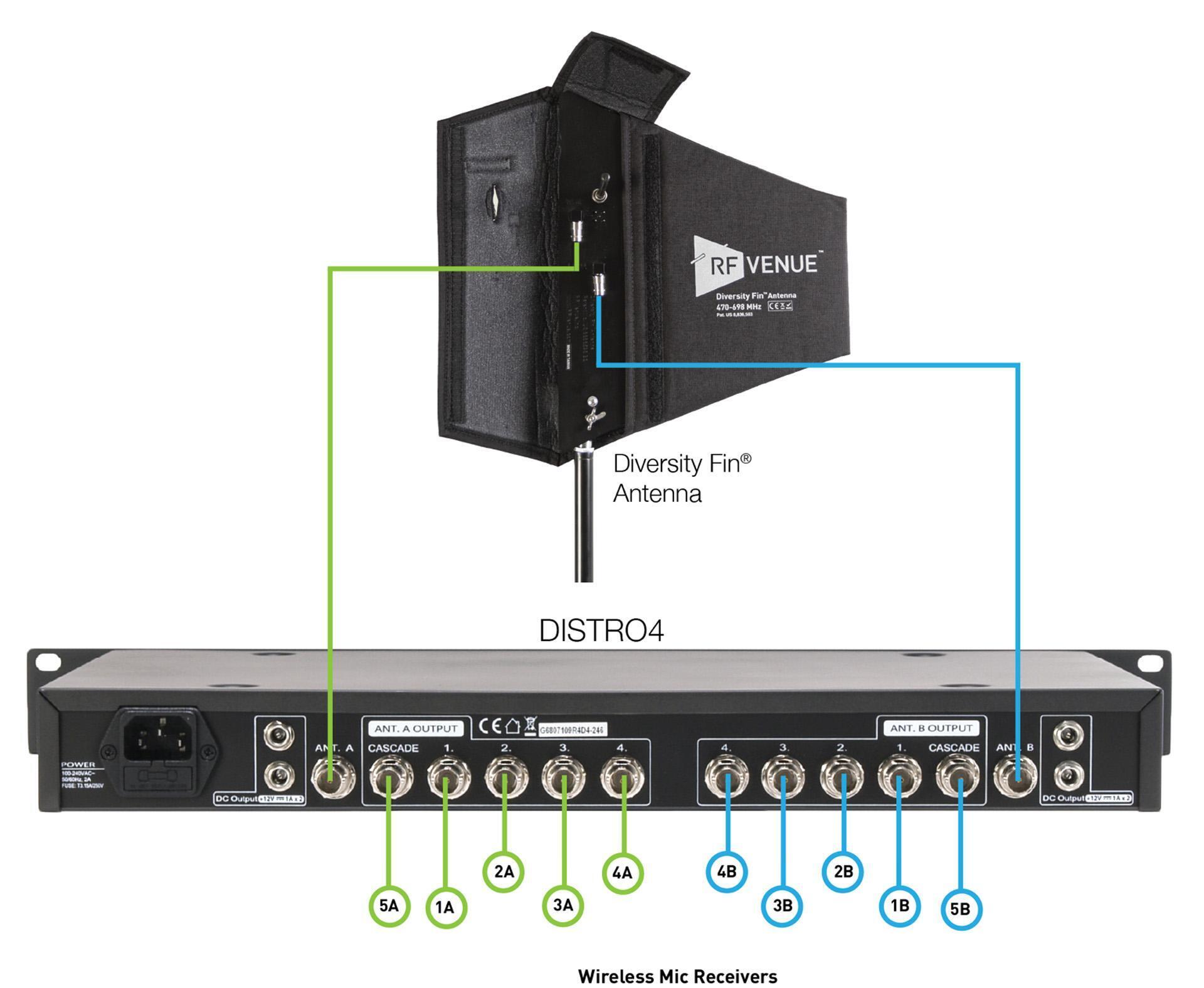
Putting It All Together: Four Wireless Microphones
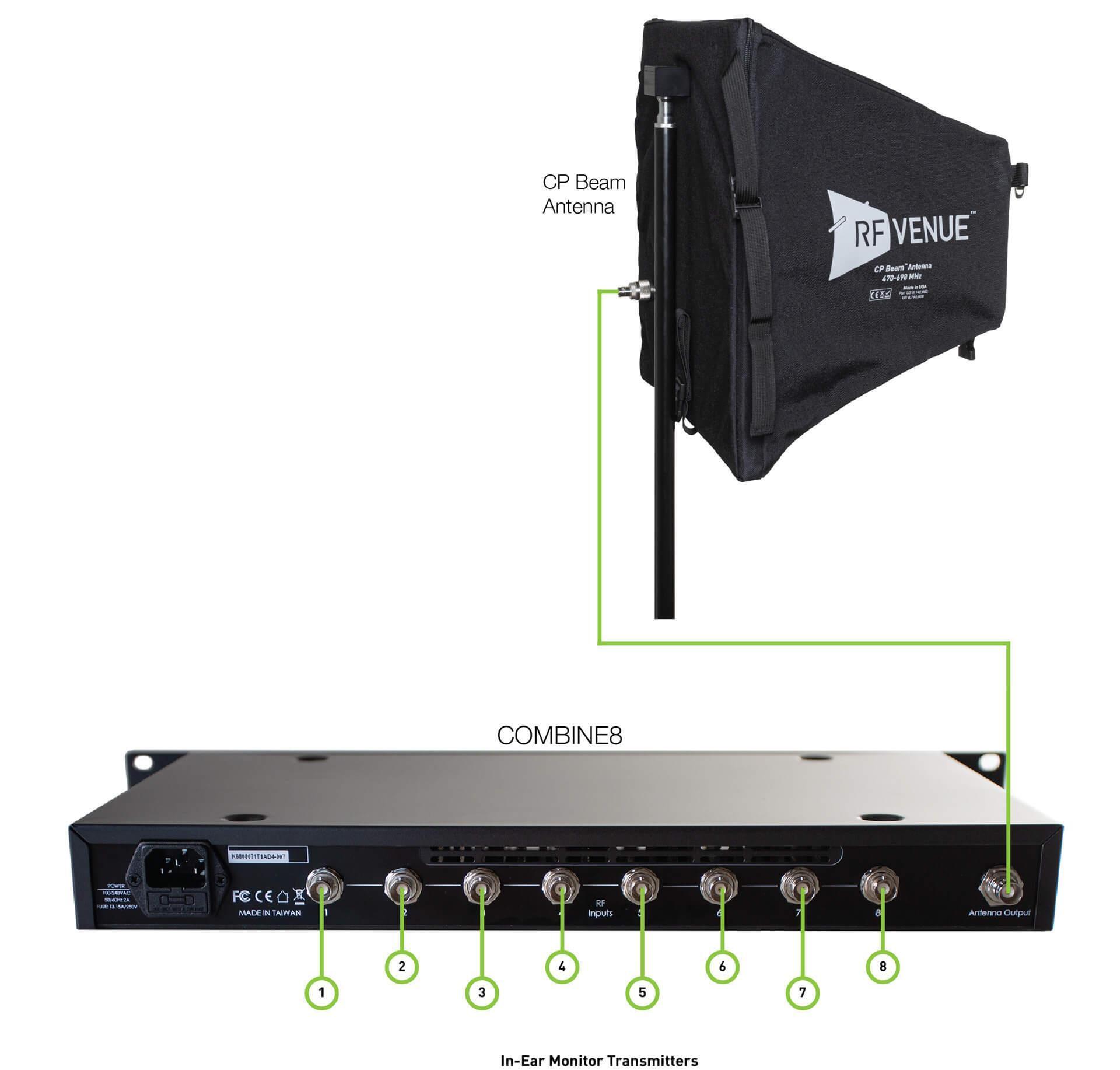
Putting It All Together: Eight In-Ear Monitors
Fine-Tuning and Testing
Arenas, concert halls, theaters, houses of worship — wireless is everywhere. That’s why selecting the right accessories to optimize your system is vital. There’s nothing worse than dealing with unexpected wireless problems that weren’t present during your midweek rehearsal. That’s why Sweetwater recommends RF Venue products. When you deploy RF Venue antennas and accessories, you’ll experience less interference, rarer dropouts, and fewer headaches. Plus, you’ll find that fine-tuning your wireless microphones and in-ear monitors is an absolute walk in the park.
For further reading, check out our Wireless Microphone Buying Guide and In-Ear Monitor Buying Guide.
If you have any questions about RF Venue antennas and accessories — or wireless systems in general — then give your Sales Engineer a call at (800) 222-4700. Sales Engineers receive extensive, up-to-the-minute training on everything we sell and will work one-on-one with you to help you achieve your musical goals.