Music producers are always looking for ways to create unique sounds that stand out in a mix. When you’re working with virtual instruments, it’s easy to add plug-in effects to enhance your virtual instruments. But have you ever considered breaking out of the box and re-recording your virtual instruments as they push air through a real speaker? Re-amping your virtual instrument tracks like a guitarist does can shape your sounds in a whole new way — and it also opens up the door to use guitar pedals to shape your software-instrument sounds. If you’ve ever wondered what your synths would sound like through a guitar amplifier — and whether or not it’s worth the effort in your studio — this article is for you.
Why Did We Do This?
In the spirit of sonic exploration, we simply wanted to hear what it sounds like to take a virtual instrument track into the physical realm and re-record it as an audio file. Running synth and drum sounds through a guitar or bass amplifier will affect the sound in a variety of ways, simultaneously compressing the signal, altering the frequency balance, and adding harmonic content to the signal. What we aimed to explore is whether this is a practical way to add some life to your virtual instrument tracks. Taste and opinions will vary, but hopefully this experiment will give you some creative ideas you can use to add your own sonic signature to your virtual instrument tracks.
The Setup
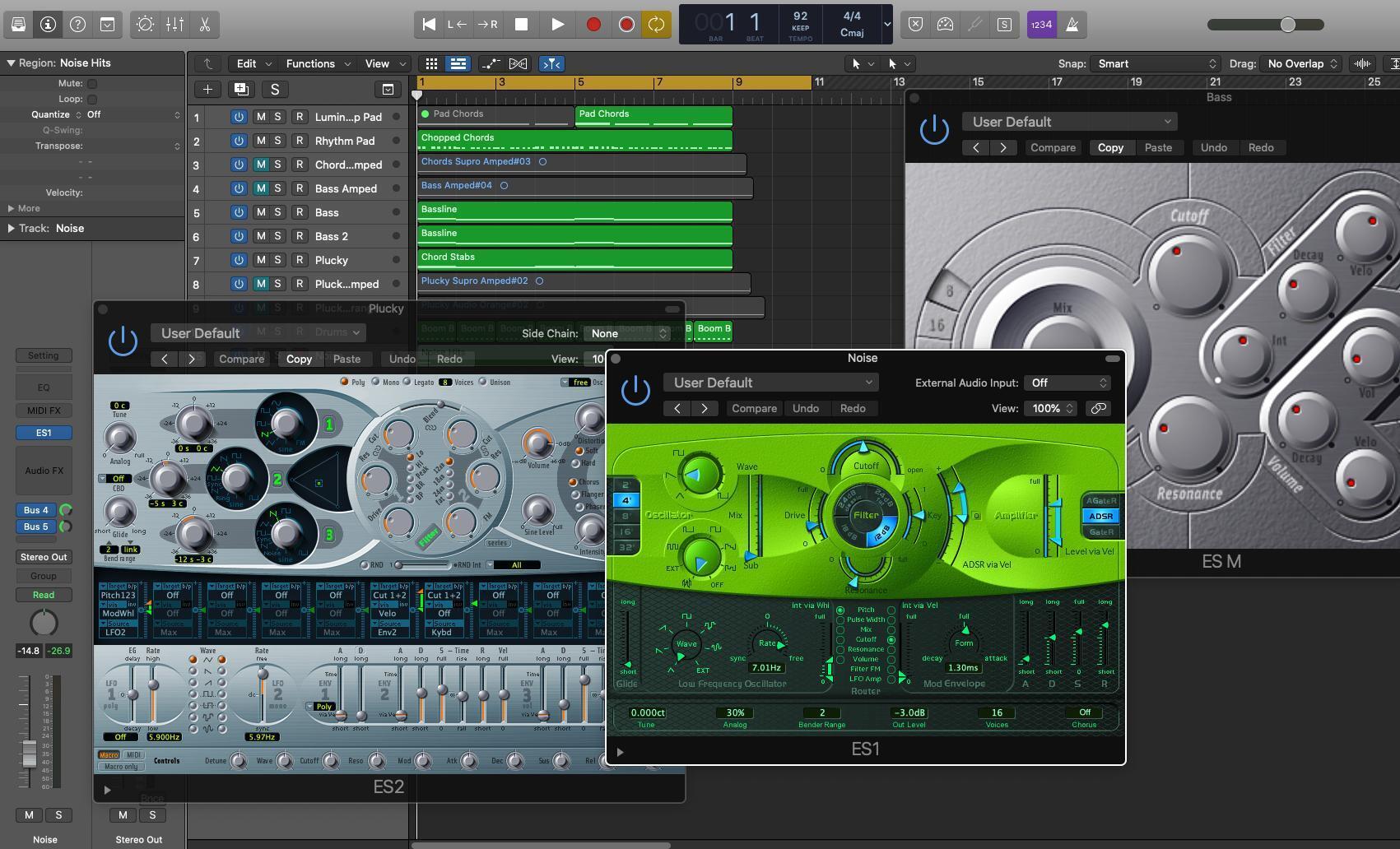
For this experiment, I set up a simple project in Logic Pro X using some of its included software instruments. I created an eight-bar loop with a minimal drum track, synth bass, some chords, and a melodic synth lead. I played some chords I liked, ran the lowest notes through Logic’s arpeggiator to create the bass line, and ran the full chords through Logic’s arpeggiator for the lead line. I won’t hold my breath waiting for a Grammy, but it gave me a few distinct elements to re-amp. Note that some reverb and delay effects are added, but I only re-amped the dry instrument sounds.
Here’s what we’re working with:
Virtual instrument mix
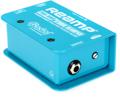
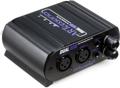
To get the synth sounds out of Logic Pro X and into my guitar amp, I ran an analog output from my MOTU 828es audio interface into an ART Dual RDB two-channel passive re-amping device — this converts the low-impedance line-level signal from the audio interface into a high-impedance instrument-level signal that I can run into an amplifier. The amps I used are my Supro 1688RT Jupiter 1×12-inch tube combo amplifier (for the lead synth and chords) and my Orange Crush CR50BXT solid-state combo (for the bass synth).
To record the guitar-amp signal back into Logic Pro X, I recorded the amps with a Shure SM57 dynamic microphone directly into the mic input on the MOTU 828es.

Bass
To create the synth-bass part for this project, I used two instances of Logic’s ES M monophonic synthesizer, my favorite synth in Logic for basic bass sounds. One instance is a saw wave providing the body and weight for the bass line; the other instance is a square wave pitched up to add a hollow attack to the sound. Both are sent to a bus in Logic so that I can manage them as one cohesive sound. Here’s how the original bass track sounds when soloed:
ES M bass dry
To re-amp this bass part, I changed the bass bus output from the main stereo output (1/2) to a different output (3) on my MOTU 828es. That output I connected to the ART Dual RDB re-amping box, which was routed to the input of my Orange Crush CR50BXT combo amp. By soloing the bass bus and hitting play in Logic, I recorded the bass through my combo amp without capturing any main-mix bleed from my studio monitors. The SM57 was about six inches from the speaker, on-axis, and about halfway between the edge of the speaker and the center. Here’s what the re-amped bass sounds like:
ES M bass re-amped
I really like the added sense of midrange weight and density that the re-amped bass has, but I miss some of the clarity and definition of the dry synth track. That’s to be expected, as the SM57 is basically acting like a bandpass filter and rolling off some high end. I decided to try blending the re-amped bass with the synth track, and I like the resulting blend, heard below:
ES M bass blend
Rhythmic Chords
The choppy chords playing throughout the loop are the ES2 polyphonic synthesizer — it’s a very basic patch with three sawtooth oscillators and some filtering. In the mix, I added some reverb with Logic’s ChromaVerb plug-in, but for re-amping purposes I turned off the reverb. Here’s how the dry chords sound:
ES2 chords dry
Basic and bright — the reverb was adding a lot of character to this sound, and I’ll definitely be sending the re-amped track into reverb, as well. I sent this chord track to my Supro Jupiter tube combo using the same process I used for the synth bass. I hoped to retain the presence of the synth sound while also softening some edges and adding some midrange weight. Here’s what I got after re-amping these chords:
ES2 chords re-amped
Again, the mid-focused nature of the SM57 adds some sonic density that the original track was lacking. I blended the dry and re-amped tracks again. Here’s how that sounds:
ES2 chords blend
Lead Melody
The lead line is another instance of the ES2 synthesizer, this time with some oscillator detuning and some FM applied to the filter section. It’s a basic pluck sound sent to Logic’s Stereo Delay to add some space and width. I re-amped the dry track only and sent it to the delay again once I’d re-recorded it. Here’s how the dry lead synth sounds:
ES2 pluck dry
Using the same process that I used to re-amp the chords, I soloed the lead synth and re-amped it through the Supro Jupiter. Here’s how that sounds:
ES2 pluck re-amped
Again, you’ll hear that the SM57 is doing some sound shaping for me — while I moved the mic a bit for each take, the core character of the SM57 is obvious. Here’s the re-amped signal blended with the original signal:
ES2 pluck blend
In the Mix
I purposely did not re-amp the drums, the noise effect, or the chords that play in the second half of the example to better show the contrast between those elements and the re-amped synth tracks. Here’s how the mix sounds with the re-amped synths instead of the originals:
Virtual instruments re-amped mix
Again, I like the increased density in the midrange and the reduced harshness, but I miss the definition and synthetic nature of the dry tracks. Here’s the mix with the dry tracks blended with the re-amped tracks:
Virtual instruments dry/re-amped mix

So, Was It Worth It?
If I was working on electronic music projects fully comprised of software synthesizers, I could see myself using this re-amping technique often as a way to bolster the existing, dry synth tracks. And if I wanted to alter a sound for a bar or two for a breakdown section, then replacing the virtual instrument track with a re-amped track could create the sonic distinction I’m looking for. I’d definitely recommend experimenting with different microphones to better capture the balance of lows, mids, and highs that you want. It’s also worth noting that this quick scratch track could benefit from some arrangement tweaks and refinements to the synth sounds as well as the mix — re-amping the virtual instruments certainly gave us some new sonics to work with, but it doesn’t necessarily get us closer to a final mix.
I suspect that re-amping software instruments would be even more beneficial if I was creating a song with both acoustic and electronic elements — for instance, if I wrote a song with vocals, acoustic guitar, and cajon for percussion and then decided to add a synth part or electric piano with software instruments. If the software instruments didn’t gel well with the recorded audio, then re-amping them through a guitar amp could be a great way to make them sound more organic and natural. I likely wouldn’t even blend in the dry synth tracks in that case.
In other words, I feel this was a valuable experiment, even though I definitely won’t be re-amping every software synth track that I compose. I’d say that for any music producer that works with software instruments and also has a guitar or bass amplifier as well as a microphone around, it’s definitely worth having a re-amping device around, too.
“But wait,” you exclaim, “can’t I just re-amp my synths virtually using Logic’s built-in guitar amplifier emulations?” Yes, you can. You’ll still have control over your virtual amp’s gain and tone controls; you’ll have some control over microphone selection and positioning; and the speaker-cabinet emulation will still be acting as a type of filter. Whether it’s worth your time to do this in the analog realm with mics and amps is up to you, but I’ll admit I had fun doing it this way. And I didn’t even get into running the synths through my effects pedalboard — maybe for the next article!
Want to Start Re-amping Your Software Instruments?
Whether you’re re-amping a guitar track or a software instrument, the process is the same. You need an audio interface with a mic input and a spare output, a re-amping box to convert the line-level signal to an instrument-level signal, an amplifier, and a microphone to record the amp. Once you’ve got the signal chain set up, it’s fairly effortless to re-amp tracks from your DAW. I hope this experiment gives you some new creative ideas to play with in your studio. And if you have any questions about re-amping or anything else related to music production, give your Sweetwater Sales Engineer a call at (800) 222-4700.