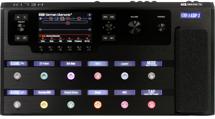
Multiband processing splits a signal into multiple frequency bands — like lows, lower mids, upper mids, and highs — and then processes each band individually. When hardware ruled the earth, this was complex, expensive, and difficult to implement. But in today’s software-empowered world, multiband processing is eminently doable and opens up new ways to shape sound.
For example, splitting a guitar into different bands, and then distorting each one individually with an amp sim, gives a more defined and articulated tone. When you hit a low open string and then play a solo high on the neck, the two don’t interfere with each other, but sound distinct. (Note that with multiband distortion, each amp sees less level because it’s receiving only one band of frequencies. You’ll likely need to turn up an amp’s Drive parameter to compensate.)
Or consider delay. You might not want to delay all frequencies — delaying low frequencies may add mud that doesn’t happen when you delay only the upper mids and treble. Also, long delays on the higher frequency bands and shorter, slapback-type delays on low-frequency bands can create a delay effect that sometimes fits tracks better than single-band processing. And splitting an instrument into four bands and chorusing each one separately can give gorgeous, lush chorusing effects.
To create multiband effects, first you have to divide the audio into multiple bands.
Parallel Lines
You need parallel signal paths for as many bands as you plan to use. Let’s assume 4-band multiband processing, because that’s often all you need. There are several options for creating parallel signal paths.
The “Hey, it’s already there!” Option
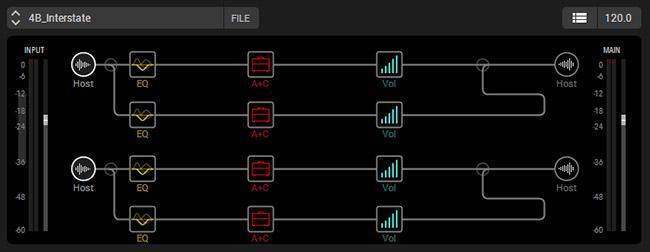
Some devices already have parallel paths. For example, the Line 6 Helix has four parallel paths (fig. 1), and assigning them to the same input can provide four bands of parallel processing.
The Add Splitters Option
Some software programs let you create parallel paths. For example, Native Instruments’ Guitar Rig, part of Komplete 11, includes a splitter module to create parallel paths. You can also split each splitter output into another splitter, thereby creating four parallel paths (fig. 2).
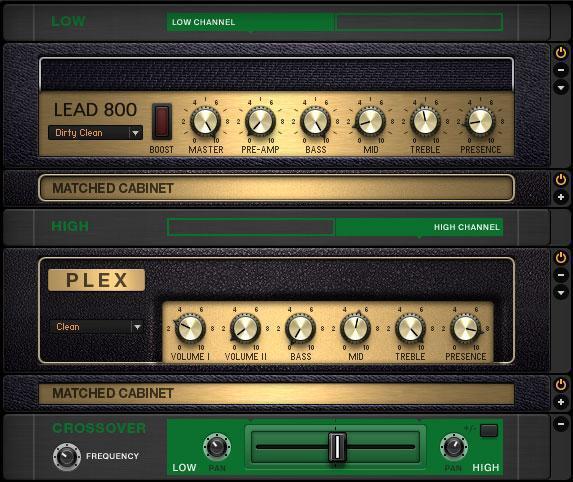
In this two-band setup (Fig. 2), Guitar Rig’s crossover frequency is set to around 300 Hz. The low frequencies go to the Lead 800 amp for a beefy, distorted tone. The high frequencies go to the Plex amp, which has a cleaner sound. As a result, the higher strings ring out clearly, while the lower strings have a big, fat sound. The Crossover module at the bottom mixes the two bands together; the slider determines their balance, while the pan controls are offset a bit to widen the stereo image.
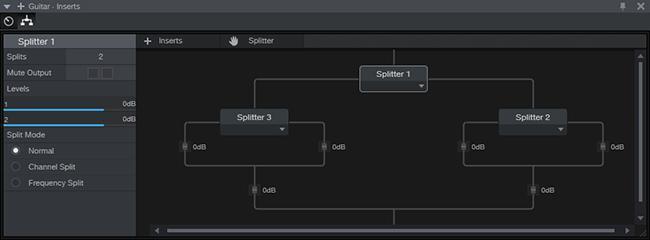
Some recording programs also allow for parallel effects, either natively or with plug-ins. For example, the PreSonus Studio One effects chain architecture includes a splitter module (fig. 3). Like Guitar Rig, this splitter can feed additional splitters.
The Send FX Option
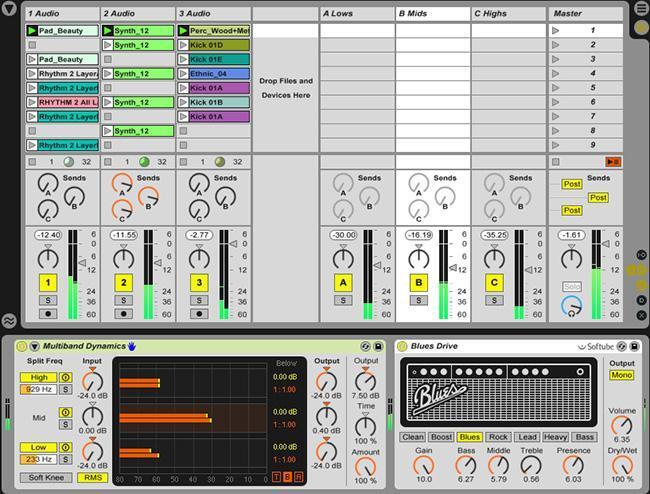
You can create parallel paths using Sends, such as this example in Ableton Live (fig. 4). As long as the program has good plug-in delay compensation so the tracks remain in sync, this works well.
The Brute Force Option
With recording software, you can simply copy a track as many times as you want bands, and then insert the appropriate effects into each track. As with send FX, the program will need to have plug-in delay compensation.
If you want four bands, then create three duplicates of the original track so you have four tracks with identical content.
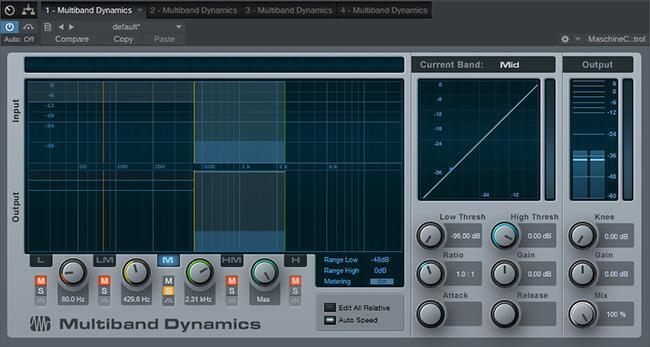
Next you need to create the bands. Although some splits in software programs let you split by frequency, these are usually just crossovers — you can separate everything below and above a certain frequency. This works if you only need two bands, but my favorite method is to use multiband compression to create the bands. Here’s how to do it.
- Insert a multiband compressor in one of the splits, and listen to only this split. Set the compression ratio for all bands to 1.0:1 and knee to softest possible knee (usually a setting with a low number). This defeats compression so the plug-in can become a multiband crossover.
- Solo each band in the multiband compressor, and adjust the high and low boundaries to cover the desired frequency range for the individual band.
- Save these settings as a temporary preset. Insert an instance of the multiband compressor into each split, and call up the temporary preset for each instance.
- Solo the lowest band on one split, the lower mids on another split, the upper mids on another split, and the highs on another split. Now each split has been restricted to a particular band of frequencies (fig. 5).
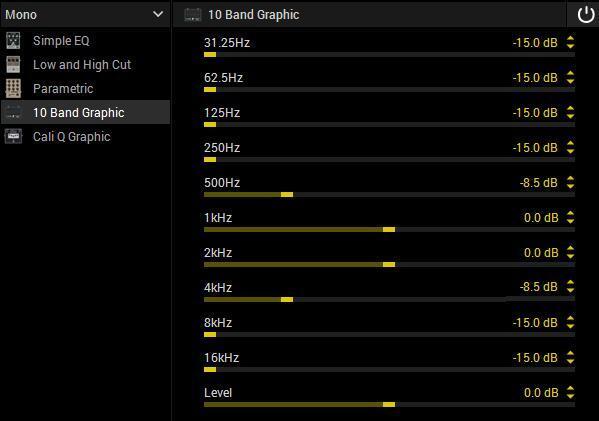
Although using a multiband compressor to create the split is my first choice for creating frequency bands, you can also use a graphic equalizer in a pinch. As an example with the Helix, to cover the lows, I turn up the bottom three bands and set the other bands to minimum. For the low mids, the 250Hz and 500Hz bands get turned up while the rest are turned down, and so on. Using a graphic EQ to do the splitting with guitar can sometimes be more flexible than using multiband compression, because you can bleed a bit from one band into another band if it improves the sound.
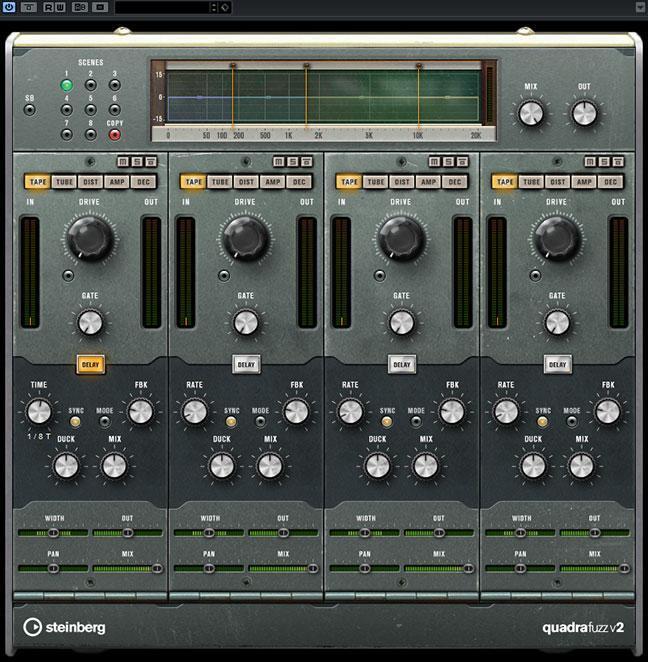
Note that a few processors (like Steinberg’s QuadraFuzz and iZotope’s Trash) are already multiband in nature — so they do all the splitting, separating into bands, and processing in one plug-in.
Start Processing!
Once you have your individual bands set up, you can start experimenting. If you’ve created your own multiband setup by making splits and isolating frequency bands, this is where the real fun begins. For each split, you may want to include the same processor but with different settings and/or processors in some splits but not in others (e.g., octave divider on only the low frequencies and octave multiplier on only the high frequencies), or completely different processors in each split.
Here’s a final tip: It does take a bit of effort to set up an environment for multiband processing. If your recording software can save track presets or track templates, save your multiband layout so you can call it up any time you want multiband processing.
If you haven’t played with multiband processing, give it a try. You just might be surprised at where it takes you — and your music.