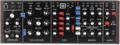
Currently, we’re living in a second golden age of analog synthesis with legacy manufacturers like Sequential, Moog, Novation, and Korg releasing spectacular new analog synthesizers and re-creations of their classic units. Plus, there’s a host of boutique synth companies, including Erica Synths, Dreadbox, Analogue Solutions, and Studio Electronics, filling the shelves with classically inspired synths with a modern spin. On top of that, Behringer is making analog synthesis more affordable than ever with their faithful emulations of 1970s and 1980s synth legends.
Most people, myself included, start their analog-synth journey with a humble monophonic synthesizer. Even simple units like the Behringer Model D and Odyssey present numerous creative possibilities. However, at some point, you’ll no doubt start craving a polyphonic synthesizer. True polyphonic analog synthesizers essentially pack several monophonic synthesizers into a single housing. For instance, a six-voice, single-oscillator polyphonic synth, like the iconic Roland JUNO-106, has an independent oscillator, filter, and voltage-controlled amplifier for each of its six voices. So, it’s easy to understand why polyphonic synthesizers are so much more expensive than their monophonic counterparts.
Now, I heartily recommend purchasing a polyphonic synthesizer to anyone who has developed a taste for synthesis and owns at least one monophonic analog synthesizer. Yet, while you’re saving up to buy the polysynth of your dreams, there are ways to create polyphonic textures with your analog monosynth. In this article, we’ll explore two ways that you can transform your monophonic synth into a quasi-polyphonic synth for pads, strings, brass ensembles, and more: overdubbing and sampling.
Overdubbing
The first way to transform your monosynth into a polysynth is through overdubbing. Essentially, you can record several monophonic passages to create polyphonic parts. There are a couple of ways to approach this. The most straightforward way is to record separate real-time passes, building up layers of single notes to create chords. For instance, if you wanted to make a pad using three-note triads, then you would first play the lowest notes of the chords in your progression, followed by the middle notes on the second pass, and the highest notes on the third pass. Here’s a basic four-chord progression I created using that method on a Behringer Odyssey analog synthesizer.
Another method is to work out a part using a polyphonic soft synth, record the MIDI, and then split the MIDI into separate monophonic tracks. Then, you output each monophonic MIDI track to your monosynth and record them back into your DAW — basically automating the prior procedure. For this method, I like to start with a soft synth that is an emulation of one of my monosynths or that has a similar sound and feature set. For this example, I again used the Behringer Odyssey.
To compose the part, I turned to the Korg ARP Odyssey virtual instrument. Not only did it allow me to design a patch that I could easily approximate on my hardware synth, but it also let me play polyphonically by switching the soft synth into poly mode. After recording MIDI into an instrument track in Pro Tools, I created six blank MIDI tracks. Why six? Because that’s the maximum number of notes I’m playing at any one time. Next, I copied and pasted the polyphonic MIDI into each of the six blank MIDI tracks. For the first MIDI track, I deleted everything but the lowest notes; on the second track, I deleted everything but the second-to-lowest notes; and so on. Then, it’s just matter of sending the MIDI data to the synth and recording each pass on a separate audio track. After that, you can sum all the tracks together into a single mono or stereo track. If you’re summing to stereo, then this method gives the additional advantage of panning each note in the stereo field, which is something usually relegated to high-end polyphonic synths. Pretty cool!
You may wonder why I would go through all this effort when I already own a software version of the Odyssey that’s capable of polyphonic performance. Well, as impressive as soft synths are, I still prefer the sound of hardware. To my ear, hardware synths, especially analog synths, continue to have a sonic edge over virtual instruments, even if that edge gets slighter and slighter all the time.
For reference, I’ve included the soft synth and the overdubbed Behringer Odyssey. For the latter, I employed the panning trick for extra dimension. I attempted to make the patches sound reasonably close, but, with this method, I used the soft synth as a starting point and tweaked the analog synth to taste. Both are treated to a touch of reverb from the Waves H-Reverb hybrid reverb plug-in.
Sampling
The second way to transform your monosynth into a polysynth is to use a software sampler. This is a really fun way to get more out of your monosynth, and it’s perfect for sparking creativity and encouraging experimentation. Most DAWs include a free software sampler. Pro Tools, my DAW of choice, comes bundled with UVI Falcon, a very advanced hybrid instrument with sampling capabilities. UVI Falcon uses intuitive drag-and-drop functionality that allows you to turn any sample into a polyphonic instrument. It does an admirable job of pitching samples up and down without creating excessive digital artifacts. However, it’s good practice to capture several pitches from your analog synth to get a more natural sound — two to three samples per octave is a good rule of thumb. With software samplers like UVI Falcon and Native Instruments Kontakt, you can create multi-sampled instruments with relative ease.
In this example, I created a short brass patch on the Behringer Odyssey. To make every sample the same length, I used the piano roll to draw in the MIDI notes to be sampled. I captured C, E, and G♯ across a five-octave range to fill my 61-key MIDI controller. I’m using it in a very basic way, but Falcon has a tremendous amount of functionality, allowing you to add numerous modulators and effects. Ping-pong delay and reverb have been added so you can hear how this sounds “in the wild.”
Sampling monophonic synthesizers to create polyphonic instruments is a technique that dates back to the 1980s with artists using hardware samplers like the E-mu Emulator II, the Ensoniq Mirage and EPS, and the ultra-pricey Fairlight CMI. These early digital samplers had a distinctively crunchy sound due to their low sampling rates and analog/digital converters, which can be awesome for some applications. The Arturia V Collection 8 includes emulations of the Emulator II and the Fairlight CMI, and both allow users to load in their own samples. For this next audio clip, I loaded the brass sample from the previous example into the Arturia CMI V. This isn’t a multi-sampler, so I just needed one sample; I chose middle C. As you’ll hear, the playback is not pristine; it’s gritty, full of artifacts, and deliciously lo-fi! Also, the Arturia CMI V, like the original Fairlight CMI, pitches notes by altering the sample rate (it’s like a digital version of the Varispeed trick from the early days of tape-based recording), meaning that lower notes have a longer envelope and higher notes have a shorter envelope, which you’ll hear in the audio clip.
Conclusion
There you have it! Polyphonic sounds from your monophonic synth. Of course, these examples aren’t true polyphony, and they do require a fair amount of effort to pull off. But another enjoyable aspect of monophonic synths is their limitations, and finding creative ways to work around those limitations can lead to some inspired results!
Looking for your first monophonic or polyphonic analog synthesizer? Give your Sweetwater Sales Engineer a call at (800) 222-4700. They’ll be happy to guide you to the right synth to fit your needs!