

The first time I read a list of the benefits of in-ear monitoring, I was pretty sure that it was written by the marketing department of a company that needed to sell some more systems to make their monthly quota. It just sounded too good to be true. Better performance, tighter tuning, less feedback, and whiter teeth just by putting speakers in my ears? How do you wade through the hype and the marketing jargon to get to the reality of this situation? Let’s see what we can find out!
Performer or Sound Engineer?
Who are in-ears really supposed to help? The two benefits they offer that I hear about the most are creating a silent stage and lowering the chance of feedback. Aren’t those things that the engineer is supposed to worry about? I like the emotionality of a loudspeaker pointed right at my chest!
As a performer, making an audience happy is job number one. Lower stage volume means that the people who are crowded up front (the ones most excited about the music!) are not listening to the muffled sounds of the back of a monitor wedge. This allows them to hear the songs better and learn the words so they can sing along.
Lower stage volume also means that while feedback is less likely, the amount of wear and tear on a performer’s ears is less as well. In-ears that are well fitted reduce more than 20dB of outside noise, so your overall mix can be tons quieter than with an open wedge trying to get louder than acoustic drums and the classic half stack the guitarist decided to drag out for this gig.
Lower volume means less damage to your ears and a longer performing career. Performing artists like Brian Johnson of AC/DC and Pete Townshend have struggled for years with hearing damage that threatened to end their careers. Controlling stage volume might add decades to your career, and hearing damage can be impossible to reverse.
To learn more about protecting your hearing, read this article: The Musician’s Guide to Hearing Protection — from a Doctor!
Not Just Any Pair of Earbuds
While you can use just about any pair of earbuds in a live performance situation, there are some very good reasons not to use the ones that came with your cell phone.
Many phone and consumer-grade earbuds are very focused on telephone bandwidth, roughly 300Hz–3,000Hz. This midrange focus makes for good vocal clarity, but they typically don’t have a lot of headroom and can start distorting when you are trying to mix a lot of individual signals. At low levels, this distortion can seem like more output, so they may appear to be working better, but this is very hard on your hearing.
These types of headphones also don’t typically seal the ear canal. This means that you are not getting a reduction of outside signals. You are likely listening at a much higher average level as you turn up the in-ear volume to get above the background noise. This is a perfect recipe for hearing damage.
Quality professional earbuds like the Shure SE215 or Sennheiser IE 100 Pro cost about $100 but long term will give you much better results and performance. They come with a variety of tip sizes to get a good seal in your ear, which is critical to reject outside noise and get good low-frequency response. It is amazing how much easier it is to sing in tune when you can hear the fundamentals of the low-frequency notes!
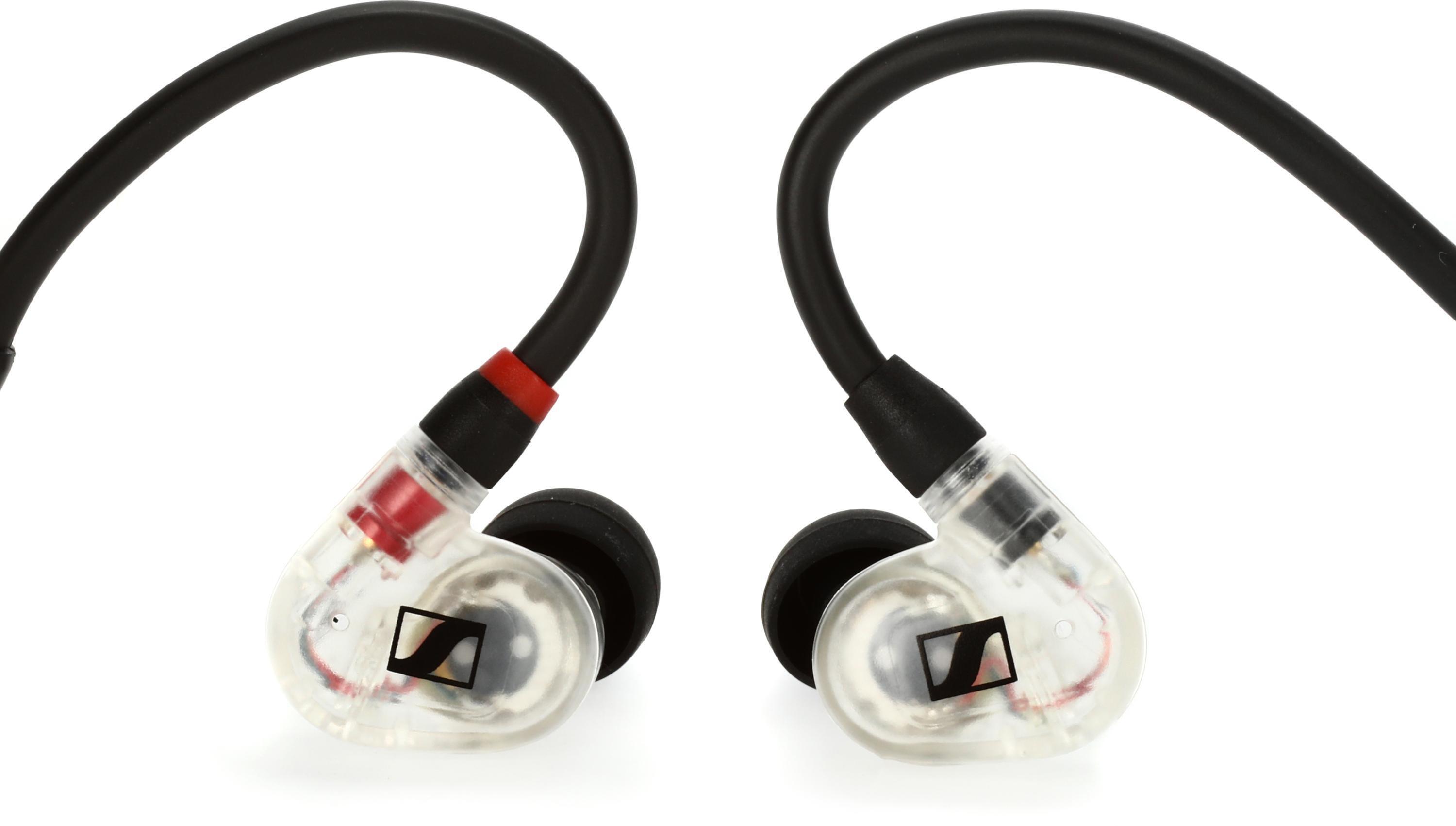
Of course, there are more advanced options with multiple drivers specifically tuned for studio mixing, playing drums or bass, or just a stellar sound. For pro use, you can have custom IEMs for your best comfort and listening experience.
For tips on selecting the right in-ear tips and drivers, read the In-ear Monitor Buying Guide. To learn about the custom IEM experience, read 64 Audio Customizer | Design Your Own Custom In-ears.
I Feel So Lonely Up Here . . .
Of course, when you get a good fit on the earbuds, you may find that you feel completely isolated onstage. You are not hearing what is going on right next to you. You can’t talk to the other people onstage, and you may feel like the audience is on the beach and you are underwater. It can be a disconcerting feeling.
Many performers’ first reaction is to pull one of their earpieces out. This may also be a response to not having the mix you want in your ears and trying to hear more clearly. There are some good reasons to avoid this approach.
- First of all, the physics of sound are not in your favor. Hearing audio in both ears will increase the sound pressure level by 6dB. Once you open one of your ears to outside leakage, you will have to turn up the level on the single earbud to account for the drop and overcome the ambient noise level. It is very easy to get to a level that can be damaging to your ears without realizing it.
- If you are listening to a stereo mix, then you may lose portions of the mix that are only panned to one side. You’ll only hear half the sonic information you need to sing your best.
- An IEM dangling from a singer’s neck can be heard by microphones that are very close. Unless you want your listeners to hear, “Intro, two, three, four,” through the FOH speakers, use both ears.
Having an open mic on the stage or aimed at the audience can alleviate some of that “locked in the closet” feeling. To learn more about adding room mics to your in-ear mix, read Understanding Crowd Mics.
Ask the mix engineer if that is a possibility, or consider using earbuds such as the triple-driver Westone AM Pro X30, which let in a measured amount of ambient sound around you. This can really help you feel less isolated. Just like you had to invest time and energy into practicing your musical craft, you will have to learn to work with in-ear monitoring. Don’t expect it to happen overnight.
If you are doing your own mix, don’t just turn everything up and then boost yourself over the fray. Ask yourself what you really need to hear. Turn everything off to start and add back just what you need. A great example of this is available in Sweetwater’s presentation by the Chris Tomlin band, where you can listen to each performer’s individual mix. If there are three guitar parts, do you need to hear all of them?
Take advantage of panning. Leave yourself in the center, but push the other sources left and right. If you find that you really need to listen to piano for pitch, another vocalist for blend, and the snare drum for tempo, pan them slightly to the outside. Remember that having earbuds in will accentuate panning, so you may not need to go hard to the left and right; however, getting them off dead center will open up some space in the mix to make it easier to hear. Also keep in mind that if you are using wireless in-ears, they have less separation than wired systems, so they will tend to diminish panning position. This means you may have to pan harder than you think you should.
If you are still having a hard time hearing yourself, stop before you just turn yourself up again. Ask yourself what is interfering, and try turning that down first. Monitor mixing is about clarity and creating a space in the mix, not just about how you can get “more me.”
Build a great in-ear mix with these essential tips.
Learn more about successfully making a smooth move to IEMs by reading “How to Move Your Team to In-ear Monitors.”
Flexibility
It is also worth thinking about the things that you can do with in-ears that you simply cannot do with open wedges.
Backing tracks or click tracks are painful (and possibly career ending!) if they are blaring out of an open wedge onstage. However, having in-ear monitoring makes these useful tools in some performance situations.

One convenient way to add tracks to support your team is through Sweetwater affiliate MultiTracks.com. Their Playback Live Bundle helps with chart management and controlling live playback — including MIDI commands. It’s fully compatible with the entire MultiTracks.com ecosystem, so you can access additional options such as RehearsalMix, ProPresenter Templates, and Planning Center Online integration. You can even rent or purchase tracks from the original recordings by your favorite artists.
Likewise, vocal prompts can be brilliant if you have in-ears. A musical director can have a mic that only goes to your ears to communicate with you. This can be useful if you need to cut a song on the fly or if the director is kind enough to remind you of the next song. Nothing is as embarrassing as playing the intro to “Sledgehammer” over the ballad everyone else in the band is beginning!
Bring Everything Together
Assembling an in-ear system poses a tricky balancing act that must:
- Address your needs
- Work compatibly with your current sound console/system
- Fit your budget
Our experts can help. Call your Sweetwater Sales Engineer at (800) 222-4700 to start designing a system that will let you hear what you need to hear and help your team shine.
