With the prevalence of ’80s and ’90s nostalgia these days, it’s a surprise that we aren’t swimming in re-releases of classic hardware multi-effects processors packed with gated reverbs and pitch-shifted choruses. If you love mixing with hardware instead of plug-ins, then you should consider building your own modular effects processor based on the Eurorack modular synth platform. You don’t really need to know anything about synthesis to build your own Eurorack effects processor, and you’ll be adding big creative potential to your studio. Let’s take a look at how to set up a Eurorack system that serves as a custom multi-effects processor when mixing while taking advantage of the vast range of options that Eurorack offers.
If you want to know more about Eurorack before you decide whether to build a custom effects processor, then check out our Eurorack Buying Guide. The creative power of Eurorack lies in the ability to patch modules together to create custom signal flows, which allows you to create effects not possible with traditional effects processors. If you want a set-and-forget effects processor for typical delays, choruses, and reverbs, then a traditional multi-effects processor may be better for you. If you want maximum creative control over your effects and endless ways to combine them, then Eurorack is the way to go.
What you need to start

There is a ton of creative potential within the realm of Eurorack, and you don’t need to be a synthesis expert to create a fun effects playground for mixing purposes. Building your own custom Eurorack effects processor is relatively simple — you’ll need a Eurorack case (to hold your Eurorack modules), a power supply (to power the modules), a line-level interface module (for connecting with your audio interface or mixing console), Eurorack patch cables, and of course your choice of modules.
There is a huge range of options when it comes to Eurorack cases, power supplies, and various modules — to make this operation simple, consider an all-in-one Eurorack case like the Intellijel Palette case. It’s available in multiple sizes (determining how many modules you can fit in it) and has important functionality built right in, including a power supply, audio I/O, and even MIDI connectivity. By choosing a case like this, you’ll be able to focus more on which modules you want and spend less time getting everything set up.
A word on signal level
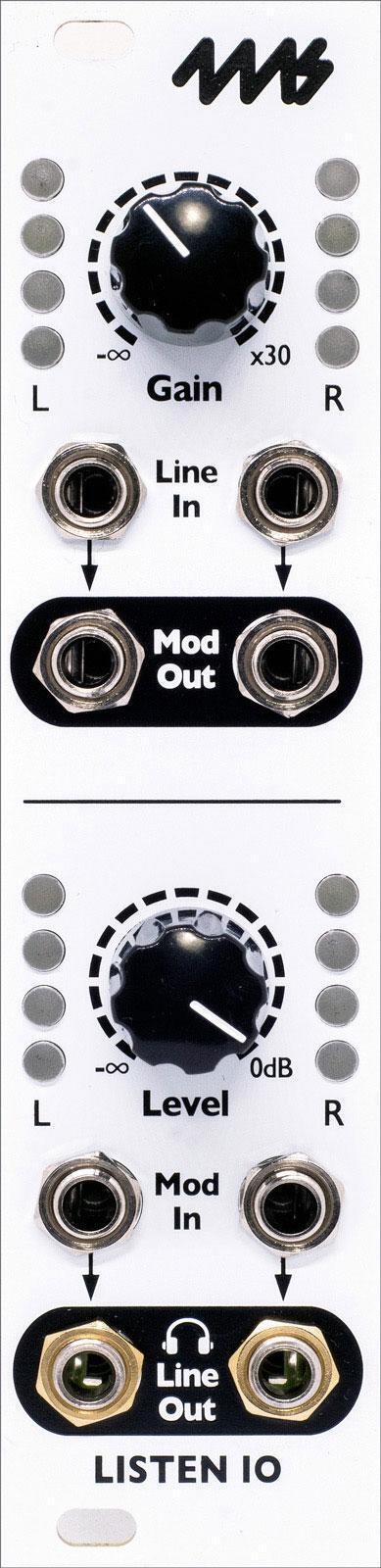
Within your Eurorack case, you’re dealing with Eurorack-level audio signals, which is a hotter signal than line-level signals. You can use signal attenuation to feed a Eurorack output into a line-level input (+4), but for the best sonic performance and lowest noise, it’s best to use a converter module to go between Eurorack and line-level. There are numerous module options available. For simplicity’s sake, we’re basing this article on a Eurorack case with a built-in line-level interface, but remember to include an interface module — like the 4ms Listen I/O module — if you’re starting with a different case.
Choosing modules
Know how much room — and power — you have
You’re almost ready to choose some effects modules to play with; all you need to keep in mind at this point is how much room and power you have to work with.
In the standardized world of Eurorack, width (HP) is super relevant — the capacity of your Eurorack case is represented by its total HP, and likewise, Eurorack modules are measured in HP. The Eurorack case mentioned above offers 62HP of space for your effects modules — that means you could fit 10 6HP modules or six 10HP modules or any other combination of HP that comes in at or under 62HP.
You’ll also want to keep track of how much power each module needs from your power supply. Because size and power requirements are so important when creating a Eurorack rig, we always include the current draw (in milliamps or mA) on our product pages. The Eurorack case we’ve been talking about can deliver a maximum of 1,200mA for your modules. As you choose modules to add to your Eurorack case, you add their current requirements together to make sure that their total power draw together is less than 1,200mA.
Once you’ve determined how much room in your case you’ll have and how much power you can provide, you’re ready to choose some effects processing modules.
The fun part — creating your own custom effects playground
There are many Eurorack modules to explore, and it’s beyond the scope of this article to go into too much detail. Just like with rackmount multi-effects processors, you’ll have no trouble finding Eurorack modules for reverb, delay, chorus, distortion, harmonic enrichment, and much more. And because you’re working within Eurorack, you’ll have endless creative options when it comes to signal flow.
One way to start would be with a DSP effects processor module like the Tiptop Audio Z-DSP NS, which offers a huge range of effects, including reverbs, modulations, and delays. From there, you could add some extra modules for specific purposes, such as spring reverb, analog delay, or modules that you can use to modulate effects parameters like LFO and envelope generators. With a little creative patching, you could create reverbs that duck in response to incoming audio, complex delay lines with parallel effects, tempo-synced modulated filters, and so on.
Your Eurorack effects processor in action
Let’s take a look at how you’d use your custom Eurorack effects processor for mixing. Let’s say you’re mixing a song and want to add some effects to the main vocal line. Create a send for your vocal channel out of your audio interface, and patch that output to your Eurorack’s line-level input module. Patch the Eurorack-level output of that module into whatever effects module you want to use, then patch the audio output of that module back into the Eurorack-level return of your line-level conversion module. Then, patch that line-level output back into your audio interface. You’ve successfully converted your line-level audio from your audio interface to a Eurorack-level signal, processed it with a Eurorack module, then returned it to your DAW via a line-level input.
So, again, why would you go to all this effort to add some effects to your vocals? Only you can answer that — if all you want to do is add a subtle plate reverb to your vocals, this isn’t the straightforward solution. But if you want to explore endless sonic textures and discover unique sounds that you can’t achieve with typical effects plug-ins, it’s hard to beat the hands-on experience of Eurorack. There are many different modules on the market, each with their own sonic character, and adding a new module is much more cost effective than buying a whole new effects processor or plug-in.
Some notable modules
The world of Eurorack effects processing is a deep rabbit hole indeed. Here are just a few modules that are worth noting.

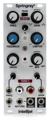
Intellijel Springray 2 spring reverb module
That’s right, you can put a real spring reverb tank in your Eurorack rig. Software emulations almost never get spring reverb right, but now you can have that classic sound on tap in your Eurorack case.

Tiptop Audio Z-DSP NS multi-effects module
As mentioned above, this is a comprehensive module that offers a ton of preset effects programs, just like the classic hardware processors we’re aiming to re-create with Eurorack. And because it’s a Eurorack module, you have lots of patch points for creatively manipulating your effects. While it may look intimidating if you’re not accustomed to Eurorack already, it’s no more complicated to learn to use than most rackmount hardware effects processors.
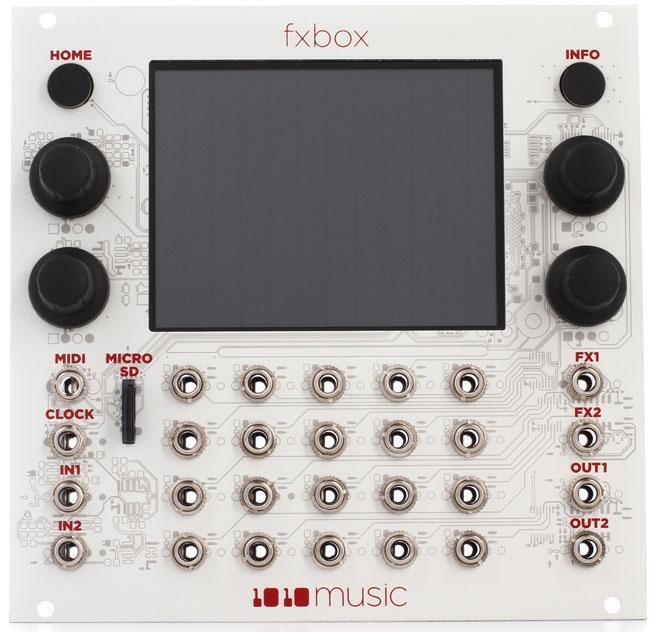
1010music Fxbox multi-effects module
Combining 16 simultaneous effects, an internal step sequencer, and a touchscreen for hands-on effects manipulation, the Fxbox covers a lot of sonic territory. You can use it for basic effects or get as creative as you want with tempo-synced modulations, parallel effects paths, and much more.
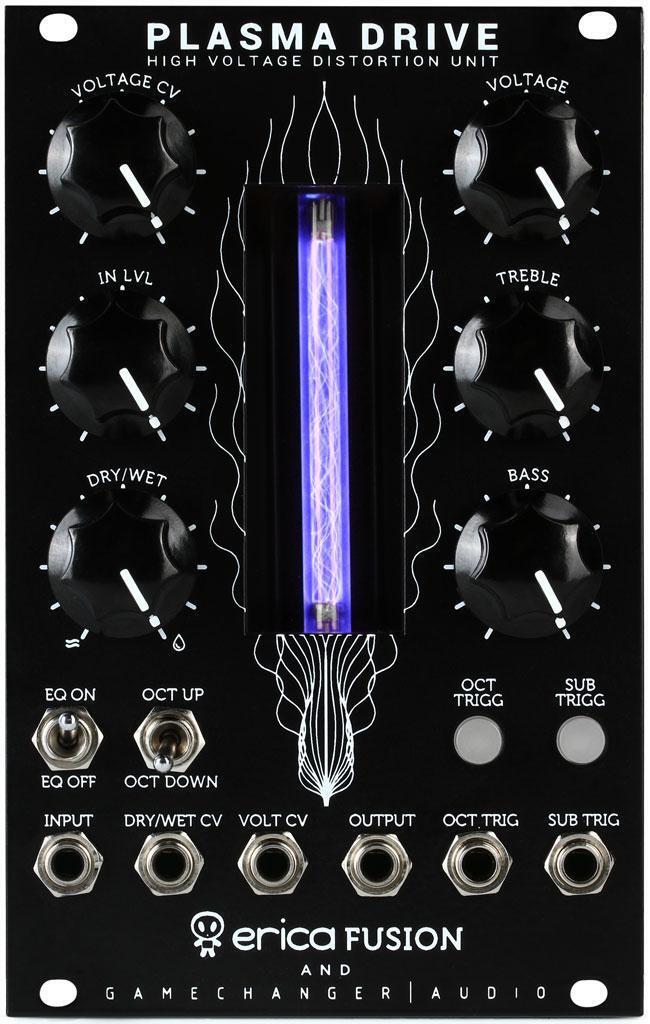
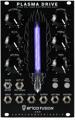
Gamechanger Audio Plasma Drive distortion module
Distortion is another one of those effects that is hard to beat in the analog domain. While digital emulations of tape saturation and tube overdrive reach varying degrees of success, analog remains king. The Plasma Drive module not only looks cool in your Eurorack case, but it also generates harmonic excitement that makes drums punchier, bass lines livelier, and vocal performances shinier.

The fact that Eventide has brought their acclaimed digital delays to Eurorack should show you how much potential Eurorack has as an effects-processing platform. After all, Eventide has made some of the most-revered rackmount effects processors ever created. The EuroDDL module gives you everything from short slapbacks to long echoes. And with plenty of patch points to interact with your other modules, you have endless creative options.
Creating your own signature sound
We’ve put this article together to hopefully shed some light on how you can set up a Eurorack rig for something other than synthesis. It’s a vast topic indeed. We’ve barely scratched the surface of how you can approach effects processing with Eurorack, let alone all the creative ways you could patch modules together to achieve different sounds. The important thing is to know that Eurorack represents endless sonic options for the adventurous mix engineer — if you’re interested, give your Sales Engineer a call at (800) 222-4700 to learn more about using Eurorack for mixing in your studio.