A Production Powerhouse!
When Pro Tools first hit the recording scene in 1991, it took the industry by storm, by 1997 it completely transformed it, and by the turn of the century it dominated it. You’ll be hard-pressed to find a major production facility anywhere in the world that doesn’t have Pro Tools at the center of its workflow. In fact, Pro Tools is so prevalent that its name is almost synonymous with “recording software!”
New Productivity-boosting Features
Since the initial release of Pro Tools, Avid has been continually raising the bar with a steady stream of new features. Thanks to the latest innovations like Track Commit and improved waveform visualization, you can now power through big projects even faster than before. And with Avid Cloud Collaboration, you can connect and collaborate with other musicians, producers, engineers, and mixers. On top of that, Avid’s 1-year Software Updates + Support Plan for Pro Tools gives you access to new features as soon as they’re released. No more waiting for the next software version!
| Pro Tools 101 Buying Guide | Pro Tools Software Buying Guide | Pro Tools HD System Buying Guide | Pro Tools Upgrade Chart |
Layered Editing
Editing audio is easier than ever with Pro Tools, by virtue of Layered Editing. Layered Editing prevents you from losing partially overlapped clips while editing. Suppose you paste a clip over a drum track to replace a snare hit, then decide that you like the original clip better. With Layered Editing enabled, you can cut, clear, or move the overlapped snare clip, and the original clip will still be under it. Stop digging around in the Clip Bin!
Real-time Fade Manipulation
Now you can adjust fade in, out, and crossfade curves right from the Edit Window. Simply select the Smart Tool, position the cursor over the fade in the vertical middle of the clip until the Fade or Crossfade cursor appears. Now you can click and drag to the left or right to adjust the fade curve. You can also adjust the Fade Shape (Standard or S-curve) and Fade Slope (Equal Power or Equal Gain) from the right-click menu when fades are selected.
Playlist Improvements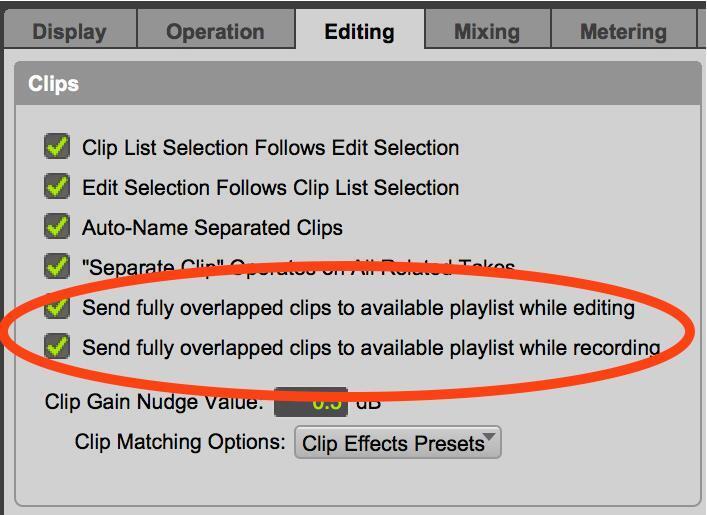
Pro Tools provides two new preferences with regard to fully overlapped clips. You can send fully overlapped clips to a new or existing playlist while editing, and/or while recording. New right-click commands copy or clear clips and send them to a new or existing playlist. What an easy way to access your recently discarded clips! Pro Tools has also added a visual indicator as to whether or not there are multiple playlists on a track.
Grid Toggle
Anyone who’s edited in Pro Tools knows that flipping back and forth between Grid mode and Slip mode is a frequent occurrence. The new Grid Toggle function makes this behavior much more fluid. In Grid mode, simply hit the Command (Mac) or Control (PC) key to toggle off (or “clutch” out of) Grid mode and edit in Slip mode.
More Editing Enhancements
Tandem Trimming enables trimming the start and end of two adjacent clips simultaneously, so long as one clip overlaps the other. Using the standard Trim tool with no key modifier trims the edges of all selected clips, rather than just the currently selected ones. Holding down the Control (Mac) or Start (PC) key constrains the trim to the edge of adjacent clips. Holding down the Command (Mac) or Control (PC) key while clicking on an automation break-point provides you with fine control over the vertical position of the break-point. And modifying the Smart Tool with the Command (Mac) or Control (PC) key changes the cursor from a trimmer to an insertion grabber when editing automation breakpoints.
Clip Indicators
Enabling the Clip Overwrite Indicator alerts you when you move an audio clip so that it fully overlaps a smaller off-screen clip. The Clip Send Visual Indicators provide a visual notification that clips are being sent to an alternate playlist whether or not the track is in Playlist view. The Note Overlap Indicator warns you when a MIDI note in a clip partially overlaps the same note in another off-screen clip.
Avid Cloud Collaboration
Check out our video on Avid Cloud Collaboration and the other new features in Pro Tools 2018
Avid’s long-anticipated Cloud Collaboration was well worth the wait. Much more than simply sharing files, Cloud Collaboration feels as though you’re in the same studio as your collaborators. You can share audio and MIDI tracks, edits, mix changes, and more without leaving Pro Tools. Built-in text chat keeps you all connected. Collaborate on a project in real-time or create offline files and post updates. With Cloud Collaboration, you easily can do both!


Pitch Legacy Plug-in
Pro Tools now includes a Pitch Legacy plug-in, allowing you to open older sessions that contain the outdated version of Avid’s Pitch plug-in. This AAX plug-in was retooled with modern 64-bit systems in mind.
Avid Pro Tools 2018 Software Features:
- Industry-standard Digital Audio Workstation (DAW) software for Mac and PC
- Track Commit and Track Freeze free up system resources during intense sessions
- Improved waveform visualization powers you through big projects
- Layered Editing prevents you from losing overlapped clips while editing
- Real-time fade manipulation for creating quick crossfades
- Send fully overlapped clips to a new or existing playlist while editing and/or while recording
- Grid Toggle function makes flipping between Grid and Slip modes easy
- Tandem Trimming enables trimming the start and end of two adjacent clips simultaneously
- Clip Overwrite Indicator alerts you when you move an audio clip so that it fully overlaps a smaller off-screen clip
- Soundbase uses tags to make locating audio files and loops easy
- Powerful audio engine provides superior memory management
- Faster-than-real-time bounce to disk streamlines your workflow and frees up resources
- Unified media engine natively supports multiple HD video formats
- Smooth collaboration with Avid Media Composer and other media-production workflows
- Workspace Browser makes project navigation fast and simple
- Simple keyboard commands disable and enable sends and inserts
- Capture automation while recording audio
- Utilize up to 128 tracks at 44.1/48kHz and up to 32 channels of simultaneous I/O
- Take advantage of over 70 bundled plug-in processors, effects, and virtual instruments
- Automatic delay compensation provides tight mixing with minimal phase issues
- Multitrack Beat Detective and Elastic Audio correct timing across all of your tracks
- Score Editor and MIDI Editor provide comprehensive composing capabilities
- Mix various audio file types and formats in a single session without format conversion
- Create flawless performances using simple track compositing functions
- Clip Gain provides dynamic volume flexibility and increases integration with Media Composer
- Mute and Solo visual indicators and Bus Interrogation provide a clear view of signal flow
- Full support for Artist Series and other EUCON-equipped control surfaces
- Low-latency monitoring with Core Audio and ASIO hardware delivers smoother tracking
- Read/record from flash drives, RAID systems, network-attached drives, and server storage
- Functions such as Export Selected Tracks as New Session make collaboration easy
- OMF/AAF/MXF interchange support plus included
- Export support for MP3 files, iTunes, and SoundCloud also included
- Full-time code support with feet and frames rulers and 24-hour timeline support
- Avid Cloud Collaboration for connecting and collaborating
- Includes iLok and 1 year of software updates
A Complete Production Environment
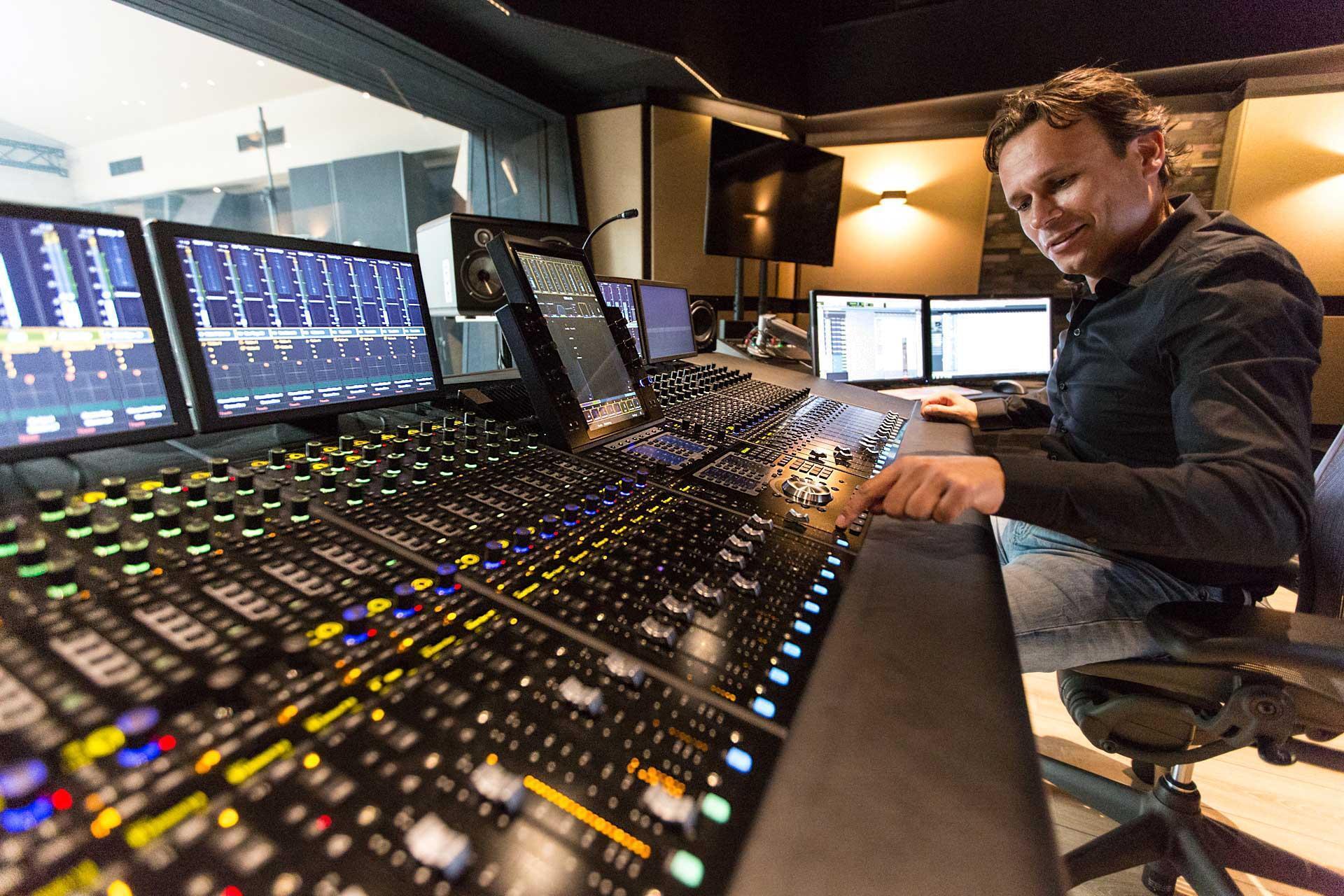
When you fire up Pro Tools, you’ll have access to amazingly powerful tools for music recording, audio editing, scoring, composition, sound design, audio for video, and more. Unlike most digital audio workstations, Pro Tools doesn’t just exceed in a few areas of media production, it excels at everything. That’s why it reigns as the industry standard for not only audio recording, but also for television and motion picture production. In fact, Pro Tools has won numerous industry and technology awards, including two Oscars, a Grammy, and 14 Emmys!
Phenomenal Audio Engine
Pro Tools’ Avid Audio Engine is one of the most optimized audio engines available. Not only is its support for handling multi-core processors unprecedented, it also allows your system to dynamically adjust latency on a track-by-track basis, and its Dynamic Plug-in Processing can temporarily deactivate plug-ins when they’re not processing audio. On top of that, Pro Tools has dual buffers, one for playback and one for record-enabled or input-monitored tracks. This lets you create ultra-low latency monitoring through plug-ins and remarkable response when playing virtual instruments.
Intuitive Interface
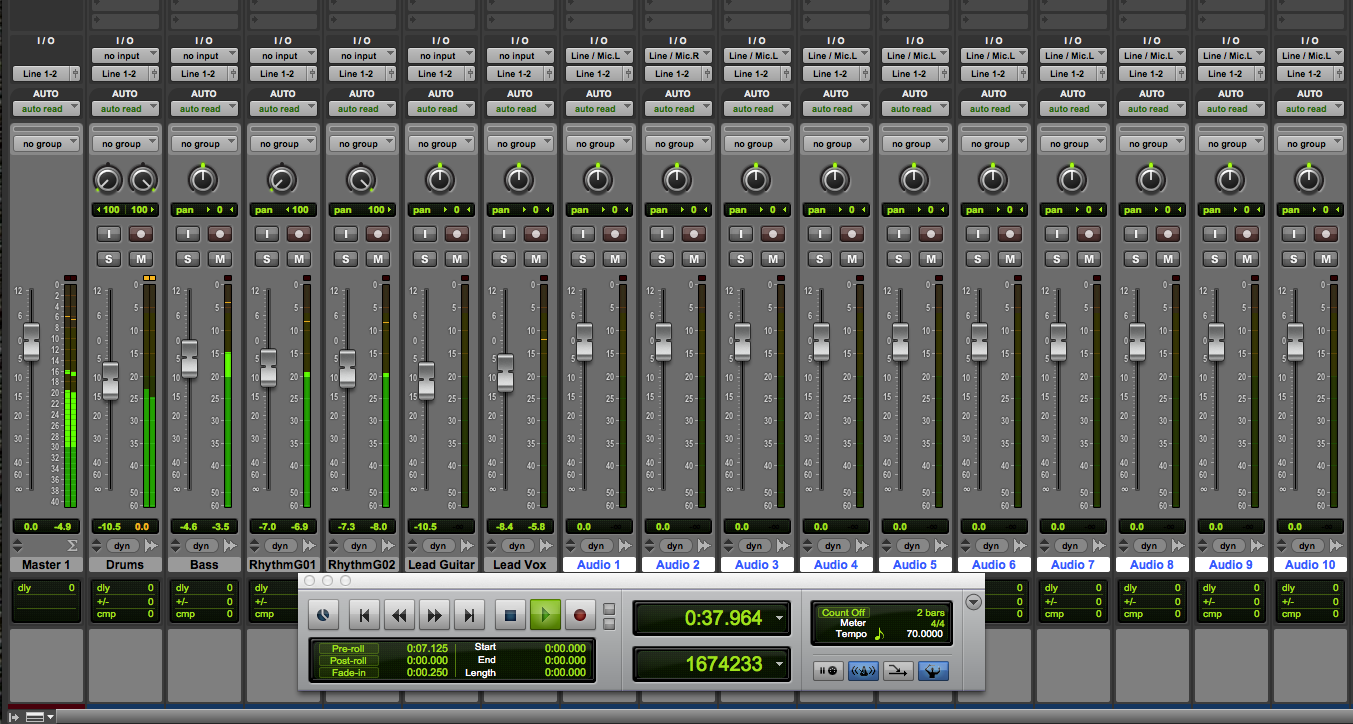
Pro Tools is an incredibly powerful music creation tool, but it’s still surprisingly easy to use. Its intuitive and streamlined two window layout lets you jump from recording or editing to mixing, without losing sight of your overall project; and keyboard shortcuts, clickable icons, and drop-down menus make for an amazingly comfortable workflow.
Legendary Audio Editing
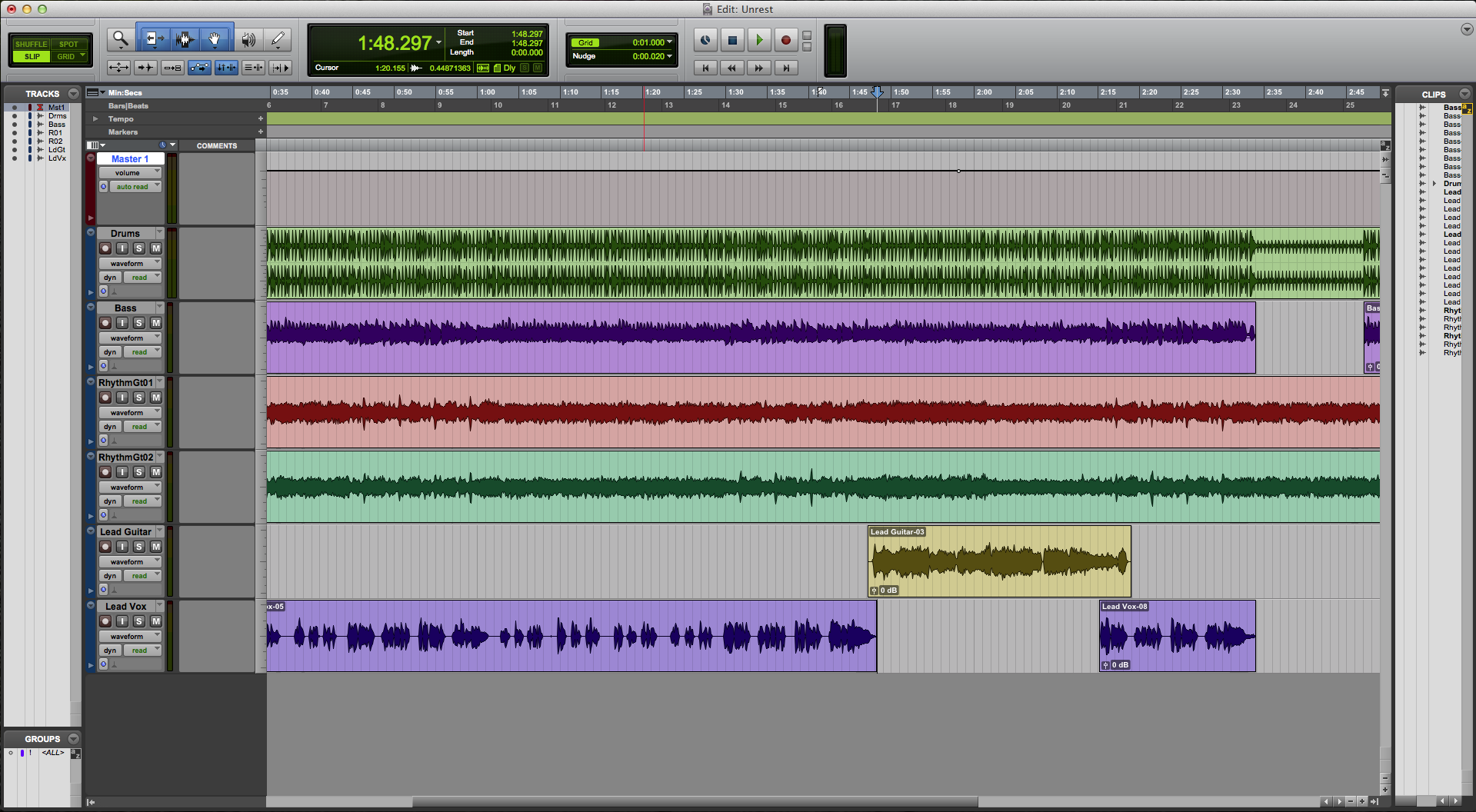
Pro Tools lets you cut, shape, and fine-tune your music with fast, easy-to-use, sample-accurate editing tools. Comp tracks to create a flawless performance. Create smooth transitions and crossfades. Change the tempo and timing of any audio clip with Elastic Time, and fix out-of-tune vocals, create harmonies, and transpose clips with Elastic Pitch. Fix timing issues with Beat Detective. With Pro Tools, you can assemble an entire album in a fraction of the time required by other tools – all in a single, streamlined Edit window.
Powerful MIDI Editing
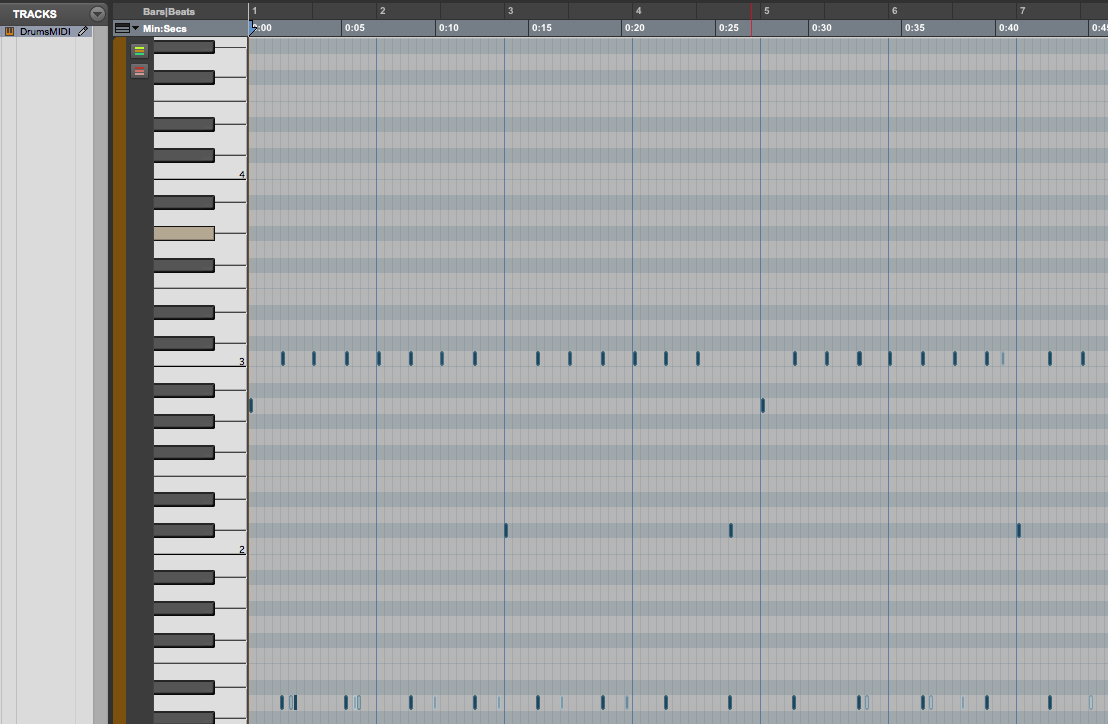
Pro Tools’ powerful MIDI Edit window lets you quickly and easily manipulate MIDI data in either piano-roll or score windows. MIDI edit lanes make it simple to keep your eyes on your note, velocity, and other CC data in the same window. The robust MIDI editing features in Pro Tools will let you take your songwriting from sketchpad to final production without getting in the way of your creativity.
Scalable Systems and Compatibility
Pro Tools workflow remains consistent from one version to the next – all the way through the entire lineup. So after you learn your way around Pro Tools in your project studio, you can jump over to a full-blown Pro Tools | HDX system without missing a beat. Of course, this also gives you compatibility with most major recording studios. That way, you can record your basic tracks at home, then track your drums and vocals in a professional studio. Or you can record at home, then send your projects to a professional engineer for mixing. Since both you and the studios are using the same software, everybody is on the same page.

Avid-recommended Interfaces
Although Pro Tools is compatible with nearly every Core Audio- or ASIO-compatible audio interface, combining the power of Pro Tools with an Avid interface provides you with a fully integrated, rock-solid recording system.
Eleven Rack Delivers Pro Tools Power for Guitar and Bass

Loaded with impressive onboard DSP, Avid’s Eleven Rack recording interface and multi-effects processor gives you the sound of the acclaimed Pro Tools Eleven effects plug-in, without taxing your CPU or adding latency. What’s more, the Eleven Rack integrates into Pro Tools, providing you with advanced recording options, plug-in-style effects control, re-amping capabilities, and much more. Bundled with a complete copy of Pro Tools, the Eleven Rack Expansion Pack, and amazing Sweetwater-exclusive artist presets, Eleven Rack is perfect for every guitar or bass player.
Get Your Hands on the Mix with Powerful Control Surface Options
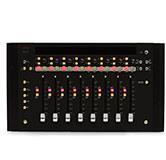
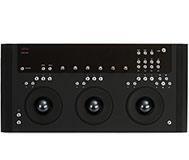

Pro Tools is designed to give you a professional approach to mixing and processing audio and music. One of the key things many seasoned pros swear by is the hands-on style of mixing and editing you can expect from a quality control surface. Avid’s Artist series control surfaces give you that level of control in a neat, compact-studio-appropriate format. Beyond that, you can use the Pro Tools | Dock, along with your iPad, to gain unsurpassed tactile control over Pro Tools.
Seamless Integration with Sibelius and Media Composer

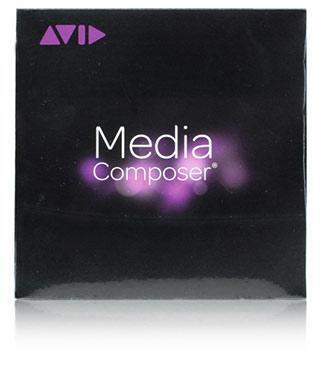
If you’re into video production or scoring, then Pro Tools has a lot of great things to offer you. Capable of fully integrating with Avid Media Composer, Pro Tools makes creating and arranging sound for post production second nature. That’s because Pro Tools instantly recognizes critical metadata and even directly supports functions such as clip gain – dramatically speeding up your workflow. The same can be said about its integration with Sibelius scoring software, which offers a serious upgrade to Pro Tools already seriously cool integrated notation view.
Pro Tools Perpetual License
New Pro Tools software purchases include the 1-year Software Updates + Support Plan. This plan provides you with a year software updates as soon as they’re available, and one year of support from Avid. When the year is up, you can renew your plan for $99. If you decide not to renew, you keep your Pro Tools software and all of the upgrades you already have. If you want to reinstate an expired plan, you can do so for $299.
You get:
- Pro Tools perpetual (non-expiring) license and software
- One year of product updates
- Avid Standard Support for Pro Tools
Shop Pro Tools Perpetual License
Pro Tools Software Subscription Service
Available on a yearly or monthly basis, the Pro Tools Software Subscription Service allows Pro Tools software users to pay as they go and only when they need access to Pro Tools. This plan includes the Update Plan, providing you with access to the latest features and capabilities, along with bonus plug-ins and Avid’s Standard Support. And if you’re an industry professional, then the Pro Tools Software Subscription Service offers financial benefits to you, allowing you to claim it as an operating expense while lowering your capital expenditures.
You get:
- Pro Tools license activation (requires installer download)
- AAX plug-in bundle, including the Space convolution reverb and 16 plug-ins inspired by the Eleven Rack
- Avid Standard Support for Pro Tools
Included Plug-in Bundle
- Space convolution reverb
- BBD Delay
- Black Op Distortion
- Black Shiny Wah
- Black Spring
- C1 Chorus-Vibrato
- DC Distortion
- Flanger
- Gray Compressor
- Green JRC Overdrive
- Orange Phaser
- Roto Speaker
- Studio Reverb
- Tape Echo
- Tri-Knob Fuzz
- Vibe Phaser
- White Boost
Shop Pro Tools Annual Subscription Service
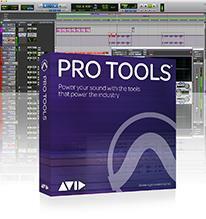
Pro Tools
If you’re running a home or project studio, you can’t beat the power and functionality of Pro Tools. You get access to the same software that professional studios use, making you a member of an enormous community of creative musicians, producers, and engineers; and providing you with compatibility with almost every production facility in the world. Whether you’re tracking full-size bands or composing original music, you’ll find the tools you need in Pro Tools!
Ready to Take the Next Step?
Stepping up from Pro Tools to one of Avid’s awesome Pro Tools | HD systems is totally painless. In most cases, you can earn back much of your original investment when you take advantage of Avid’s generous exchange program. Whether a streamlined Pro Tools | HD Native system or a full-blown DSP-powered Pro Tools | HDX system is the right fit for you, your Sweetwater Sales Engineer will help to make this transition as smooth and easy as possible.