You’ve been researching and preparing for years. You’ve studied inSync articles and videos on YouTube. You’ve figured out the sound you’re going for with parts bouncing around in your head. Now that you’re ready to commit, it’s time to build an awesome home studio! Sweetwater carries thousands of pieces of studio gear, some of which are incredibly affordable and others that are seemingly reserved for major-market studios with limitless budgets. This list sets out to prove that you don’t need a vault of money for a workstation to handle beatmaking, DJing, and more. Too good to be true? We hoped you’d think that —let’s embark on a journey through everything you need to build a baller home studio for under $2,000!
Step 1: Choose Your Software
In every facet of digital music production, the core of your workflow should stem from solid and reliable software, and it all begins with your choice of digital audio workstation (DAW). There are several key factors to consider when purchasing your DAW, such as user experience and the quality of the final product; its ability to handle various genres and styles as well as whatever file types you will be using; and compatibility with whatever operating system is loaded onto your computer or laptop. Sweetwater carries many DAWs for practically every budget and price range; however, some of the most accessible workstations pack plenty of power with enough versatility to handle beatmaking, vocal and instrumentalrecording, and more. Once you lock down your perfect DAW, it’s time to add some virtual instruments to your toolkit! Many instrument bundles includethousands of different sounds for many styles, so you can be sure to find something within the gigabytes of files that fitswhatever you hear in your head. Below are some of our current offerings for DAWs and virtual instruments, all of which clock in well below $1K and are sure to take you several steps closer to your perfect home studio.
- Image Line FL Studio 20 Producer Edition
- Ableton Live 11 Standard
- PreSonus Studio One 5 Professional
- Native Instruments Komplete 13 Select Software Production Suite
- Native Instruments Komplete 13 Software Production Suite
- Arturia V Collection 8 Software Instrument Bundle
- Arturia Pigments 3 Software Synthesizer
Step 2: Pick Your Controllers
Now that your DAW and virtual-instrument choice is all squared away, it’s time to make your software sing with controllers! Controllers do precisely what the name implies: control your software. These can range from piano-style keyboard controllers with some knobs to dedicated control surfaces optimized for specific DAWs with rows of pads. (Note: Be sure to choose a controller that is fully compatible with whatever software you decide to use!) Once you’ve got your controller plugged in and all the appropriate drivers installed, it will directly interface with your DAW and virtual instruments. With piano-style controllers, you can play notes as you would on a real piano, while controllers with pads can be routed to specific notes and engaged in real time for things like beats and pop songs. You might be asking yourself, “Which one of these controllers is best for me?” It’s important to prepare for whatever projects may come your way, and a handful of the controllers listed below are incredibly wallet friendly. This means you can throw piano- and pad-style controllers into your cart and still have plenty of cash left over for everything else. Some controllers even come bundled with software to get you going right out of the gate, a bonus that lets you spend less time worrying about your setup and more time cooking up fire in the studio.
- Ableton Push 2 with Live 11 Intro
- Novation Launchkey Mini MK3 25-key Keyboard Controller
- Akai Professional MPK Mini MK III 25-key Keyboard Controller
- PreSonus ATOM 16-pad Performance Controller
- Akai Professional Fire Grid Controller for FL Studio
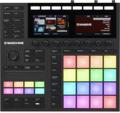
- Native Instruments Maschine MK3 Production and Performance System with Komplete Select
Step 3: Select Your Monitors & Headphones
Every studio worth its weight in gold records usually employs one pair, if not several pairs, of high-quality monitors accompanied by a few solid sets of headphones. Sweetwater carries numerous powered monitors in all shapes and sizes, some of which come prepackaged into pairs to maximize value and performance. Personal monitoring through headphones is of equal importance in the studio, especially when recording vocals or miked live instruments. If you’re looking to build a rig that handles both studio work and live DJing, then headphones will soon be your best friend — a crucial tool when keeping track of your mix and crafting seamless transitions between songs.
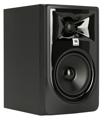
- JBL 305P MkII 5-inch Powered Studio Monitor
- Pioneer DJ HDJ-X7 Professional DJ Headphones
- PreSonus Eris E3.5 3.5-inch Powered Studio Monitors
- Kali Audio IN-5 5-inch Powered Studio Monitor
- Audio-Technica ATH-M50x Closed-Back Studio Monitoring Headphones
Step 4: Find the All-Important Audio Interface
Once you find the right monitors and headphones, you need a way to easily connect them to your workstation. This is where an audio interface comes into play, usually boasting two or more microphone and 1/4-inch-equipped instrument inputs as well as headphone and speaker outputs. The audio interface is responsible for taking digital signals from your computer and converting them to analog signals that then are fed through your speakers. A couple of things to consider when purchasing an audio interface are its compatibility with your workstation and its input and output (I/O) configuration. Some audio interfaces are only compatible with either PC or Mac computers; our list only includes interfaces with full OS compatibility, so any should work with your setup. When it comes to finding the ideal I/O configuration, it all depends on what you’re looking to record in your home studio. Microphones will need an XLR input to properly connect to your interface, and you’ll need +48V phantom power if you’re going to use condenser mics (more on this later). Instruments like guitars and keyboards work best through Hi-Z inputs, usually a standard 1/4-inch jack with a toggle to enable Hi-Z functionality. Even if live recording isn’t on your current radar, it’s critical to have a minimum of two inputs with high-quality preamps to handle whatever comes your way. For your convenience, Sweetwater carries several audio-interface bundles packaged with other items such as microphones, XLR cables, and more.
- Solid State Logic SSL2+ USB Audio Interface
- Focusrite Scarlett Solo Audio Interface & AT2020 Recording Bundle
- TASCAM Series 208i USB Audio / MIDI Interface
- Black Lion Audio Revolution 2×2 USB Audio Interface
- PreSonus AudioBox USB 96 USB Audio Interface – 25th Anniversary Edition
Step 5: Microphones
We’re nearing the home stretch in our journey to build a baller home studio under $2,000! A well-stocked mic locker is the trademark of a professional and detailed producer, serving as an arsenal of tools to handle all recording situations. Some of the mics you see in award-winning studios will run you more than $2K for a single mic, but that doesn’t mean top-quality microphones are out of reach. Any of the microphones on this list will get you closer than ever to studio-quality recordings, some catered more toward capturing warm, rich vocals and others tailor-made for instrument recordings. In the case of condenser microphones, make sure that whatever interface you choose features +48V phantom power — without it, the microphone simply won’t work! Each of the models below uses a single XLR cable to connect directly to an interface, so stock up on a few of our high-quality Pro Co microphone cables while you’re at it.
- Blue Microphones Bluebird SL Large-Diaphragm Condenser Microphone
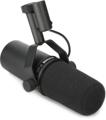
- Shure SM7B Cardioid Dynamic Vocal Microphone
- RODE NT1-A Large-Diaphragm Condenser Microphone
- AKG P420 Large-Diaphragm Condenser Microphone
- Audio-Technica AT2020 Cardioid Medium-Diaphragm Condenser Microphone
- Warm Audio WA-47Jr Large-Diaphragm Condenser Microphone
Step 6: Accessories
It’s time to round out your stocked home studio with some accessories guaranteed to supercharge your workflow and to give your setup a distinct professional edge. Every computer or laptop comes with a built-in system drive, some of which are HDD (hard disk drive) and others that are SSD (solid-state drive). That said, stock hard drives can become bogged down with a plethora of computer programs and software, something that can drastically slow down your DAW and bloat your primary hard drive in the process. Adding an external 1TB–2TB hard drive to your setup is an easy and smart thing to do when starting, safely storing all of your studio software and project files on a dedicated drive to maximize speed and performance. If you’re working on a laptop, then a laptop stand might be your lifesaver. This is especially true in live performances, where positioning your laptop in the perfect place is a necessity.
- LaCie Rugged USB-C 2TB Portable Hard Drive
- G-Technology G-DRIVE Mobile SSD R-Series 1TB Portable Solid-State Drive
- Glyph Atom SSD 1TB USB-C Portable Solid-State Drive
- LaCie Rugged SSD Pro 2TB Thunderbolt 3 Solid-State Drive
- Ultimate Support HYP-1010 Hyper Series Ergonomic Laptop Stand
- Reloop Flex Laptop Stand V2
Time to Get to Work!
There you have it: everything you need to build a stellar home studio for under $2,000! Sticking to items from this list will ensure that you maximize your budget without compromising on less-than-ideal products. And, while this amount of information can easily be overwhelming at first glance, rest assured that our Sweetwater Sales Engineers are standing by to assist you with building the perfect rig. Want more information about any of the items on the list? Need help setting up your gear once it arrives at your home? Give us a call at (800) 222-4700, and we’ll get you running and busting out chart-topping tracks in no time.