Let’s face it — everyone’s making videos with their iPhones these days and posting them to social media. The video quality is certainly adequate, so long as they get the lighting in the ballpark. But have you noticed how they sound? Oh, yeah. There’s a defining sound that comes from an iPhone mic — or mics. iPhones may have as many as four microphones built into the body. And you know how many of those microphones were designed for recording high-quality music? None.
So, the question I wanted to explore was “What does it take to get better-quality audio into your iPhone?” And I’m not talking about multiple mics, mixers, or interfaces. I just wanted to find out what the easy options are that an artist or musician can attach or adapt to their iPhone and how much difference they can make in the sonic quality.
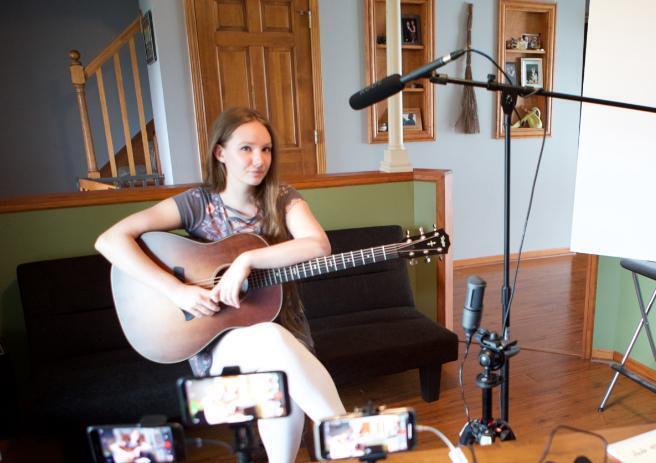
For this test, I didn’t put any microphones right in the singer’s face. I wanted to keep the mics off camera and as inconspicuous as possible. All the mics you’ll hear were plugged into the iPhones either directly or by means of an Apple adapter with no external hardware, except the Rode NTG-2 shotgun, which I ran into an Apogee Solo interface. All the video recordings were made using the Shure Motiv Video app, which allows control of various audio parameters.
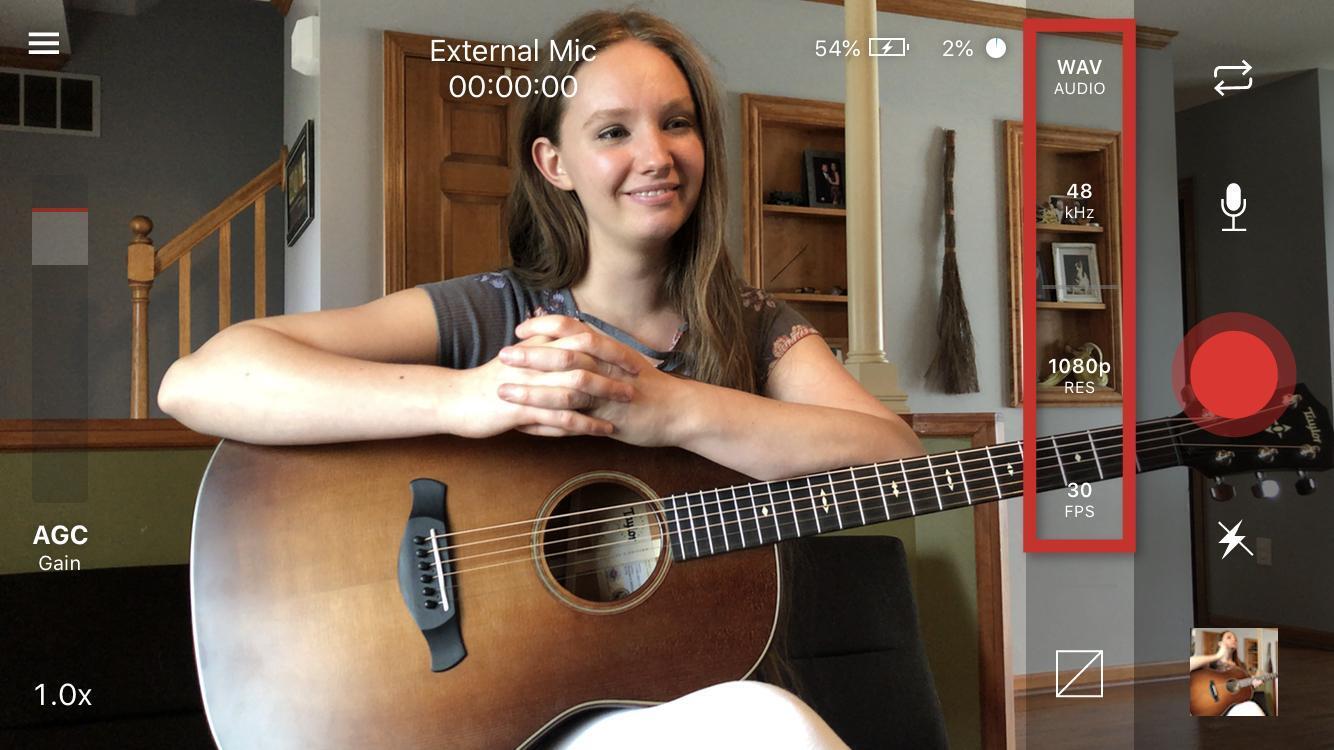
For this comparison, I went to the home of the talented Marnee August and recorded her singing the song “Little One” that she wrote for her daughter, Fiona, who was napping upstairs. I was assisted by her husband, Chad Jenkins, Creative Director of Photography at Sweetwater.
What to Listen For
Take a listen to this compilation of mics that we edited together. You’ll hear the same phrase on each of the mics. The mics are in different positions — some of them are phone-mounted, some on table stands, some on regular mic stands. See what differences you hear. Listen for the sound of the voice and the sound of the guitar. How much of the room do you hear? How much atmospheric noise (air conditioning, cars, dogs, birds, etc.) do you hear? Are the mics noisy or quiet? Listen for the balance between the voice and the guitar. Which do you prefer?
Here are the mics we auditioned:
- Apple iPhone
- Saramonic Vmic Mini
- IK Multimedia iRig Mic Video
- Shure MV88
- Audio-Technica AT2020USB+
- Rode VideoMic NTG
- Apogee HypeMiC
- Rode NTG 2
Now in the Part 2 video, you’ll hear a longer version of the performance on each mic. Clicking each video thumbnail will let you hear that mic on Marnee.
1. Apple iPhone
The Apple iPhone is a technological marvel, no doubt. Even from an audio standpoint, the fact that it can pick up a whole room full of people on a family Zoom meeting and also adequately withstand the sound pressure levels at a rock concert is really an accomplishment. And there are between three and four mics depending on the model you have — a mic on the front, a mic on the back, a mic on the end — each switched on depending on the camera that’s in use. It’s really something. But to capture every sound from every angle, it’s an omnidirectional mic, and its greatest strength (picking up everything) is also its greatest weakness when it comes to music. As you listen to videos online, you can always tell when the sound is coming from the phone mic. It’s ambient; you hear the whole room with all the desirable and undesirable sounds at the same level. Plus it picks up wind noise really well. In addition to being omnidirectional, the biggest issue for the iPhone mic is that it is attached to the phone, so there’s no flexibility in positioning the mic for better sound. While the sound of the iPhone is a reasonably acceptable facsimile, it’s frequently not very flattering for music or singing voice. So, let’s explore some different options.
2. Saramonic Vmic Mini
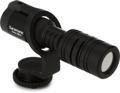
The Saramonic Vmic Mini is a very compact (less than 4″ long), directional condenser mic designed to attach to the top of a camera and comes with a windscreen. It comes with two cables to connect to a camera or directly to your iPhone (using a standard Lightning to 3.5mm Headphone Jack Adapter). You can position the mic on a tripod and move it closer to the talent (closer still if you add a longer cable). Its directionality allows it to focus more on the talent where it is aimed and to pick up less of the room. It’s a substantial improvement for not a lot of money. Take a listen.
3. IK Multimedia iRig Mic Video
The IK Multimedia iRig Mic Video is one of the cleverest designs in this group. Not only is it a shotgun mic that allows you to focus on the sound in front of the camera, but it also has a built-in magnet that allows it to snap right onto the back of your camera. It has adjustable gain and a bright, little LED level indicator right on top of the mic. The included USB-to-Lightning cable connects the output directly to the Lightning input of your phone. It works very well when using the rear, higher-quality camera on the phone and sounds better the closer you are. If, however, you are making videos selfie-style (holding the phone), then the mic mount will obscure half of the screen. In that case, you’d be better off with the iRig Mic Cast HD. So, if you want a compact mic that attaches to your phone, this is a really nice option, and it has a great sound.
4. Shure MV88
The only stereo mic in this lineup, the Shure MV88 is a winner for its extraordinary sound and minimalistic form factor. This mic plugs directly into your phone. Note, I didn’t say the cable plugs into your phone — the mic itself. Utilizing dual elements, it allows you to record in variable-width stereo (60˚–135˚), mono cardioid, bidirectional mono, or raw mid-side. The MOTIV iOS software (or MOTIV Video software that I used to record all these samples) provides a limiter, 2-setting compression, wind-noise reduction, an equalizer, and left-right swap along with presets for music, voice, singing, live shows, or flat. And the whole mic (with included case and windscreen) will slip unobtrusively into your jacket pocket, so there’s no excuse not to carry it with you and have high-quality stereo audio available every time you want to record a video. Honest — no more excuses. When compared to the other mono mic options, everyone who hears the recorded sound of this mic is shocked. It’s that good. And check out the MV88+ Video Kit that comes with an iPhone stand, an iPhone mount, and cabling. Just add an iPhone, and you’re good to go.
5. Audio-Technica AT2020USB+
The Audio-Technica AT2020USB+ has become an industry standard for podcasters and musicians alike, and for good reason. Combining great sound, professional looks, and a very friendly price point all with the convenience of a USB output makes it a great solution for anyone who wants to plug directly into their phone or computer and go. The best part? It offers no-compromise sound just like you’re coming from a real studio instead of from your kitchen table. I plugged the USB cable from the mic into the Apple Lightning to USB Camera Adapter that plugged straight into my phone.
6. Rode VideoMic NTG
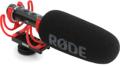
The Rode VideoMic NTG is a supercardioid mic, complete with shockmount and wind filter, that will mount right onto a camera or can be attached to a tripod so you can get it close to the talent. This microphone is a jack of all trades and offers lots of ingenious features, like an output gain control, a switchable (75Hz/150Hz) highpass filter, a high frequency boost, and a 20dB pad, all built in. It features an autosensing output so you can hook it to a DSLR camera or directly to your iPhone (using a standard Lightning to 3.5mm Headphone Jack Adapter). It also has a USB output so you can connect it directly to your computer. And it has a rechargeable lithium-ion battery built in to power the mic.
Oh, did I mention how it sounds? This was probably the best-sounding, most field-useable mic of the bunch. Get it close to the talent, and you can get good sound anywhere. For narration or talking videos when you need to plug into your phone and go, this is a really good choice.
7. Apogee HypeMiC
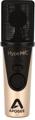
When Apogee first introduced the MiC (predecessor to the current HypeMiC) nearly 10 years ago, I was skeptical. It looked like a serious mic — only smaller — but could it sound like a real mic instead of a tiny toy mic? I plugged it in and listened. I was floored. Never had I heard a USB or iOS-compatible mic that sounded like a real mic that I would use in the recording studio. I was converted. I’ve used it ever since for interviews, video chats, and anything I’m recording to my phone. The HypeMiC is the worthy heir to that lineage, and it offers 24-bit/96kHz Apogee converters, a built-in compressor, and comes with a pop filter, a tripod stand, and an attractive carrying case. If you want the convenience of plugging directly into your phone but don’t want to give up anything in terms of sound, then the HypeMiC is your best choice. Hear for yourself.
The HypeMiC comes complete with a cable that will plug straight into your iPhone’s Lightning connector.
8. Rode NTG-2
The biggest advantage of using a shotgun mic is its ability to reject the sound of a room and really zoom in like a spotlight on the sound you’re trying to pick up. Listen to this example where the shotgun mic was positioned overhead, just off camera, pointed directly at the singer. Note the amount of room you hear in the recording. Now, listen to how much of the acoustic guitar you hear. Shocking, isn’t it? The Rode NTG-2 shotgun mic picks up the voice and just barely picks up the guitar. That can be very helpful when you’re in a situation where your voice talent is in a noisy or reverberant environment and you really want to pinpoint the voice and exclude the surroundings. Plus, it sounds like the mic is right in front of the talent even though you can’t see the mic at all in the video.
The NTG-2 is not a USB mic or an iOS-compatible mic, but I wanted to include it to demonstrate what can be accomplished with a shotgun mic in a less-than-ideal (but very typical) sonic setting. Using this XLR-terminated mic (or any other regular mic) is very easy to do, though. I simply plugged the mic into an Apogee One interface using the Apogee iOS Upgrade Kit and plugged the Lightning output into my iPhone. Downloading the Apogee Maestro iOS software from the App Store allowed me to control I/O selection, preamp gain, and monitoring options while recording. The best part? With the extremely portable Apogee One interface, which will provide phantom power for condenser mics and also offers 62dB of gain, I can use any mic I want and know that it will sound great through the Apogee interface.

In Conclusion
I hope that listening to all these different mics was informative. It certainly was for me. I found a few that I need to add to my personal arsenal. And there are even more mics that we carry that I want to try with my iPhone. Here are more iOS-compatible mics. If you didn’t find the mic that exactly suits your needs in this article, call your Sweetwater Sales Engineer at (800) 222-4700, and they can definitely help you find the microphone that is right for you.
DISCLAIMER: Any of you that have ever encountered a Lynn Fuston-style shootout before know that I take great pains to ensure identical mic placement and mic levels with scientific calibration. This shootout is not that. The preamps, converters, and sometimes even the mics themselves are built into the iPhone or the external mic. The goal here was to show how drastic the difference in sound quality can be by just plugging a mic into the Lightning connector on your iPhone.
- Follow Marnee on Instagram: @marneeaugust
Additional Resources: