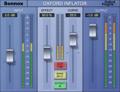
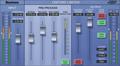
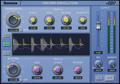
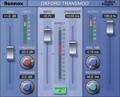
As we discussed in the previous tip (part 2), before we can effectively use the Sony Transient Modulator plug-in to bring drums forward in a mix, we need to understand the controls. Last time, we discussed the Ratio control and how it differs from other program-dependent compressors. The next control to be discussed is Overshoot. Like the ratio control, this is a slider on the plug-in’s GUI. Overshoot sets the length of time (or period) during which the dynamic changes occur. This function is also dependent on the dynamics of the program material. A short overshoot period will boost (or reduce) transients for a very short time, causing only the leading edge of the transient to be modified. A small overshoot time can accentuate percussion instruments with short-term transients such as a bell or triangle, while largely ignoring large and softer transients from instruments such a drums. One application of a small overshoot setting would be to accentuate the attack on the bell of a ride cymbal without affecting kick or snare. Increasing the overshoot time allows transient enhancement to occur over a longer period, thus affecting larger transients. Put simply, you can tune the action of the Trans Mod to suit the material for the desired effect. Since the processing is adaptive in relation to level and time, you can achieve optimal settings for an entire track or even a complex final mix. As a general rule, overshoot produces the most noticeable effects from the mid position upwards. Low settings may not be heard since the duration of the transients being treated is too short. A low setting would be useful in conjunction with a negative ratio setting to flatten a transient or push a sound back in a mix. Next tip, we’ll explain the Trans Mod’s Recovery control, so stay tuned!