

Why are my Alesis Strike Pro Kit drum and cymbal pads not triggering properly?
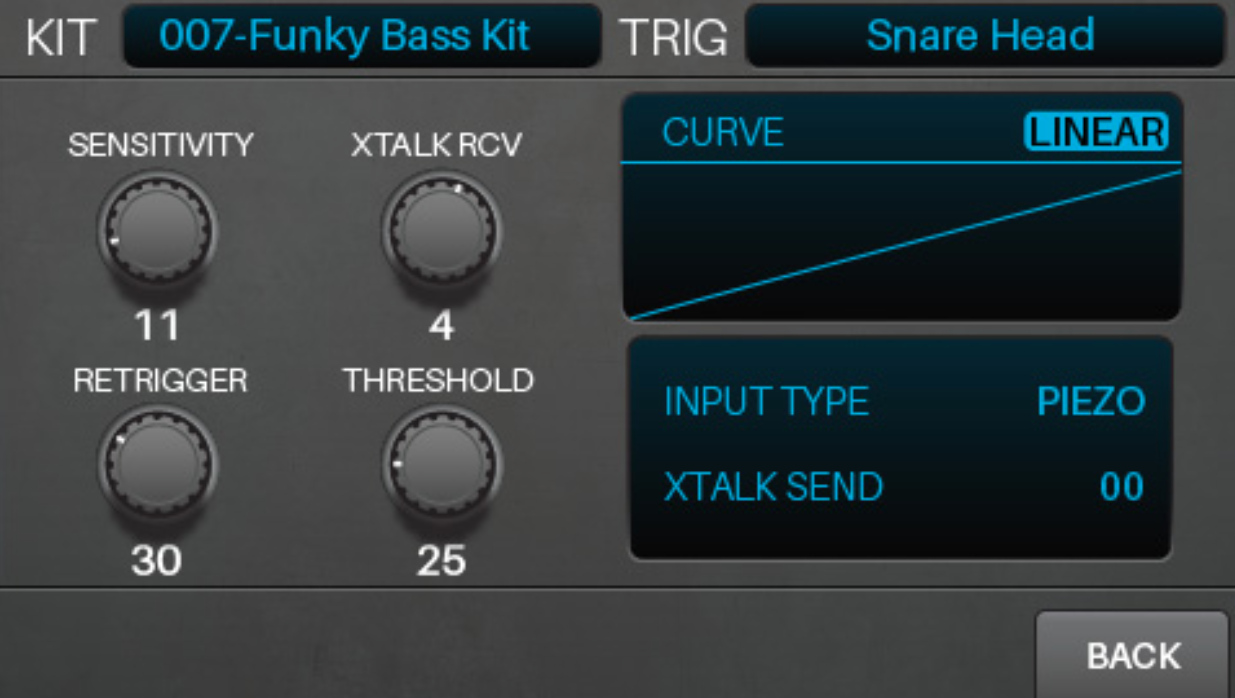
Having trouble with your Strike Pro electronic drums and cymbals triggering? The Trigger edit menu will let you adjust the sensitivity and feel of each drum or cymbal pad. Alesis recommends these tips from the Owner’s Manual excerpt below:
Adjusting Drum and Cymbal Triggers
- After selecting a kit, press Edit > Triggers to enter Trigger Mode.
- Select a trigger by doing one of the following:
• If the Note Chase button is off, press it so it turns on. Strike the desired zone of the trigger whose voice you want to edit.
• Use the cursors to select the Trig field in the upper-right corner. Turn the data dial to select the desired zone of a trigger. - Use the cursors to select the parameter you want to edit. Turn the data dial to change the parameter value or setting. To adjust other voice settings, repeat Steps 2–4.
Helpful Links
- Why won’t the hi-hat of my Alesis Strike Pro Kit trigger correctly?
- Connecting Electronic Drums to Your Computer
- How to Trigger EZDrummer 2 with Electronic Drums
- How do I adjust the settings for each drum pad on my Alesis DM10?
When you need help, Sweetwater has the answers!
Our knowledge base contains over 28,000 expertly written tech articles that will give you answers and help you get the most out of your gear. Our pro musicians and gear experts update content daily to keep you informed and on your way. Best of all, it’s totally FREE, and it’s just another reason that you get more at Sweetwater.com.

