
WaveMachine Labs Software Activation Instructions
In this guide, we will show you how to register, install, and activate your Drumagog software. Follow the sections below to get started.
IMPORTANT: Your license may take up to 24 hours to be deposited into your account!
Download and install the software
The first step in the activation process is to create an account with WaveMachine Labs to authorize and download the plug-in and sample libraries. Follow the steps below to begin the authorization process.
- Create a WaveMachine Labs account by filling out the registration form. Be sure to enter your name and serial number before submitting.
- Go to the Downloads page and download the plug-in installer and sample library files for your OS. We recommend not to download multiple libraries at once as download speeds will slow down.
- Navigate to your Downloads folder, double-click the installer file, and follow the on-screen instructions.
- Extract each library file to the Drumagog/Gog Files folder. By default, this folder is located in C:/Program Files on PC and Applications on Mac.
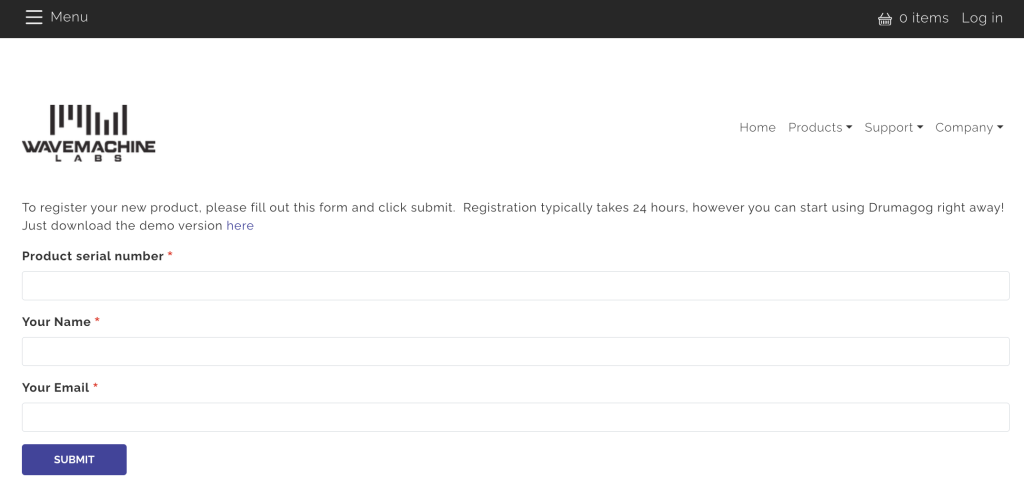
Click the image to register your WaveMachine Labs product.
Activate the plug-in
The final step in the process is to activate the plug-in by loading it as an effect plug-in on an audio track and copying the License Key listed in your account. Follow the steps to complete the authorization process.
- Launch your DAW and load the plug-in as an effect onto an audio track.
- In the plug-in window, click Settings, and then click the Drumagog version x.x text above to open the authorization window.
- Open a browser window, log in to your account, then click View License Key.
- Return to the plug-in window in your DAW, and paste the License Key along with your name (License Name) and e-mail (License E-mail) tied to your account. The License Name and License E-mail are case sensitive.
- Click OK, and then remove and re-insert the plug-in onto an audio track.
When you need help, Sweetwater has the answers!
Our knowledge base contains over 28,000 expertly written tech articles that will give you answers and help you get the most out of your gear. Our pro musicians and gear experts update content daily to keep you informed and on your way. Best of all, it’s totally FREE, and it’s just another reason that you get more at Sweetwater.com.

