

RME TotalMix FX is not displaying properly on my computer.
This can happen on certain systems if the graphics card or currently installed video drivers do not fully support DirectX (see screenshot below). You can fix this by changing a setting in TotalMix to use an older window drawing method.
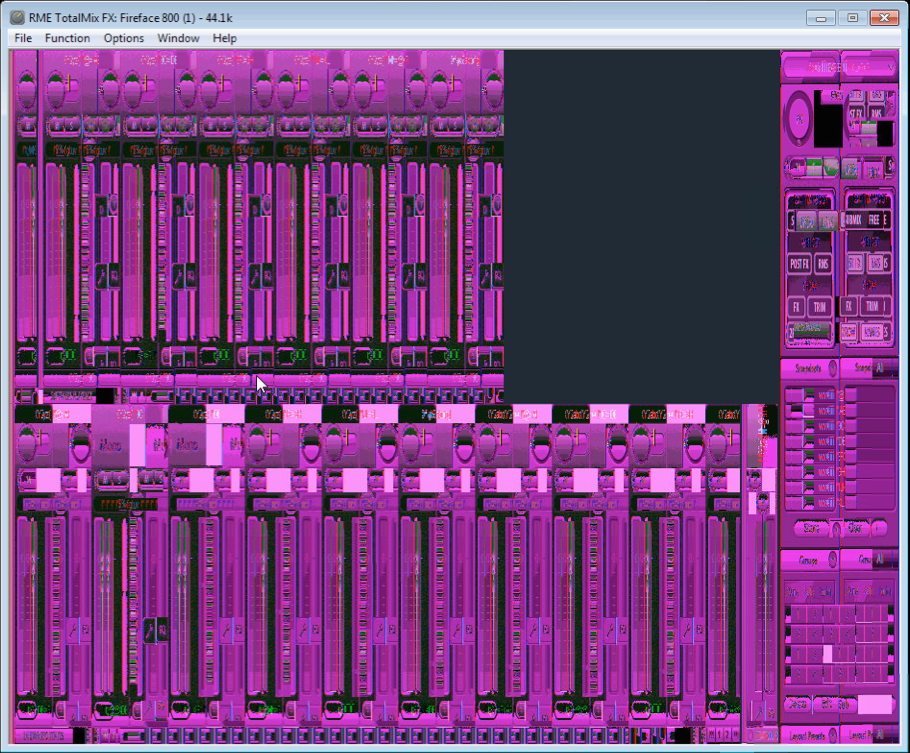
To change this setting, open TotalMix FX Options > Preferences > Graphics and make sure “Use D2D” is unchecked. Then, restart your computer.
When you need help, Sweetwater has the answers!
Our knowledge base contains over 28,000 expertly written tech articles that will give you answers and help you get the most out of your gear. Our pro musicians and gear experts update content daily to keep you informed and on your way. Best of all, it’s totally FREE, and it’s just another reason that you get more at Sweetwater.com.

