

My screen seems sluggish when using Ozone in Sonar even though my CPU usage is still low..
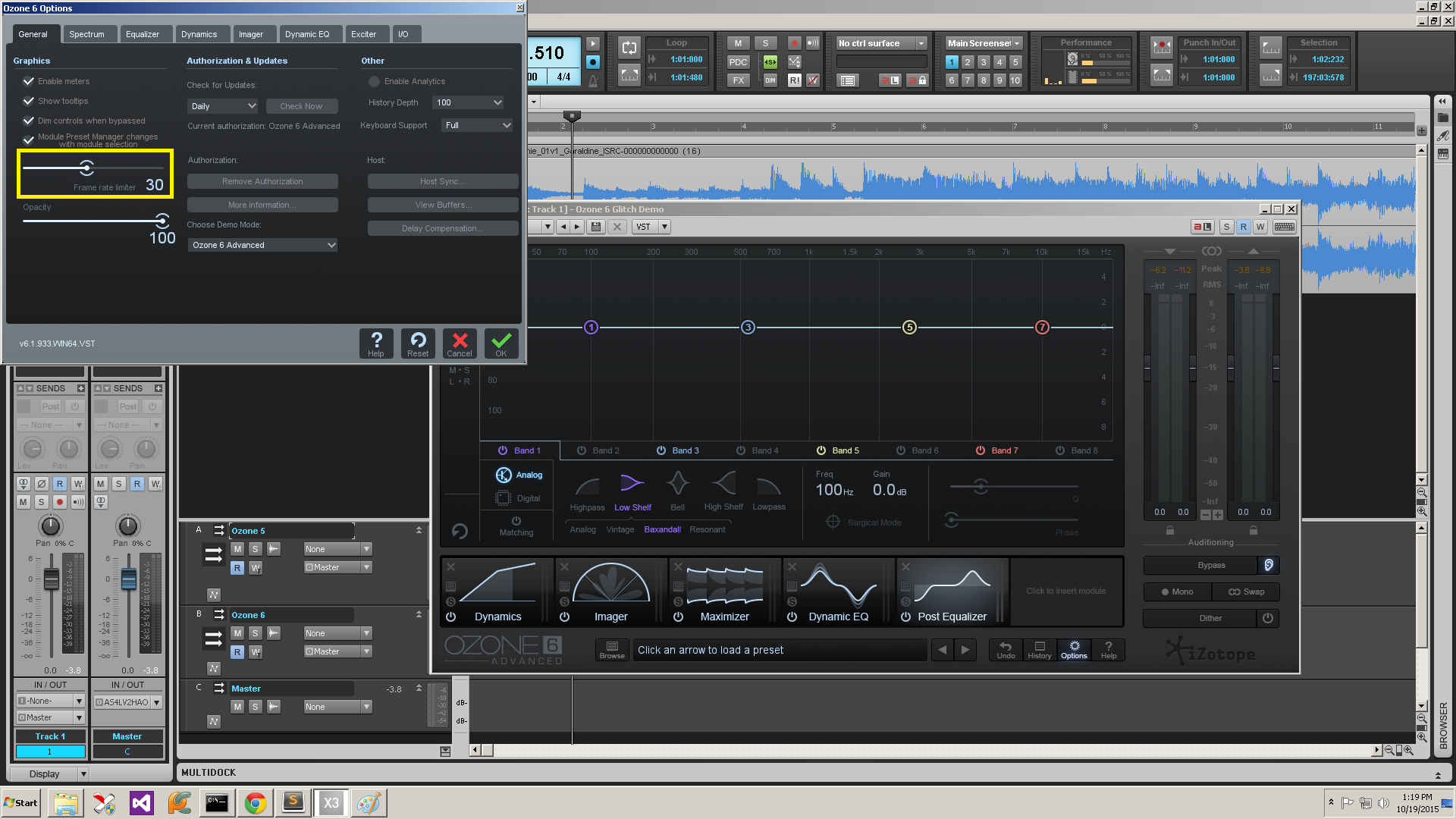
On some Windows machines, the frame rate inside the Ozone plugin will cause Sonar’s Graphical User Interface to operate slowly. Open Ozone’s Options menu, click on the General tab and set the Frame Rate Limiter to 30 frames.
In this instance, within the options of Ozone on the General tab, you can specify a maximum frame rate of 30 frames per second.
Note: CPU usage can be viewed in the performance module using the instructions here.
When you need help, Sweetwater has the answers!
Our knowledge base contains over 28,000 expertly written tech articles that will give you answers and help you get the most out of your gear. Our pro musicians and gear experts update content daily to keep you informed and on your way. Best of all, it’s totally FREE, and it’s just another reason that you get more at Sweetwater.com.

