
Moog Grandmother Setup Guide
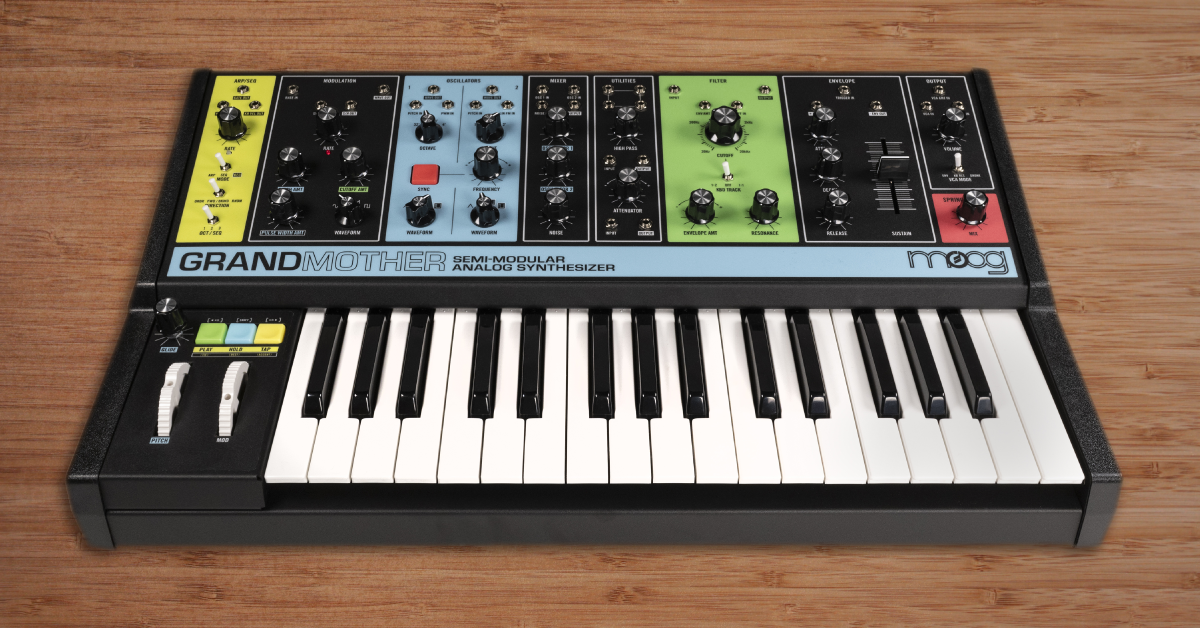
In this article, we’ll show you how to set up and get started with the Moog Grandmother. Experienced synthesis gurus may be able to dive right in, but if you are new to synths or need a refresher, we’ve got you covered! This guide breaks down into two parts:
Setup and connections
Setting up the Grandmother is pretty simple. After connecting it to headphones or mixer, all you have to do is power it on and allow it to warm up for 10-15 minutes. Follow these steps to set up your Moog Grandmother.
Initial setup
Setting up your new Grandmother is pretty easy, just plug it in and start playing. Follow these steps.
- Turn the Output Volume all the way down.
- Connect the included power adapter to your Grandmother and an AC outlet.
- Using the MAIN OUT/HEADPHONE OUT, plug in your headphones or use a 1/4″ TS cable to connect to an amp, sound system, or recording interface.
- Power the Grandmother on and allow it to warm up for 10-15 minutes.
- Turn up the OUTPUT VOLUME knob and get synthesizing!
MIDI connections
Use the Grandmother’s USB connection to connect directly to a computer. This is useful for controlling your Grandmother with a DAW or recording the Grandmother’s MIDI output. The MIDI jacks can be used to connect and communicate with other hardware, such as an audio interface or another MIDI enabled device. Global MIDI settings are configured using pages 37 and 38 of the user manual. Once configured, visit the MIDI Documentation charts on pages 43 and 44 to see all the available MIDI functions and their corresponding Controller Change (CC) numbers.
No sound coming out?
If you’re not getting any sound from the Grandmother’s audio outputs, it’s likely that a knob just needs adjustment. We found the settings below are reliable to use when making sure the Grandmother is synthesizing as it should. Follow these steps to get sound out.
- Set your OUTPUT VOLUME knob to minimum.
- Under MIXER, set OSCILLATOR 1 & 2 to maximum.
- Under FILTER, set CUTOFF to maximum.
- Under ENVELOPE, set ATTACK & RELEASE to minimum, SUSTAIN to middle, and DECAY to maximum.
- Slowly turn up your OUTPUT VOLUME knob and play the keys to get sound.
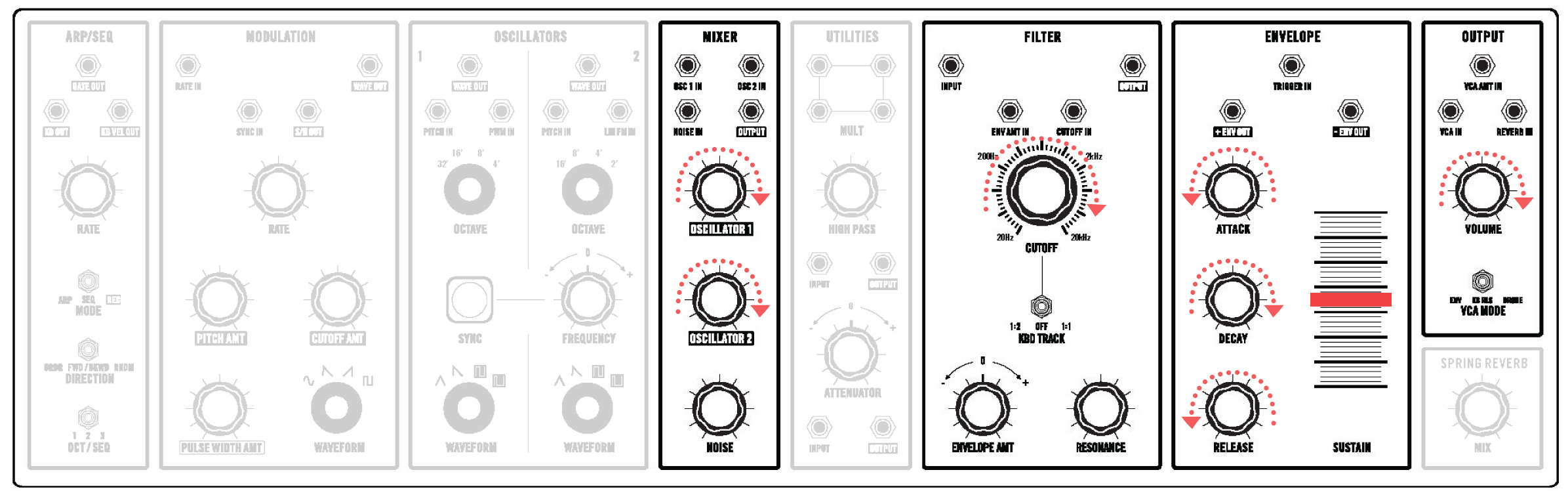
Unpatch everything and try these settings if your synth is not outputting sound.
Patching and exploration
Once your Grandmother is setup, it’s time to dive in! Moog has created patch examples, synthesis videos, and plenty of sound samples. The resources below will give you all the information you need to get synthesizing on the Grandmother.
Grandmother patch examples
Not sure where to begin patching to make a sound? Moog included a bunch of patch examples at the end of the Grandmother manual. Check out these patch sheets to get started patching and crafting sounds. Once you find a sound you want to keep, use the blank Grandmother preset sheets to document your settings.
Click to view patch examples from the Grandmother manual.
Synthesizer fundamentals
Synths were made for anyone to use! Don’t let any technical jargon slow you down. If you’re new to synthesis or need a refresher, check out our Synth Clips series with Daniel Fisher!
Sonic inspiration
We hope this guide was useful in getting you started with the Moog Grandmother. All that’s left to do now is experiment & explore! For more ideas and inspiration, check out Moog’s collection of Grandmother sound clips below. Also, watch the Thesis on Sound video for a unique take on creating music. It features sounds created with the Grandmother by Adrian Younge.
When you need help, Sweetwater has the answers!
Our knowledge base contains over 28,000 expertly written tech articles that will give you answers and help you get the most out of your gear. Our pro musicians and gear experts update content daily to keep you informed and on your way. Best of all, it’s totally FREE, and it’s just another reason that you get more at Sweetwater.com.

