

I’m having trouble installing the Komplete 9 Ultimate software on my Windows computer from the included hard drive.
If you’re having trouble getting through the Komplete 9 Ultimate installer, it may be because the items included on the hard drive are in a hidden state which would prevent Windows from seeing the files. To unhide them, follow the steps below.
- Open an Explorer window.
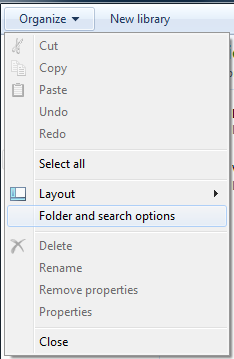
- Click Organize in the top left corner and choose Folder and search options.
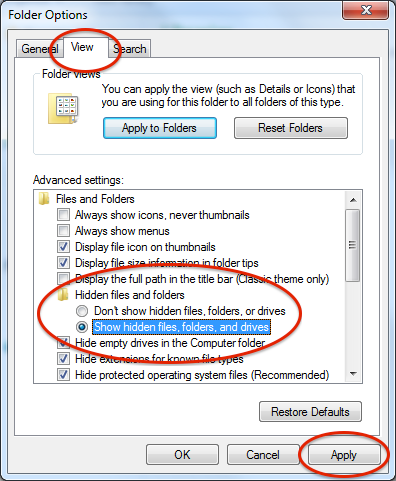
- Click the View tab, then expand Files and Folders > Hidden files and folders.
- Select Show hidden files, folders, and drives.
- Click Apply, then OK.
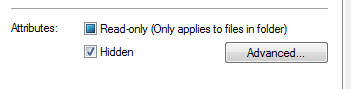
- Select all the hidden files that appeared on your Komplete 9 Ultimate drive, then right click and select Properties.
- On the General tab, uncheck the box at the bottom that says “Hidden.”
- Next, go back to the Folder and Search options from the previous steps and select “Don’t show hidden files, folder, or drives.” Click Apply, then OK.
- Run the installer. Things should run smoothly now.
If you still run into trouble after trying the above, don’t hesitate to contact our Tech Support team.
When you need help, Sweetwater has the answers!
Our knowledge base contains over 28,000 expertly written tech articles that will give you answers and help you get the most out of your gear. Our pro musicians and gear experts update content daily to keep you informed and on your way. Best of all, it’s totally FREE, and it’s just another reason that you get more at Sweetwater.com.

