

I’m getting feedback when I try to record in Garageband.
If you’re using Garageband on a laptop, it’s likely that you’re using the built-in mic and speakers rather than an audio interface. Because the built-in speakers and mic are so close together, they will inevitably feed back.
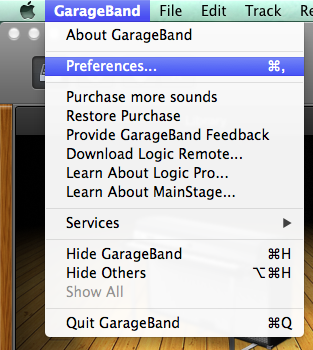
To change the input and output device to your audio interface, open the Garageband Preferences from the Garageband menu.
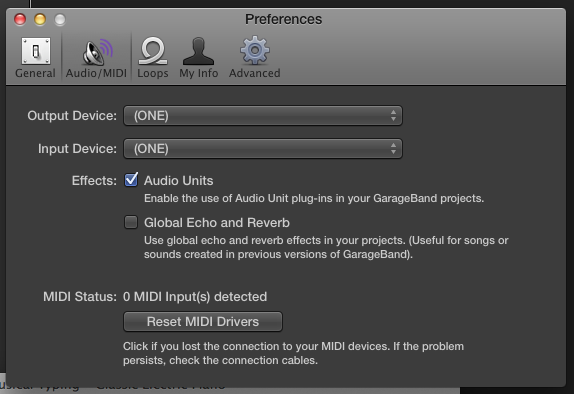
Next, select the Audio/MIDI tab, then choose your interface for the input and output.
When you need help, Sweetwater has the answers!
Our knowledge base contains over 28,000 expertly written tech articles that will give you answers and help you get the most out of your gear. Our pro musicians and gear experts update content daily to keep you informed and on your way. Best of all, it’s totally FREE, and it’s just another reason that you get more at Sweetwater.com.

