

How do I get my free version of Native Instruments MASSIVE that came with my MASCHINE?
In order to receive your free version of Native Instruments MASSIVE, you’ll need to register the MASCHINE software. Here’s how:
- Install the MASCHINE software using the included DVD.
- After successfully installing the software, open the Service Center. You can find this in the Native Instruments folder in your Applications folder on Mac or from your Start Menu on Windows.
-
In the Activate tab, enter the serial number for your MASCHINE software in the blank field. You can find the serial number on the back of the DVD sleeve for your software installer disc.
-
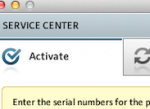
- Enter your serial number in the Activate tab.
-
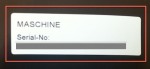
- Your serial number is on the back of the DVD sleeve.
-
- After entering the serial number, click Activate.
- Your MASCHINE software has been successfully registered. You should receive an e-mail from Native Instruments within 48 hours with a download link and serial number for your free MASSIVE software. If, for some reason, it takes longer than 48 hours, make sure you check your SPAM folder. If you still can’t find it, you can contact Native Instruments Order Support for assistance by clicking here.
When you need help, Sweetwater has the answers!
Our knowledge base contains over 28,000 expertly written tech articles that will give you answers and help you get the most out of your gear. Our pro musicians and gear experts update content daily to keep you informed and on your way. Best of all, it’s totally FREE, and it’s just another reason that you get more at Sweetwater.com.

