
Flock Audio Software Activation Instructions

In this guide, we will show you how to register, download, and install your Flock Audio software. Follow the instructions below to get started.
Create an iLok Account
NOTE:If you already have an iLok account, skip these steps and continue to register the Redemption Code.
Flock Audio software is licensed with an iLok. That means you will need to connect its iLok license to your computer to use it. If you don’t already have an iLok account, you must create one and install the iLok License Manager app. Follow these steps to get started.
- Visit iLok’s registration page. Complete the registration form, taking note of your User ID and password.
- Open the iLok Account Activation email. Click on the verification link.
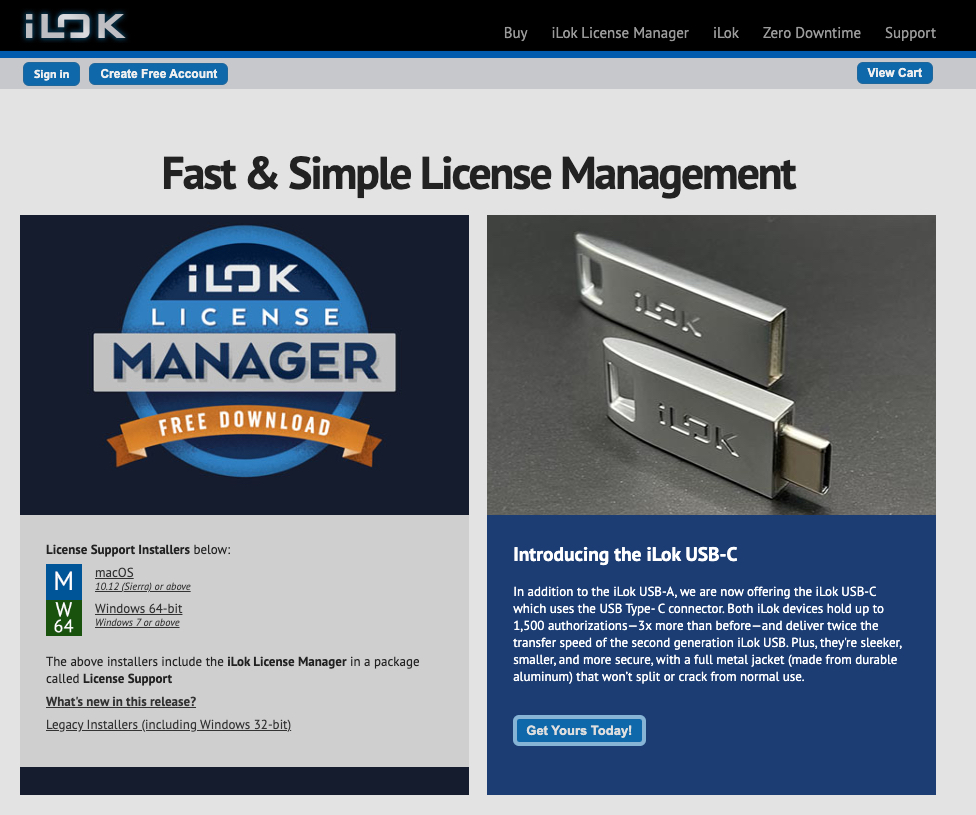
- Download and install the iLok License Manager.
- Launch the iLok License Manager app. Sign in to your iLok account.
- Optional: connect an iLok. When prompted, click Yes to register it to your account.
Register the Redemption Code
IMPORTANT! During the registration process, you will be prompted to enter your credit card number, as Flock Audio treats this as a promo/coupon code. YOU WILL NOT BE CHARGED!
After you have created an iLok account, the next step is to register the Redemption Code with Flock Audio.
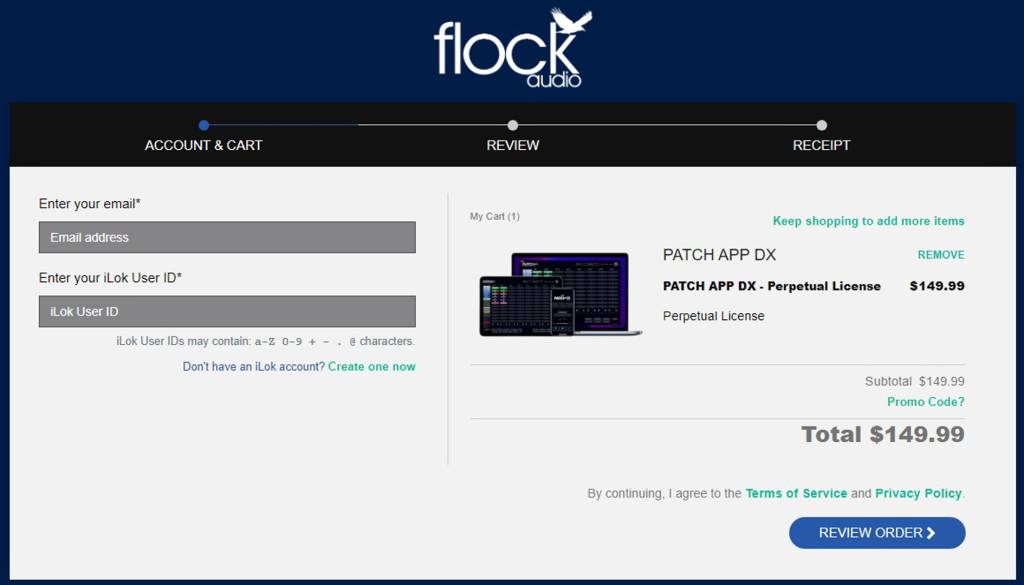
- Go to the Flock Audio shopping cart page. Enter your email and iLok User ID on the left side of the page.
- A Flock Audio account will be created at this time.
- On the right side of the page, click Promo code?, then copy and paste the Redemption Code you received from your Sweetwater Sales Engineer.
- Click Apply, then click REVIEW ORDER.
- Fill out the required information on the next page, agree to the terms of service, then click PLACE ORDER.
- On the next page, enter a password to create an account, then click SET PASSWORD.
- Once the checkout process is complete, the iLok code will be deposited into your account.
Download and Install
Once registered, you will need to download and install your software.
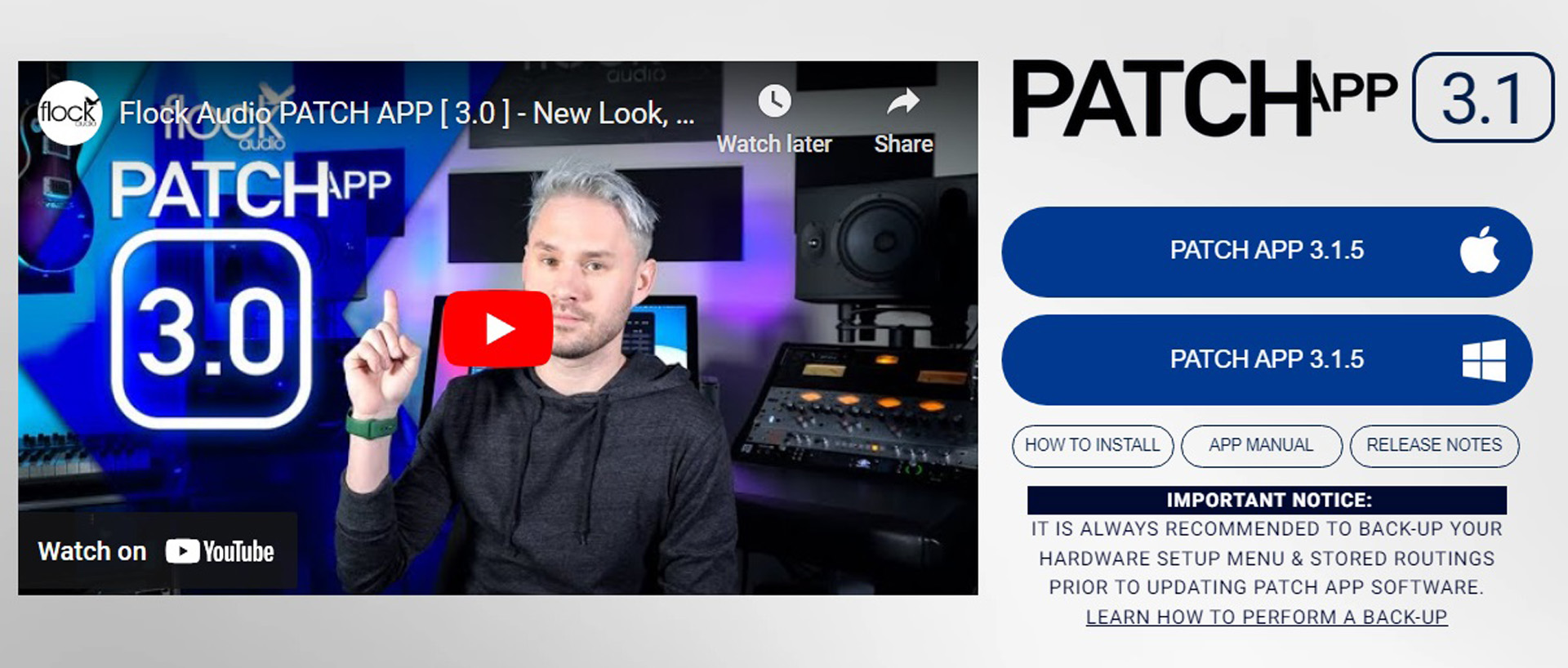
- Go to the Flock Audio download page. Click PATCH APP for your OS.
- Navigate to your Downloads folder, locate and launch the installer, and follow the on-screen instructions.
When you need help, Sweetwater has the answers!
Our knowledge base contains over 28,000 expertly written tech articles that will give you answers and help you get the most out of your gear. Our pro musicians and gear experts update content daily to keep you informed and on your way. Best of all, it’s totally FREE, and it’s just another reason that you get more at Sweetwater.com.

