

Electro-Harmonix POG3 & Oceans Abyss EHXport App
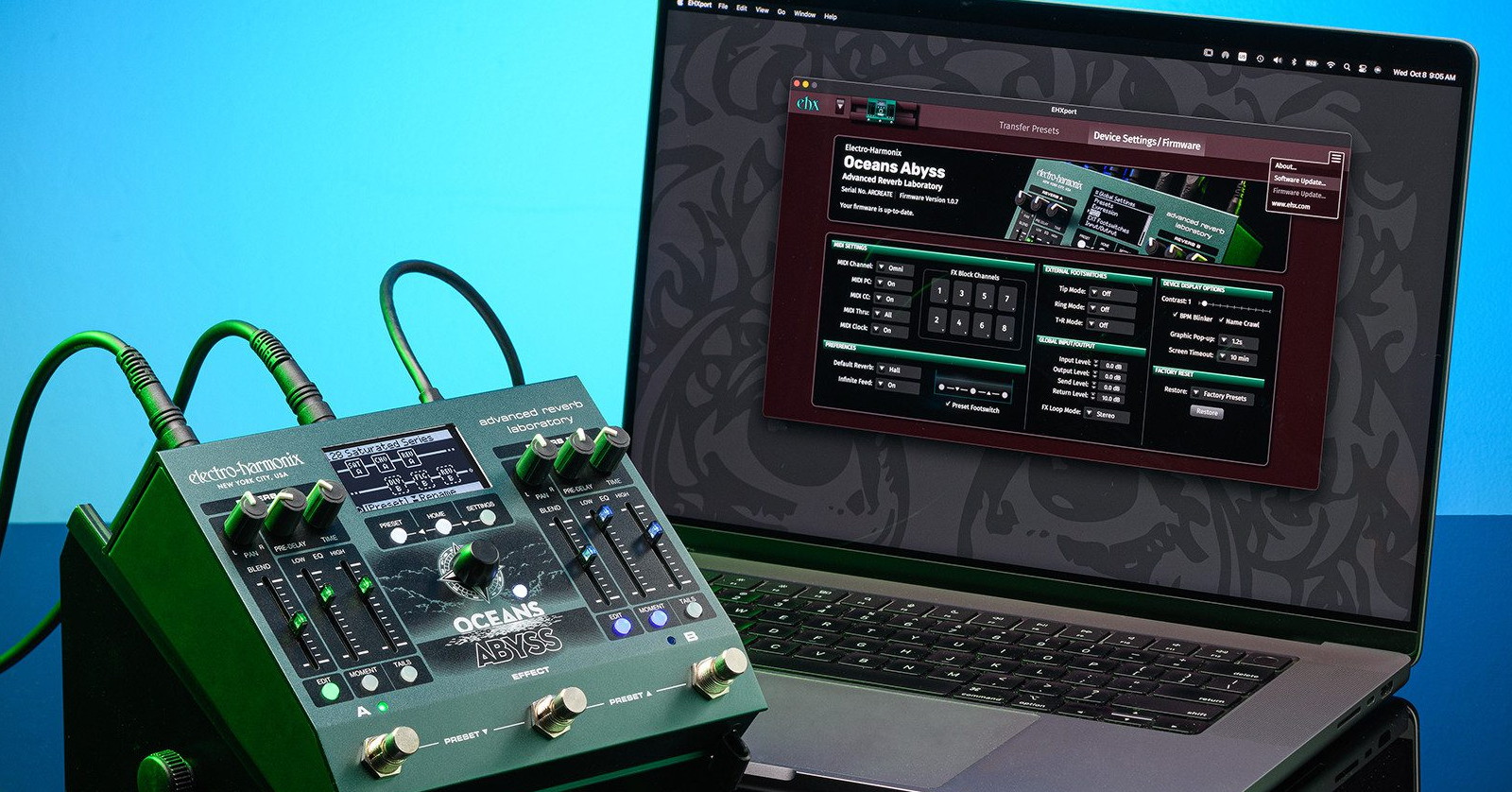
If you have an Electro-Harmonix POG3 or Oceans Abyss guitar effects pedal, then you may not know that Electro-Harmonix has released the free EHXport editor/librarian app for macOS and Windows. The app makes it much easier to program sounds and lets you back up, store, and load libraries of presets to your computer.
Here’s how to get up and running.
- What Is the EHXport App?
- Editing Presets on the EHXport App
- Register Your Purchase
- Download the Owner’s Manual
- Download the EHXport App & Pro Presets Bundle
- Connecting Your Pedal to the EHXport App
- Update Your Pedal’s Firmware
- Electro-Harmonix Demo Videos
What Is the EHXport App?
EHXport is a free app that Electro-Harmonix provides for use with both the POG3 and Oceans Abyss units. Electro-Harmonix released the app after the two hardware units were released.
The app makes it easy for you to update the firmware in the POG3 and Oceans Abyss to fix bugs and get the latest features.
You can program all the parameters of a preset on your standalone POG3 or Oceans Abyss, but this requires some “menu diving” as you can’t see all the parameters on the front panel of the pedal at once.
This is where the EHXport app’s editor view comes in handy. Using the app on your computer, you can see all the parameters of a preset at once, including the “fine tuning” parameters in the menus on the display. When you load a preset stored on your computer, you can easily see all the parameters to learn how the preset is constructed.
Any changes you make to parameters in the app are instantly reflected on the pedal itself.
The editor makes it particularly easy to assign parameters to an external expression pedal, as you’ll see in the Electro-Harmonix tutorial video below.
The librarian function of the EHXport app allows you to save copies of all the internal presets to a folder on your computer’s hard drive.
With the POG3 and the Pro Presets Bundle, you can use the app to open the folders of presets, try them out, and load them into your POG3 so you can use them when your unit is not connected to your computer.
Editing Presets on the EHXport App
Here’s Electro-Harmonix’s video demonstrating how you can use the EHXport app with the POG3.
EHX: Electro-Harmonix EHXport app for POG3
Register Your Purchase
Go to the Electro-Harmonix Support page and log into your account or create a new one. Select “Register Your Product.”
Enter the serial number on your product’s box.
Download the Owner’s Manual
The POG3 and the Oceans Abyss are easy to navigate, but to understand all the features, you’ll need the latest copy of the owner’s manual. Download them from their respective product pages:
On either page, click on “More Details,” and under “Specifications” you’ll see “Owner’s Manual” with a clickable download button.
Download the EHXport App & Pro Presets Bundle
On your Mac or Windows PC, download your version of the EHXport app in the same fashion as the manual. It’s under More Details > Specifications > Download App.
Go to your Downloads folder, unzip the archive, and run the installer app, following the prompts.
The same EHXport app works with both the POG3 and the Oceans Abyss.
With the POG3, Electro-Harmonix provides the free Pro Presets Bundle, a library of presets created by Bill Ruppert and Tom Burda. You can load these presets into the POG3 through the EHXport app.
Download the Pro Presets Bundle from the link on the left pane of the POG3 product page. Then go to your Downloads folder and unzip the archive.
Connecting Your Pedal to the EHXport App
Power your POG3 or Oceans Abyss pedal using an external power supply as usual.
Connect your unit to your computer using a USB-C data cable and an adapter as needed.
Launch the EHXport app. It will detect your unit.
Update Your Pedal’s Firmware
IMPORTANT: Be patient during the firmware update as it may take several minutes. Do not power off or touch any of the settings on your POG3 or Oceans Abyss during the update. Do not quit the EHXport app, disconnect the USB cable, or turn off your computer. Wait until the messages in the app and on the display of your POG3 or Oceans Abyss inform you that the update has been completed.
Your pedal won’t be fully compatible with the current version of the EHXport app unless it’s running the latest firmware. Fortunately, the EHXport app has a firmware update function, so that’s the first part of the app you will use.
In the app, click on “Device Settings/Firmware.”
The app will display the current version of the firmware on your unit and inform you if there’s an update available. You should always keep your unit updated to the newest version. Follow the prompts to install the update.
Once the app informs you that the firmware update is complete, you are ready to use the app to start editing sounds.
Electro-Harmonix Demo Videos
EHX: Electro-Harmonix Oceans Abyss Advanced Reverb Laboratory
Electro-Harmonix POG3 Polyphonic Octave Generator Pedal (EHX Demo by Bill Ruppert)
Related Articles
When you need help, Sweetwater has the answers!
Our knowledge base contains over 28,000 expertly written tech articles that will give you answers and help you get the most out of your gear. Our pro musicians and gear experts update content daily to keep you informed and on your way. Best of all, it’s totally FREE, and it’s just another reason that you get more at Sweetwater.com.

