

Baby Audio Software Activation Instructions
In this guide, we will show you how to download, install, and activate Baby Audio effects plug-ins for the first time. Follow the sections below to get started.
Download and install
The first step in the activation process is to download and install the plug-in from the Baby Audio website. You’ll be downloading the trial version of the plug-in then activating from there, so follow these instructions to get the plug-in downloaded and installed.
- Go to the Baby Audio download page and click on the plug-in you purchased to begin the download.
- Navigate to your Downloads folder, extract the .zip file then run the plug-in installer.
- PC: Double-click the .exe file to begin the installation process.
- Mac: Double-click the .pkg file to begin the installation process.
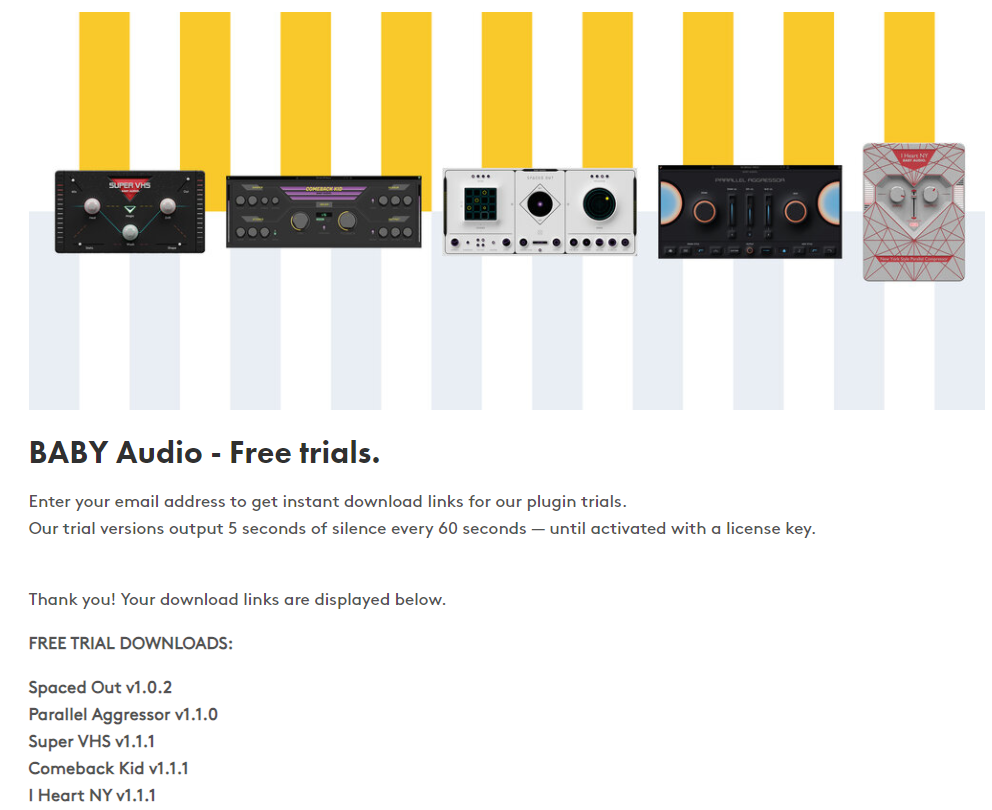
Click the image to download your Baby Audio plug-in.
Activate the plug-in
The final step in the process is to activate your plug-in. It’s a very simple process, so follow these steps to complete the activation process.
- Launch your DAW, create a project and add an audio track.
- Load your Baby Audio plug-in as an effects plug-in.
- When the activation window appears, copy and paste the activation code you received from your Sweetwater Sales Engineer, then click Continue.
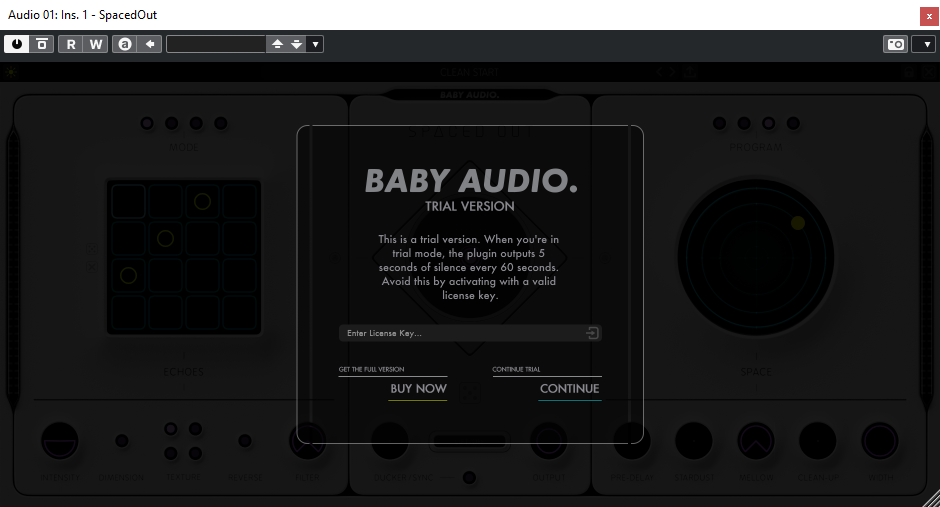
Enter your activation code into the Enter License Key field.
When you need help, Sweetwater has the answers!
Our knowledge base contains over 28,000 expertly written tech articles that will give you answers and help you get the most out of your gear. Our pro musicians and gear experts update content daily to keep you informed and on your way. Best of all, it’s totally FREE, and it’s just another reason that you get more at Sweetwater.com.

