There are few pedals more misunderstood and under-utilized than the EQ pedal. For those looking for their next big pedal, an EQ pedal is likely the last one on their list. An EQ pedal won’t affect your guitar tone at all if the controls are set to zero or flat. But what if I told you that you could unlock a plethora of new tones and replicate different types of pickups with an EQ pedal? You might think I’m crazy — but it’s true.
In this article, I’ll explore five unique ways to use an EQ pedal and briefly talk about common uses for an EQ pedal. And, as always, if you have any questions or need help deciding which EQ pedal best fits your needs, then please don’t hesitate to call your Sweetwater Sales Engineer at (800) 222-4700. Now, without further ado, let’s dive in.
Important!
Although you can tailor an EQ to specific frequencies, the ultimate deciding factor in determining how your sound will end up is the amp’s speakers and mic placement. Learn more about The Importance of Mic Placement for Guitar Amps.
- Most Common Uses for an EQ Pedal
- Make Your Humbucker Guitar Sound Like a Single Coil Guitar
- Make Your Single Coil Guitar Sound Like a Humbucker Guitar
- Fixed Wah
- Lo-fi
- The “V” Before Overdrive and Distortion Pedals
Most Common Uses for an EQ Pedal
For professional and gigging musicians, running their guitar through at least one EQ — whether a pedal or rackmount — is a must for tone shaping and boosting the signal’s output. There are various ways you can achieve different tones just by changing the placement of your EQ pedal on your pedalboard.
There are two uses for an EQ pedal that I see the most: as a clean boost or at the end of your gain stage to shape the overdrives and distortions. But for those new to EQ pedals, you may need to learn the benefits of these two uses or how to set the controls correctly.
Clean Boost
Some of the great features of an EQ pedal lie in the pedal’s ability to boost or cut specific frequencies and adjust the output volume. You can achieve a clean boost effect by keeping all the knobs or sliders at noon or flat, respectively, and by increasing the output level. It’s that easy!
Many guitarists use EQ pedals as a clean boost to push the front end of their amplifier or to stack with other pedals, namely dirt pedals. By pushing the front end of your amp, you can create a transparent overdrive effect without adding or cutting specific frequencies. Doing this makes your amp break up more naturally and produces a rich harmonic distortion.
EQ Pedal After Overdrive, Distortion, and Fuzz
Many dirt pedals lack a complex EQ control and have one tone knob that acts as the EQ section. But that one knob sometimes isn’t enough to dial the perfect distorted tone. The best way to fix the lack of EQ control in a distortion pedal is to add an EQ pedal after it so you can fine-tune the tone to your liking.
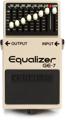
A popular way to use this technique is by creating a “V” shape with a graphic EQ and turning on a distortion pedal to create the classic mid-scoop metal tone synonymous with such thrash metal bands as Metallica and Pantera.
Make Your Humbucker Guitar Sound Like a Single-coil Guitar
You can never have too many options when it comes to your tone. But walking into a gig with a bunch of guitars can be a hassle. If you’re a guitarist who primarily plays guitars with humbuckers, but you need a single-coil sound for a few songs in the set list, then try adding an EQ pedal to your pedalboard instead of lugging around another guitar.
Here are three tips on how to achieve a single-coil pickup sound with a humbucker guitar while using an EQ pedal:

Make Your Single-coil Guitar Sound Like a Humbucker Guitar
Let’s say that your main guitar is a Stratocaster with single-coil pickups, but you want that classic humbucker sound for some songs you are learning, and you don’t have a guitar with a humbucker. What do you do? A simple and affordable solution is to get a Behringer EQ700 graphic equalizer pedal and adjust the frequencies so that you can have a humbucker with a press of a footswitch.
Here are three tips on how to achieve a humbucker pickup sound with a single-coil guitar while using an EQ pedal:

Fixed Wah
Made famous by Dire Straits’ classic song, “Money for Nothing,” the fixed wah sound is achieved by turning on a wah-wah pedal and leaving it in whatever position you desire. This creates a more midrange-focused sound and can add a little bite to your tone. Many guitarists are known for using this technique, including Mark Knopfler of Dire Straights’ fame and Mark Speer from the band Khruangbin, who keeps his wah-wah on during the entire set and has the amp’s EQ make up for any lost frequencies.
But how do you achieve this specific tone with an EQ pedal? Although a parametric EQ would work for this, I suggest the MXR M109S Six Band EQ pedal to see which frequencies to boost and cut.
Here are three tips on how to achieve a fixed wah sound while using an EQ pedal:

Lo-fi
The recent boom in lo-fi hip-hop and bedroom pop saw the reemergence of the lo-fi guitar effect that was popular in the ’90s. The purpose of a lo-fi tone is to make your guitar sound like it was recorded on an old cassette player, which can evoke a feeling of nostalgia.
There are several ways to achieve this sound, such as using a chorus/vibrato pedal to create a warbly texture often associated with tape or using plug-ins made specifically for lo-fi. But one method to achieve this that is often overlooked is to use an EQ pedal to cut out the highs from the guitar signal. For this, I will use the Empress ParaEq MKII Deluxe equalizer and boost pedal due to its fine-tuning capabilities, which are perfect for dialing in the right lo-fi setting for you.
Here are three tips to help you get started on achieving the lo-fi guitar tone:

The “V” Before Overdrive and Distortion Pedals
I mentioned how adding an EQ pedal with the “V” setting after your dirt pedals can give you that classic thrash metal sound, but what happens when you place that same EQ setting before your dirt pedals? The results surprised many of us at Sweetwater.
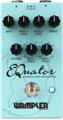
Pairing the V-shape EQ with your dirt pedals gives you a pseudo-octave effect reminiscent of Jack White. To create this effect, I use the Wampler EQuator advanced guitar equalization pedal for its unique mid-frequency controls that let you dial in the right amount of output and find the frequency you want to adjust.
Here are three tips on how to help you achieve the pseudo-octave effect:

Did I Miss Any?
With so many ways to use an EQ pedal, there is no way to cover them all. But let us know if I missed one of your favorite EQ settings! If you want to learn more about the EQ pedals listed above, or if you’re looking for something similar, then please give your Sweetwater Sales Engineer a call at (800) 222-4700, and they’ll be happy to help.