

I first heard about the company Kilohearts in the summer of 2019 when there was a lot of buzz going around the electronic music production community about a new synth called Phase Plant. I knew I had to check it out, so I downloaded the trial and was instantly hooked, not only on the immensely powerful synth, but also on the workflow behind Kilohearts products.
Snapins
Phase Plant’s effects section was my first introduction into the world of Kilohearts’ Snapins, their simple but extremely powerful effects modules. These can be effects such as delay, reverb, or distortion and can be loaded as any other VST/AU/AAX effect in your DAW of choice. With over 30 different effects, you’re left with a world of sonic possibilities. Where I think Kilohearts changed the game is with their Snapin hosts Snap Heap and Multipass. Within these plug-ins you can stack multiple Snapins to create complex custom effects complete with unique routing and modulation possibilities.
Snap Heap
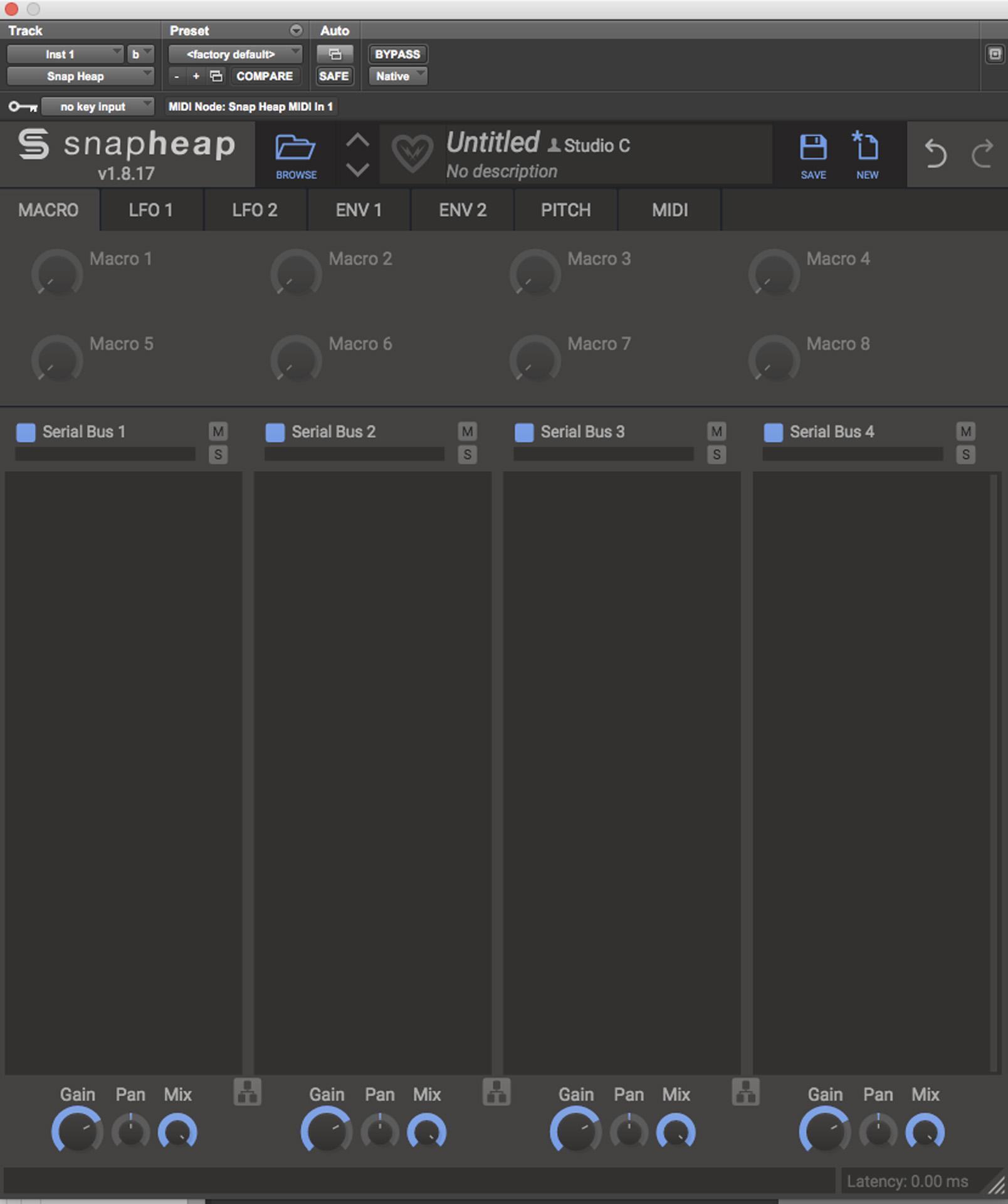
First, let’s take a look at Snap Heap. When you open the plug-in, you’re given four “lanes” to begin placing Snapins. By default, the lanes are routed in series, meaning, if you have a reverb in lane 1 and distortion in lane 2, the reverb will run through the distortion unit. These can easily be switched to process in parallel with a click of the button at the bottom of each lane. You can change this routing for each lane to effectively give you four parallel processing busses within a single plug-in.
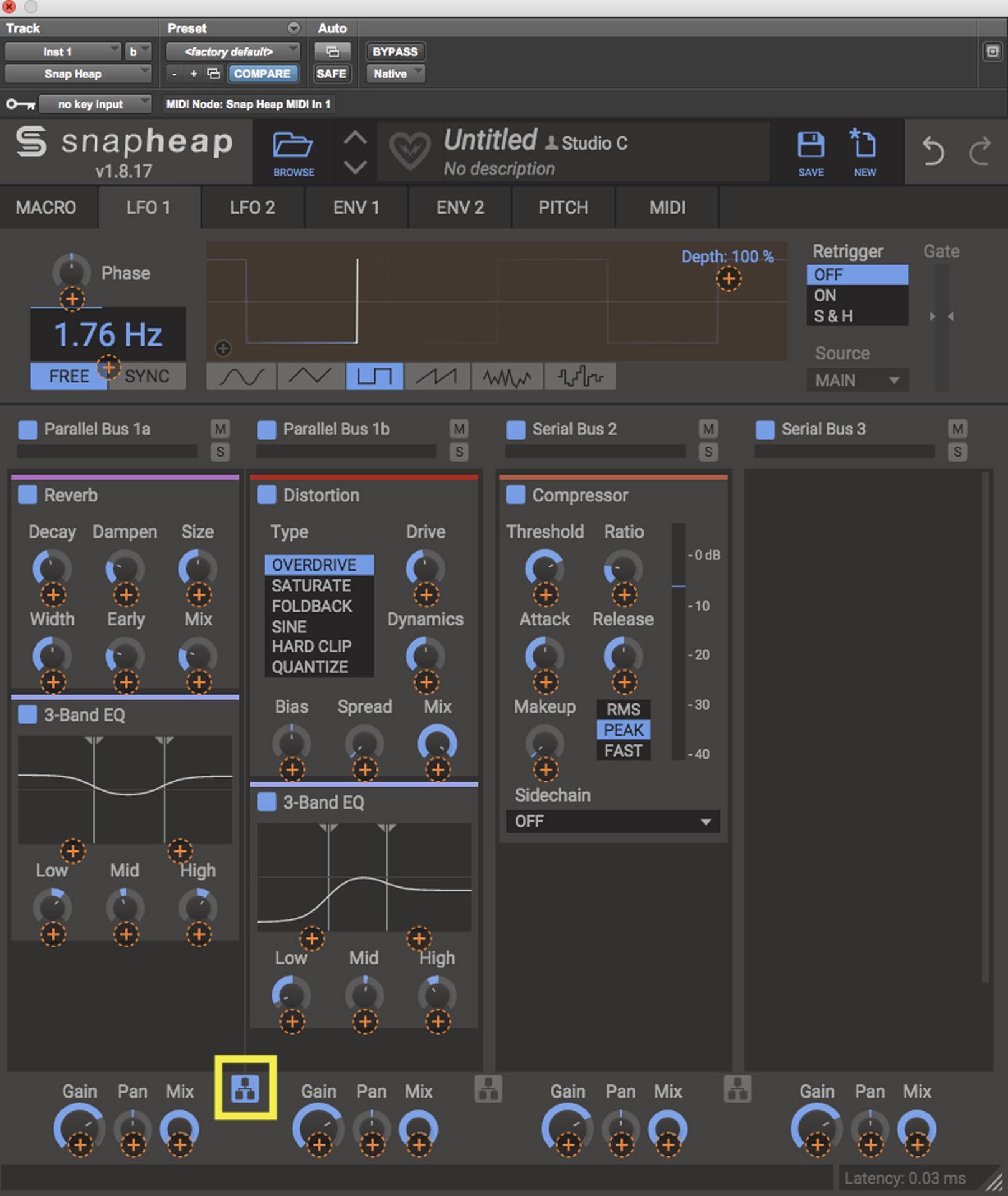
This type of flexibility is immensely powerful for modern production. For example, if I have a reverb on Parallel Bus 1a and a distortion module on Parallel Bus 1b, I can EQ each effect individually. Then I can run both of those into a compressor on Serial Bus 2 to give the sound a little glue. I even have the ability to adjust the gain, pan, and mix for each individual bus. Having so many routing options can seem daunting, but the simple effects of the Snapin ecosystem allow me to craft the sound I want piece by piece.
Multipass
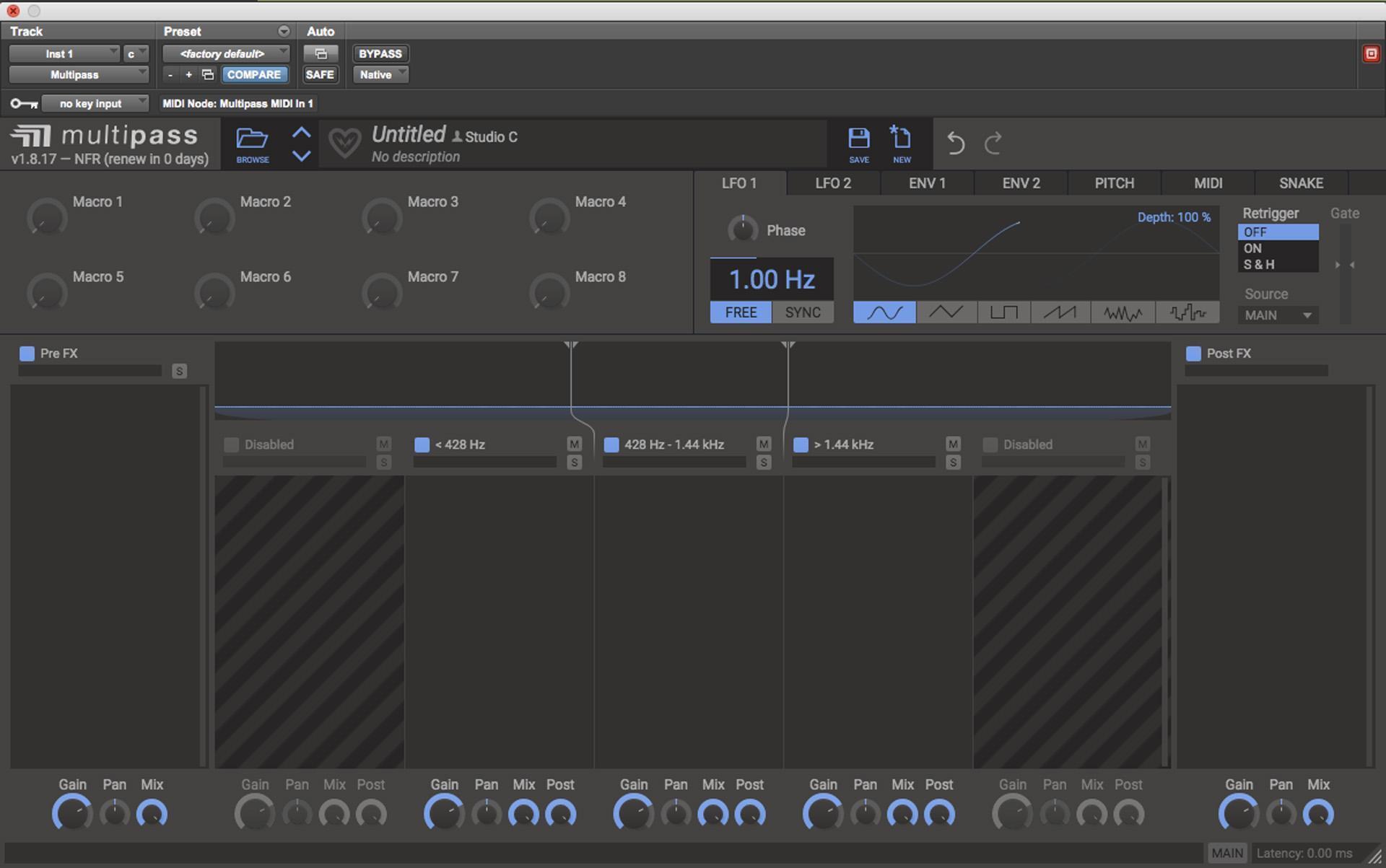
Multipass is another Snapin host by Kilohearts with a very unique feature. Similarly to Snap Heap, Multipass allows you to stack multiple Snapins to create custom effects, though now you can split the signal into separate frequency bands and apply effects to each of those bands individually. You can process up to five bands simultaneously, and you can choose the crossover frequency for each band. There are also effects lanes for pre- and post-band split where you can affect your audio even more!
Modulation
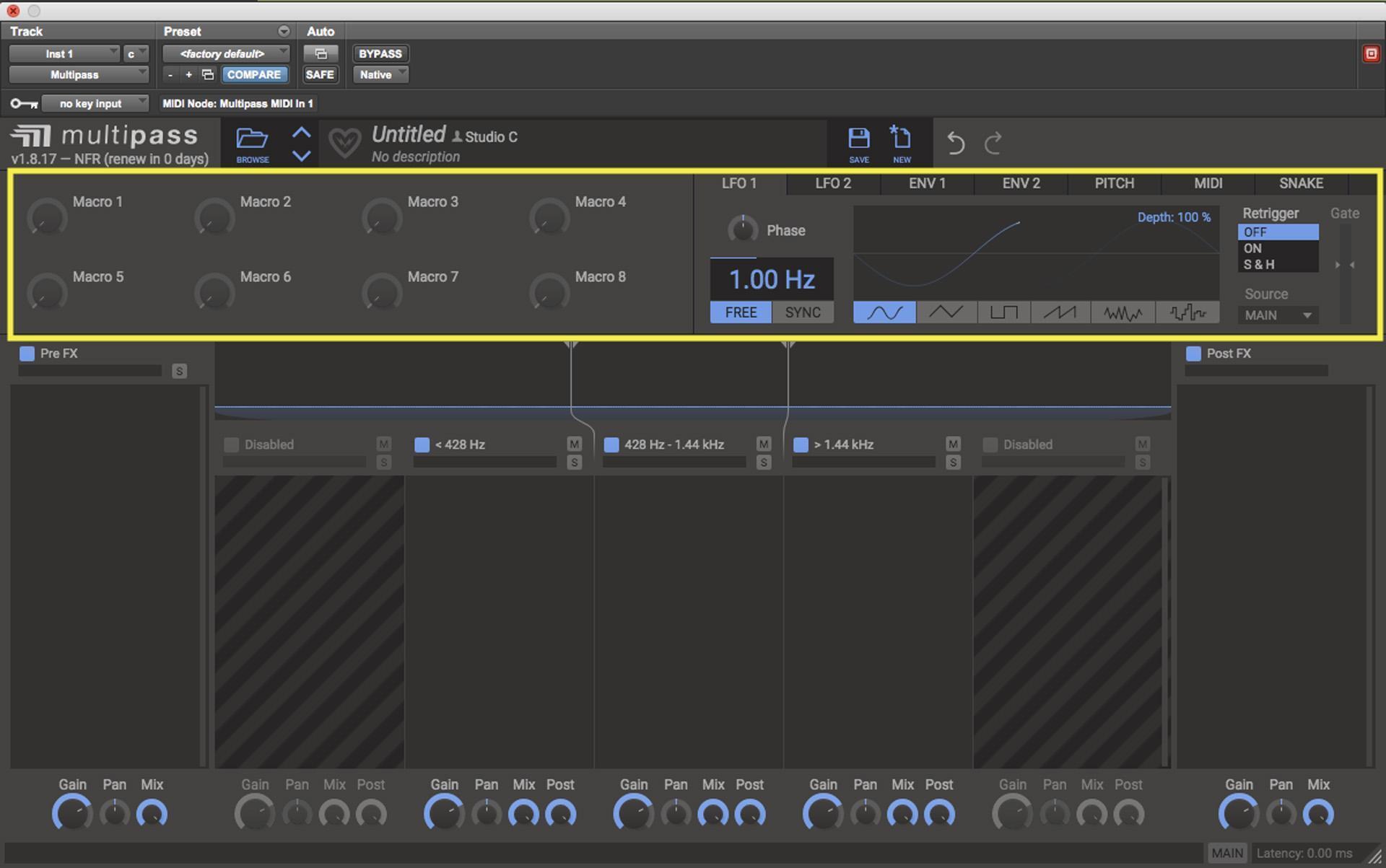
Both Snap Heap and Multipass come with a modulation section, something I feel is essential in modern production. This section includes two LFOs, two Envelopes, eight Macros, a Pitch Tracker, and MIDI controls such as note, velocity, pitch bend, and mod wheel. These allow you to change the value of parameters automatically based on your modulation source. This section allows me to modulate nearly any parameter within either plug-in.
To set a modulation, simply hover over the modulator of choice, and a small orange plus symbol appears. Click and the modulation destinations will appear as more plus symbols. Click and drag the plus symbol to the destination of your choice to set your modulation amount. To remove a modulation, simply double-click. Having built-in modulation within already expansive plug-ins opens up a world of sonic possibilities to help create constantly evolving sounds, a necessity for modern music production.
Get Started Today
Between the nearly endless routing possibilities, high-quality effects, and built-in modulation, the Kilohearts Snapin ecosystem is sure to be a staple in your music production workflow. Utilizing simple tools to create complex results in an easy-to-navigate environment, Multipass, Snap Heap, and Snapins can help you take your productions to the next level. To get started using Snapins or any other Kilohearts product, start at Sweetwater.com or contact your Sweetwater Sales Engineer at (800) 222-4700.