Odds are pretty good that you’re already using technology to assist with worship tasks from scheduling and contacting teams to song tracking, creating service flows, and managing data and images. With all that AI can do in music production, there’s considerable discussion about just where the line lies between what’s authentic and what’s fake.
The AI Question
The authenticity question is nothing new. There was tremendous controversy centuries ago when churches in Europe first began using pipe organs to replace orchestra musicians. The arguments raged every time the Church embraced new technology. Similarly, houses of worship today are asking whether it is OK to incorporate backing tracks for parts that cannot otherwise be performed. Should you only use song elements that your musicians perform live? Can they replicate a part that was in the original recording of a song, or must they invent their own version? Is it OK to automate lyrics so there are no mistakes instead of allowing a person to serve by running the lyrics?
Navigating this line may be tricky. And it’s even possible that you’re using AI or other people’s music without even thinking about it. You may be automating background images, lighting, or other assets to support your services. Your sound console may be autodetecting feedback or correcting pitch. Perhaps you replace drums with pristine samples. Many of us have been using multitracks for years to supplement missing musicians, add nuance to our songs, or guide the team when spontaneously jumping between song sections. These practical tools are already so accepted that we don’t think about them.
While drawing an exact line in the sand remains fuzzy, many in worship leadership are fine with using AI to expedite administrative tasks but express strong concern about incorporating AI for worship-related decision-making tasks and using AI to replace what a person present in the room could provide. With that in mind, I’m not going to focus on using AI to craft worship sets, select songs, add scripture, or draft talking points.
Facilitating Your Team
However, some AI tools can help your musicians prepare their parts and inspire them to dig deep and add a personal touch as they prepare for worship. Some tools may help you expand your team by providing an on-ramp for musicians who rely on sheet music or who can’t play by ear. These tools can help your team succeed.
Team worship-band practices used to involve long hours ironing out parts. While it was fun to blend everyone’s musicianship into a unique whole, it was very time intensive. These days, many worship bands have become based on a rotating schedule, and musicians need to arrive at practice with parts already prepared. Incorporating multitracks helped make that possible. But as musicians seek to add their own take on parts and make songs more personal, those who are unable to create their own parts — or who lack the chops to replicate parts they hear on practice tracks — are left behind. AI can give a creative stimulus with rehearsal and arrangement tools that support each person on the team and shorten the preparation time for the person in charge.
Whenever staff, volunteer or paid, can help the team succeed, it’s a win. This is part of the charge of leaders to equip everybody so they can serve. You’re freeing people to focus on bringing their best to service and to focus on the part that’s more than fun — it’s life-giving. I’m all about tools that can help make this process more inspiring, attainable, and sustainable.
These three AI-based software products can help you quickly support your worship musicians to bring their best and prepare with confidence when serving, especially when you want to have parts that are not available from an original multitrack or when you want to create your own song elements. While tweaking the results may yield tracks that are more performance-ready, even the unedited offerings from these products can get your musicians started in the right direction.
Band in a Box
- Create song charts and sheet music of parts
- Generate parts for new instruments
- Add vocal harmonies based on your own voice
- Export audio or MIDI files to a DAW
- Train musicians how to play their parts visually
Band in a Box (BiaB) has been around longer than AI, so it has grown significantly through continual improvement and updates. It’s a powerful, collaborative compositional assistant that automatically generates realistic accompaniment tracks in a wide variety of musical styles. You enter chords into a chart, set a tempo, and select a style. Within a couple of seconds, you hear a drum click count in, and a full accompaniment plays. In addition to thousands of fully editable MIDI instrument-based styles, you can draw from hundreds of licensed tracks from professional studio musicians. Each part can be edited and exported for use in your DAW. You have total control over the final arrangement.
Think of it as having someone to assist your arrangements who has spent the last 30 years intricately studying musicians and playing a range of styles across multiple genres. For example, it knows that a particularly well-known bassist plays at 84 bpm in the key of A, and when going from a IV chord to a ii chord, they tend to play one riff 2% of the time, another riff 18% of the time, yet another riff 6% of the time, and so on. Styles are built as collections of these musicians, and you can create your own styles to represent your vision for the song and your own team. The software automatically creates parts for instruments such as drums, bass, piano, acoustic guitar, electric guitar, strings, and more. If you want a different feel, then swap individual instruments, audition alternate performances, regenerate specific sections, or try a completely different style while keeping the same chord progression. The work is all done under the hood for you.
Rehearsal Tools
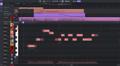
BiaB is a helpful training tool for creating rehearsal tracks. In addition to audio files, you can print out individual parts as sheet music. Plus, the notes of any part can be viewed in real time within BiaB on a virtual screen of keyboard, drum set, or guitar neck where each note lights up as the song plays.
Need a melody? You can enter it by playing your MIDI keyboard, entering MIDI notes, or singing into a mic. BiaB can turn your melody into a background vocal track with up to six parts, as well.
Learning Curve
Tracks for an entire band can be generated in just a couple minutes without spending a lot of time learning the software. While it doesn’t take long to understand the basic BiaB functions, it’s a powerful tool, and each advanced feature has its own learning curve. Thankfully, because BiaB has been around for a long time, there are plenty of training videos and a robust online support community. Mastering every feature takes time, but you can begin creating practical, ministry-ready tracks almost immediately. Then you can continue expanding your skills as your needs grow.
Take a Listen
Example: In about 30 seconds, I created a I-vi-IV-V vamp and looped it several times to show dynamics. For variety, I picked a couple of MIDI styles and added an extra RealTrack acoustic guitar. In this clip, you’ll hear the need for some edits, but I wanted to show you what could be accomplished in only a few minutes with basic settings. Here’s the unedited version.
Band in a Box is available for both Windows and Mac. It can be used as a standalone or as a DAW plugin. You can purchase and download the fully functional basic version or as a MegaPak or UltraPak with additional RealTracks and StyleSheets.
Ace Studio
- Generate song parts
- Separate stems
- Create virtual choirs with editable lyrics
- Access realistic virtual instruments
- Build rehearsal tracks
Ace Studio is an AI-based music creation tool (as a standalone or as a plugin for your DAW) that provides responsible, licensed use of Ace Studio’s royalty-free collection of real musician performances. It can generate studio-quality vocals (in multiple languages) and instrument parts based on the music you input. You can even clone your own vocals. Additionally, it can split stems to give you compositional material to work with. It’s like having a team of pro studio musicians available to help at your fingertips.
Rather than replacing singers or relying on AI to generate a song, the software serves as a creative production tool to help you explore musical ideas, prepare demonstrations, and accelerate the songwriting process. It draws from licensed AI voice and instrument models to open the door to a wide variety of practical applications.
Rehearsal Tools
You can create vocal rehearsal tracks so team members can learn their parts before practice. For volunteer singers and choirs, you can create vocal part demonstrations based on your own cloned voice — or even theirs. You can produce complete song demos when introducing new worship music. Ace Studio allows you to experiment with alternate vocal arrangements, keyboard parts, or harmonies before teaching a song to the band. It’s also a helpful way to generate ambient fills or background parts to support what your team plays.
Learning Curve
I found this to be a fast way to create basic rehearsal and ambient tracks. Of course, you can dive deep and edit to your heart’s content, but it doesn’t take long to begin generating usable music. Each track takes a few minutes to generate, but you’ll find it worth the wait.
Take a Listen
For this example, I started by strumming the chords on my guitar, recording it directly into Ace Studio. (I also tried singing a melody, but the software recognized it as copyrighted music and would not process it.) I specified sections to be generated to create a natural build for the song. This is what the software generated. While the results are totally editable, I left everything in its original state so you can hear what it created natively.
Ace Studio can function on its own or as a DAW plugin using the included Ace Bridge software. The software has a lifetime license and comes in Artist and Pro versions.
Fender Studio Pro
- Create audio remixes for specific musicians
- Separate stems
- Convert audio files to MIDI
- Apply a huge range of instruments to MIDI files
- Easily print sheet music in correct staves
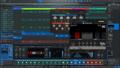
While Fender Studio Pro is a full, professional DAW, it’s also an AI-assisted music practice and production tool that helps worship leaders, music directors, and musicians build customized rehearsal materials from existing audio. The goal is to equip musicians to arrive at rehearsal prepared to serve. Users import an audio file, choose the tools they want to use, and prepare the track for practice.
Rehearsal Tools
Fender Studio Pro is designed with a straightforward workflow. It enables you to isolate parts, create focused practice mixes, slow songs without changing pitch, loop challenging sections, and print sheet music. The result is a collection of targeted practice resources that help musicians spend more time learning and less time searching for the right recordings or editing audio. It’s an excellent way to review as a team what each musician played at rehearsal or during a set and see how every part came together.
Another use is to isolate individual instruments and vocals then adjust the mix to create personalized rehearsal versions for each member of the band. For example, a drummer can emphasize the bass guitar, a background vocalist can feature the lead vocal, and a keyboard player can lower distracting parts while concentrating on their own role.
Whether you record your music as a single track during rehearsals and services or capture each individual track for post production, you have the raw materials to create fantastic training and rehearsal resources for your team. You can convert parts to MIDI from tracks you either generate from stem separation, by singing, or by playing on an instrument and then add new instrument sounds to these tracks from Fender Studio Pro’s extensive library, generating entirely new parts for which you can print out sheet music directly from Fender Studio Pro. (This is a great way to incorporate classically trained band and orchestra musicians who are less comfortable playing by ear!) Additionally, Fender Studio Pro Plus subscribers gain expanded monthly credits to Moises Studio tools for additional stem separation, vocal transformation, and generative AI tools.
Learning Curve
I appreciate Fender Studio Pro’s reputation for having an approachable learning curve. Most users can begin importing songs, adjusting instrument levels, slowing playback, and creating useful practice mixes in just a few minutes. While advanced tools reward deeper exploration, the core functions are easy for volunteers, worship leaders, and music directors to incorporate into their weekly preparation without requiring extensive technical knowledge or audio production experience.
Take a Listen
For this example, I recorded some of my own parts and mixed in stems created with BiaB and Ace Studio. While Fender Studio Pro gives extensive editing tools to shape recordings, adjust pitch, and add effects, I used unedited files to demonstrate what can be done quickly.
Fender Studio Pro comes in subscription and perpetual-license options.
Hybrid Approach: Step by Step
While each of these products is a powerful tool on its own, I found the most efficient (and fun!) workflow when combining them. These are the steps I took:
- I started out in BiaB to create a basic road map and click track. This process took less time than it would have taken to record me playing the song. I picked an appropriate style then adjusted individual instrument levels. After adding a solo track, I exported the master and individual tracks.
- I shifted to Ace Studio and incorporated the BiaB files. I experimented with replacing individual instruments and generating additional parts, including a woodwind section and a choir.
- I jumped to Fender Pro Studio for final mixing. After importing the BiaB and Ace Studio parts, I converted the woodwinds stem from Ace Studio to MIDI, added a flute voice, and created sheet music as a PDF.
Take a Listen
Other than cutting/pasting parts and adjusting levels, I did not quantize or edit any files. You may want to adjust or re-create parts to get the exact detail you envision, but I wanted to show you what these programs create on the fly with minimal work so you can equip your musicians with a solid starting place.
AI Tips
- Incorporate band and orchestra students or classically trained musicians by using Fender Studio Pro’s capability to print sheet music with only a couple of clicks. You can play their part on a MIDI keyboard or convert a sung part into MIDI and assign an appropriate instrument. Or you can turn a recorded part into MIDI and isolate specific notes. Then print the sheet music to get the new musician up to speed.
- If you have access to multitracks, then another way to create new parts is to convert to MIDI additional parts that you’re not using, such as the third or fourth guitar stem on most multitracks. Eliminate any notes you don’t want, and you have something you can print or play back that will automatically blend with the rest of the arrangement. And because you’re not using that third guitar part, you’re not creating clutter or unbalancing the arrangement.
- Add new parts to your rehearsal stems. This way, all your musicians can adjust to make room as they prepare.
- Unless you generate an ensemble part, creating BGVs or a choir in Ace Studio will still require you to do multiple recordings and replacement of your voice because it bases voice replacement on the dynamics of your performance. Otherwise, the result will sound just like a thicker version of you. But if you do multiple takes and change to a different voice on each of them, then you can create something aspirational for your team. (For manually shifting pitch to create harmonies, Fender Studio Pro’s Melodyne tool probably offers a more practical workflow.)
- Hum your way to a song part. In either Ace Studio or Fender Studio Pro, create a new part without playing a note. Simply hum the part into a mic. Fender Studio Pro can turn that part into MIDI, and you can assign an instrument and print the sheet music. Ace Studio can generate an audio or MIDI track from the part or generate a new instrument based on it.
- Applications: Say you have a flute player but don’t know what they can add musically. Pick a section of your band recording from a previous practice or set and have Ace add a flute layer in your preferred style or prompt. It will analyze what your team is playing and create a part that you can keep or try again.
- Create unique ambient background tracks for a song. Convert several of your own recordings, unused multitrack parts, or generated stems into MIDI. Apply different instruments or voices to each version; deeply modify them with effects and EQ, low- and highpass filters. Then mix the versions together or automate them for texture and add a final bit of reverb, delay, and compression to glue them together. Add this in the background at appropriate places in the song to create an additional layer that fits with the arrangement.
Wrapping It Up
While there are so many more ways you could use each of these programs individually or combined, you’ll find these recommendations to be a great way to start. I find each of these programs to be inspirational — they whet my appetite to make music. If you have additional questions about which options are best for your specific application, then call your Sweetwater Sales Engineer at (800) 222-4700. You’ll get help you with any related needs, such as affordable MIDI keyboards, microphones, stands, and cables as you use AI to equip your team.