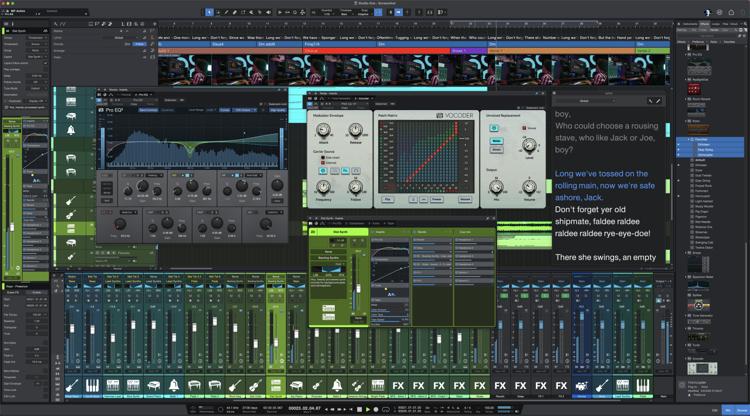
Pop Quiz: How many EQ plug-ins ship with PreSonus Studio One?
If you answered seven, then congratulations! You know about the Pro EQ3, the three different Fat Channel EQs, Ampire’s Graphic Equalizer, the Channel Strip, and using the Multiband Dynamics as a hip graphic EQ by setting each band’s compression ratio parameter to 1:1. But the correct answer is eight. Autofilter is the bonus EQ in Studio One.
Autofilter
If you turn off the Autofilter’s auto functionality, then you can take advantage of an equalizer with two separate filter stages. Each filter offers a choice of multiple filter designs:
- 3 Moog-style lowpass Ladder filters
- 2 analog state-variable filters (yes, the same filter design as the infamous “Super Tone Control” circuit in my book, Electronic Projects for Musicians)
- 1 digital state-variable filter
- 1 comb filter
- 1 zero-delay, 24dB/octave lowpass filter
Furthermore, you can route the two filters in series, or in parallel, and offset their cutoff frequencies by up to two octaves. The state-variable filters are particularly interesting because you can alter the response continuously from lowpass to bandpass to highpass — all with variable cutoff and resonance. This gives responses that are difficult — if not impossible — to obtain any other way.
These different filter types provide multiple unconventional possibilities:
- Synthesizer sweeps that go beyond the usual filters included in synths
- Sophisticated sound design
- Innovative wah sounds for guitarists and electric piano players
- Effects and breaks for DJs
- Additional spice to tracks that sound too “normal”
Don’t think of these filters necessarily as standard EQ; think of them as more like EQ-based special effects. Their parameters are automatable, too, which opens up even more possibilities. Let’s look at some of the spectral responses that this exceptionally versatile pair of filters can produce.
But First, Turn Off Everything “Auto”
To use the Autofilter as a filter, we need to turn off the automated aspects. Cmd/Ctrl+Click on both pairs of envelope and LFO sliders to zero them out. Now, we’re left with only the filters, not the modulators trying to control them. Also, turn off the gain’s auto function. Due to some of the unusual ways we’ll be using the filter, auto gain can result in overloading and nasty distortion.
Filtering Time
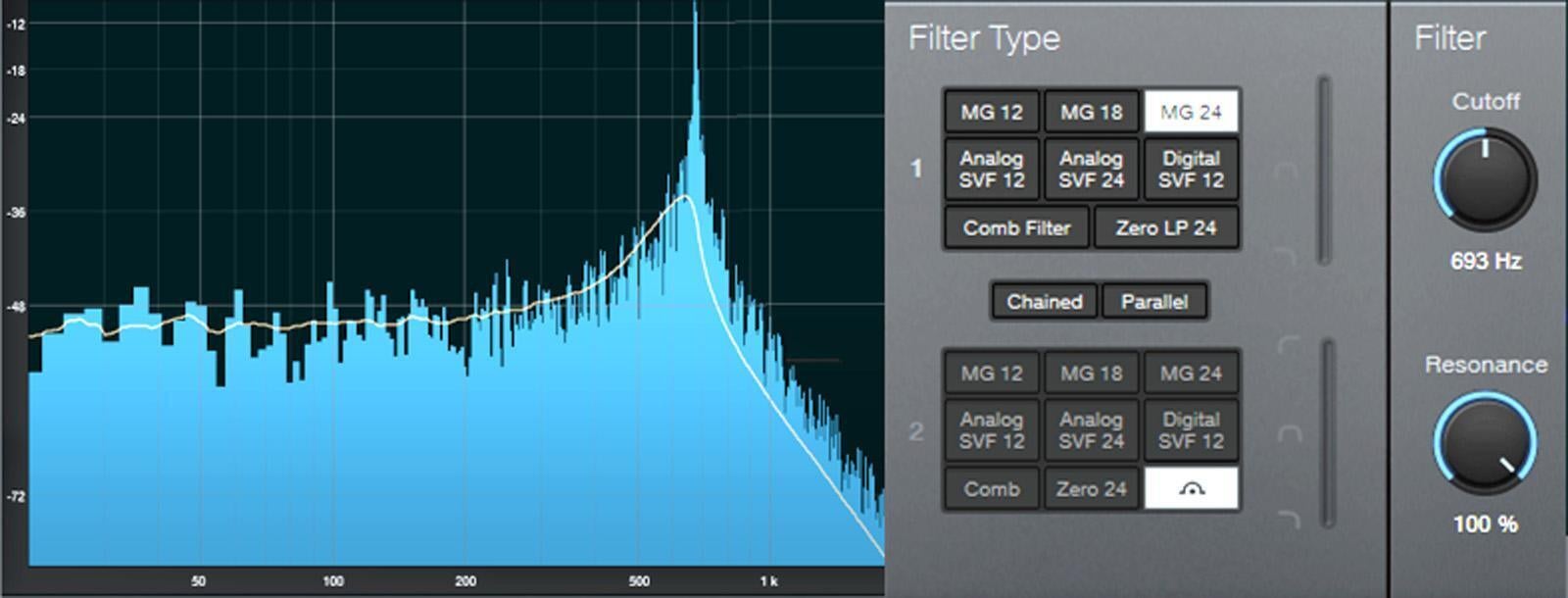
Figure 1 shows the response for the 24dB/octave ladder filter, with resonance turned up. Note that the Pro EQ3 high-cut (lowpass) and low-cut (highpass) filters can’t create this kind of response because they don’t have resonance controls. The ladder filter’s character is like a classic analog synthesizer’s lowpass filter response. Automate the filter cutoff for grandiose filter sweeps.
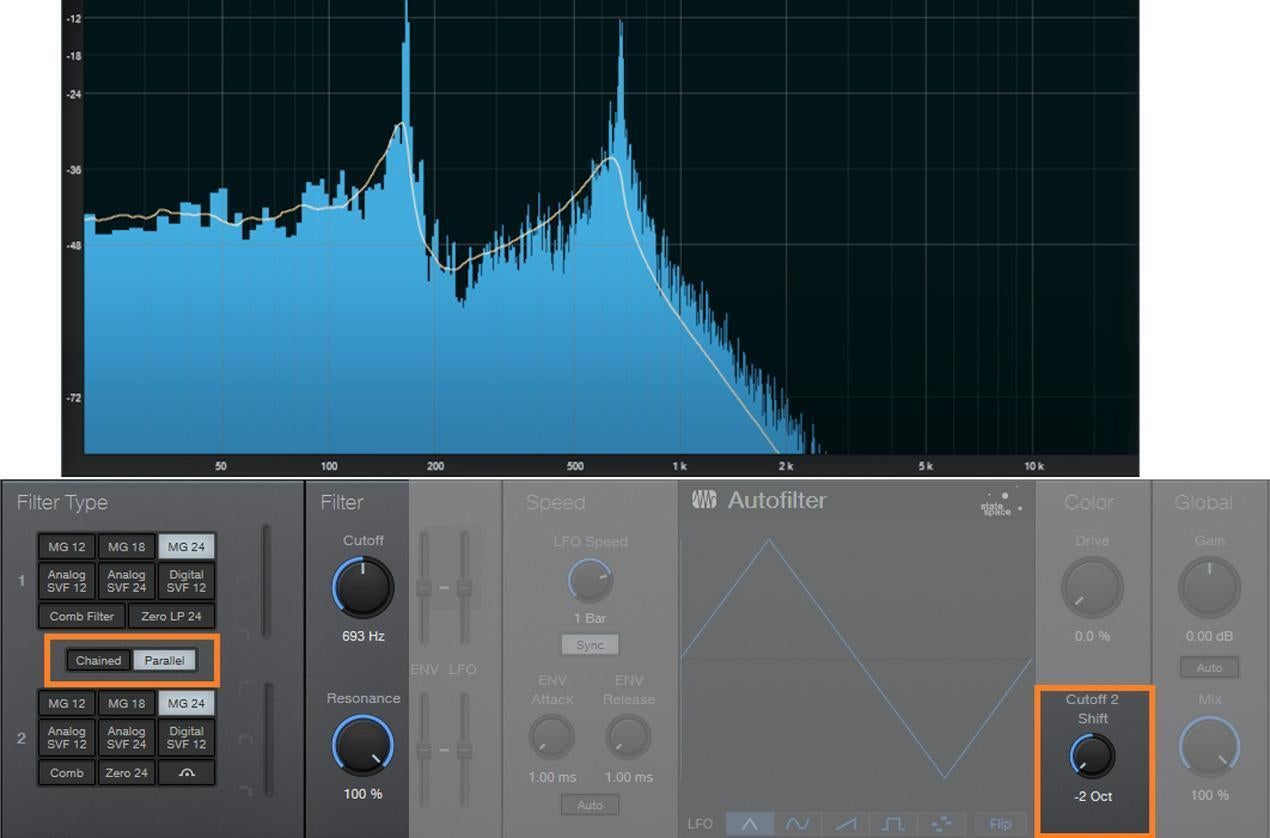
But there’s more. Because there are two filter sections, you can offset the resonant frequencies to create double peaks. In Figure 2, the frequencies are offset by two octaves, and the filters are in parallel (see the sections outlined in orange). So, now we have a double-peak ladder filter.
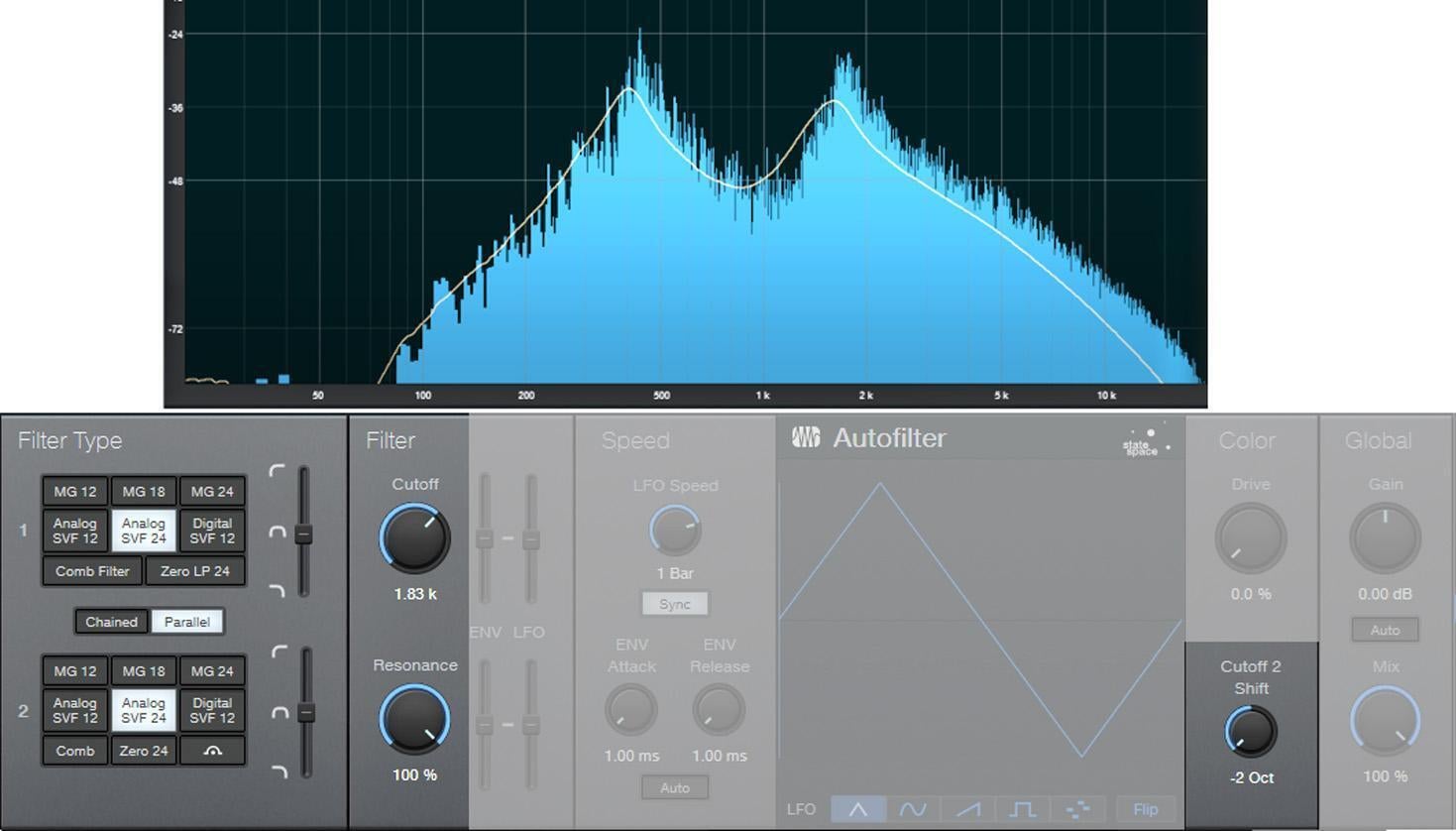
We can also create a “twin peaks” filter by setting the state-variable filters to bandpass mode (see Figure 3). Here, the filters are in parallel, and as with the above curve, they’re offset two octaves apart.
If you chain the two state-variable filters in series, then set them to bandpass mode (don’t offset them) and boost the resonance, then the filter curve resembles a wah pedal (see Figure 4). There’s a sharp peak and a steep roll-off on either side.
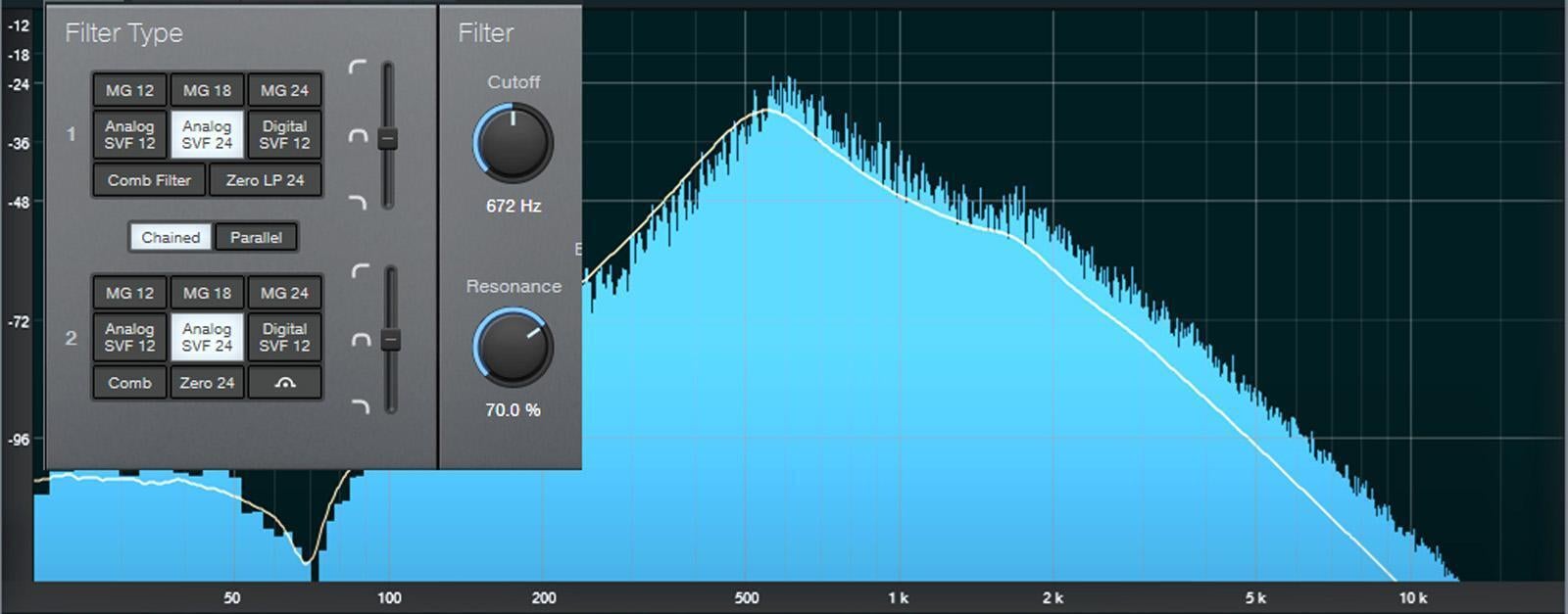
This curve also produces a strong sense of pitch with white or pink noise. One cool trick is using this setting to add a “tuned” aspect to snare drums and other percussion instruments. Edit Studio One’s Tone Generator plug-in to generate pink noise, feed the pink noise into the above filter configuration, turn up the resonance, tune the cutoff to the desired pitch, and gate the noise with a snare hit. Mix in the desired amount of noise to give the snare hit a sense of pitch.
Some responses are just plain unusual, like this “notch plus double peak outside the notch” response (see Figure 5). For some sound design–type wind sounds, drop the resonance to around 30% and sweep the cutoff between 2kHz and 6kHz. Randomly modulating around a low cutoff frequency can also give good rain and downpour sounds. Besides, who doesn’t like a curve that looks like Batman?
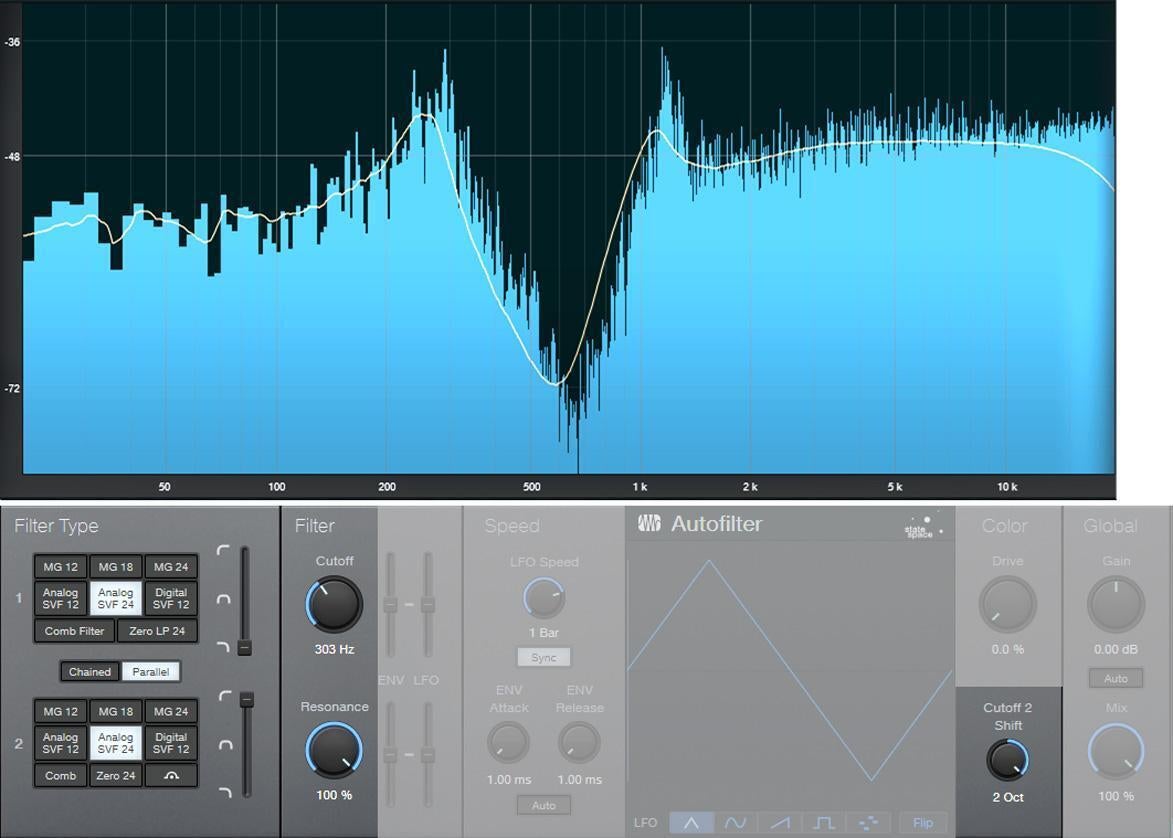
Combining two different filter designs also gives interesting results. Figure 6 shows a ladder filter in parallel with a state-variable filter, along with considerable amounts of resonance. To really push this configuration’s flexibility, vary the second filter slider to alter the filter type, and/or vary the filter spread to change the offset between the two filter types. Changing resonance alters the sound even further.
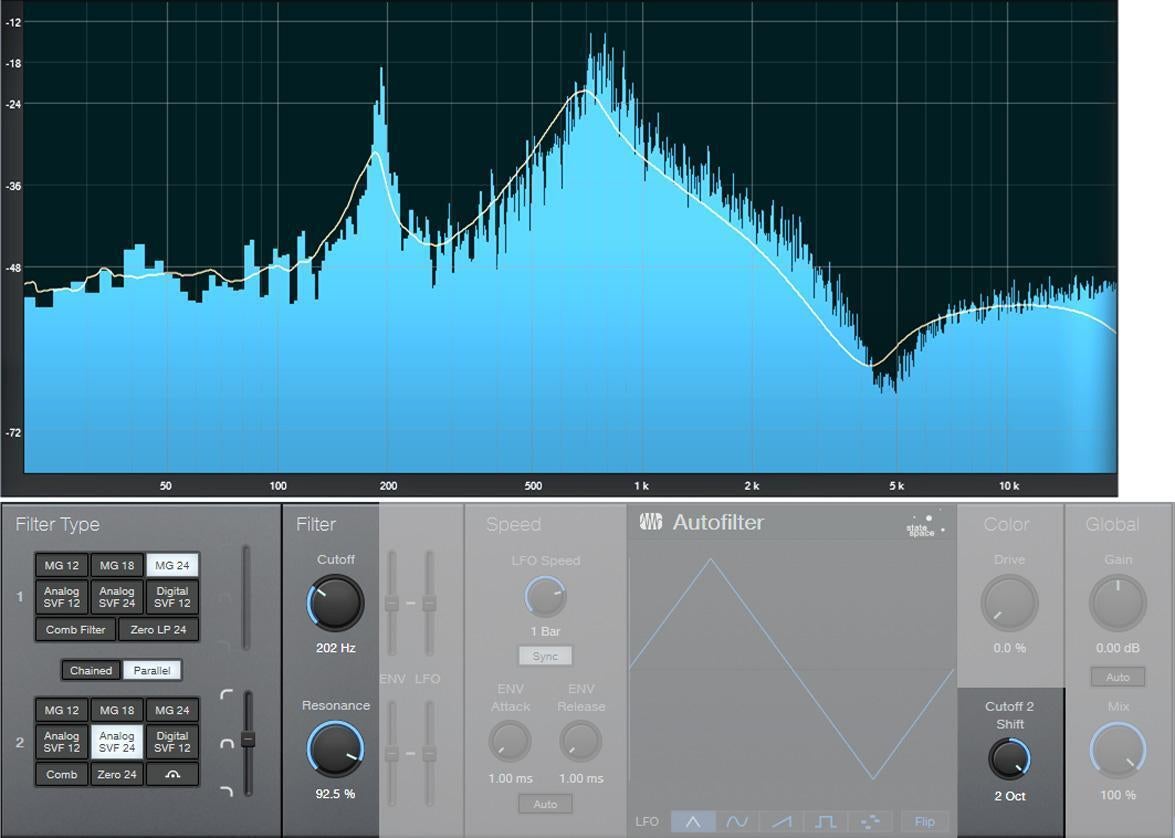
Autofilter? Yes, it does that. But try these tips, and you’ll find there’s a lot more to the Autofilter’s talents than just wah pedals and funk bass.
Excerpted from The Huge Book of Studio One Tips and Tricks, Chapter 2, “Signal Processing.” To purchase the entire e-book (which includes more than 250 tips and 126 free preset files), please visit Sweetwater Publishing.