Choosing the Best Studio Desk or Workstation
While most producers and engineers put a lot of thought into microphones, preamps, consoles, and other gear, your choice of studio desk or workstation has a huge impact on the vibe and workflow of your studio space. Whether you’re recording, mixing, mastering, or editing in post, choosing the right workstation for your room will put your most-used gear right at your fingertips while completing the professional look and feel of your creative space. This guide will help you identify key criteria when looking for a studio workstation, but we also know that every studio is unique – give us a call at 800-222-4700 and we’ll help you find the best options for your specific room and workflow.
Studio Workstations vs. Conventional Computer Desks
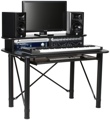
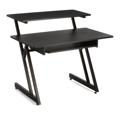
Even the most basic studio desks and workstations have several advantages for media production when compared with the basic computer desks you’ll find at big box stores. Take the very popular yet basic studio desk from On-Stage Stands, the WS7500. The large keyboard tray is designed to securely hold a synthesizer or keyboard controller without taking up space on the desktop. The main workspace is free of obstruction and gives you plenty of room for control surfaces, pad controllers, desktop interfaces and other modules. Then the raised second tier is ideal for placing studio monitors or a computer monitor. And it’s much more rugged than most budget computer desks, which is important once you load it up with gear. It’s a great solution for small editing rooms and bedroom studios.
For professional studios, workstations like the Argosy Halo Ultimate Workstation provide rack space for hardware and electronics, a movable mounting arm for your computer monitor, and even platforms with acoustic isolation for your studio monitors. And while full-featured studio desks are not inexpensive, consider that every feature is designed specifically for day in, day out use in a studio production environment. They are far less expensive than designing and custom-building your own studio furniture with materials of comparable quality.
Base Your Workstation Around Your Gear
There are many studio desks and workstations designed to integrate perfectly with popular consoles and mix controllers like the Avid C|24, the PreSonus StudioLive series, the Avid Artist series, and many others. These desks will provide a perfect fit for your console or controllers and provide a custom feel while maximizing your productive workspace. Even if you use a vintage console or some obscure mixer that is no longer in production, custom options are often available — call us to learn more. Your studio workflow is dictated in large part by the gear you use, so it naturally follows that your choice of studio desk should be based on your gear.

Rack Spaces: Some Things to Consider
Most studio desks offer rack spaces for mounting gear like preamps, converters, processors, power supplies, and so on. There is more to consider than just figuring out how many rack spaces you need to accommodate the gear you own or plan to add in the future. Some workstations have angled rack spaces, which can be convenient for tweaking processors like compressors and EQs. However, if you plan on adding a rack drawer to hold necessities like pens, tape, cable ties, and so on, angled rack spaces may make opening the drawer inconvenient.
Also consider where your gear will be most productive: you want easy access to tools you use on every mix, like EQs and compressors, but you rarely need instant access to devices like converters and sync/master clock generators. It may make more sense to also invest in a separate sidecar-style equipment rack that you can place away from your main studio workstation and divide your gear between both.
Integrating Studio Monitors with Your Desk
Monitor placement is key to achieving great sound in your studio. A good workstation should help, not hinder, proper monitor placement. While most engineers agree that you should put monitor speakers on isolated stands as opposed to your desktop, many studio desks are designed to help reduce the issues associated with desktop placement. For example, some workstations have an angled surface that directs sonic reflections away from the mix position instead of bouncing them back up at you (as a flat desktop would). Some desks feature integrated monitor mounting options with acoustic isolation to minimize vibration transfer. Basically, if the size and shape of your room prevent you from placing monitor speakers on separate stands, make sure you choose a workstation that helps you place your monitors in an appropriate configuration for accurate sonic performance.

Clear Your Room Before Installing
If you’re building a new room, you’ll want to bring in your new workstation as soon as construction, painting, and electrical wiring are complete. If you’re upgrading an existing room, you’ll still want to temporarily move most of the equipment from the room. Just as with any other large piece of furniture, it’s safer and more convenient to move it into an uncrowded space. You don’t want to trip over cables or bump into racks of gear while you’re moving the desk in and setting it up. Once you’ve decided on a workstation and are waiting for it to arrive, prepping your room will ensure that you can get it set up as soon as it is delivered. You’ll also be making more room for yourself when it comes time for the fun part – setting up your gear on your new workstation.
Here at Sweetwater we’ve helped design countless studios, and we know that choosing the right studio workstation can have a big impact on practically everything you do in your creative space. While not the most exciting piece of equipment in your studio, your studio desk sets the tone for both your workflow and the look of your room. For more help finding the perfect workstation for your studio, call us at 800-222-4700.