

It has never been as easy to stay “in the box” as it is now. There are lots of software virtual instruments out there; some emulate hardware instruments, and others offer completely new sounds. That said, there’s something special about performing on a synthesizer or MIDI instrument with its own sound engine that’s difficult, if not impossible, to capture in software. And just as software instruments keep getting better, hardware MIDI instruments have never been better or more affordable. Here are ways you can record your MIDI instrument, depending on the features.
Recording a MIDI Instrument with USB Audio and MIDI
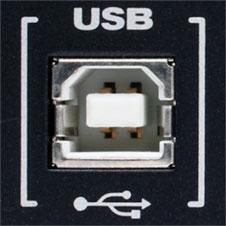 If your MIDI instrument has a USB port that can both send and receive MIDI and audio data, you’re in luck! Recording this device will be a breeze. First, connect the USB port on your instrument to a USB port on your computer. Then make sure that your DAW sees the USB ports of your instrument as both audio and MIDI devices. You’ll want to set up an instrument track to record and play back the MIDI data from your instrument, and to accept the audio input coming from the USB audio connection as well. This allows for the most flexible use of your MIDI instrument possible — you can record it, edit the recorded MIDI notes, and then hear the resulting edited audio coming back from your instrument.
Recording a MIDI Instrument with USB MIDI Only
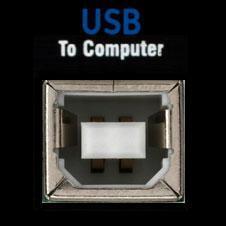 Many MIDI instruments that have USB ports will only send and receive MIDI data over USB. This isn’t quite as convenient as if your instrument could send both audio and MIDI over USB, but it’s still easy to work with. First, connect the USB port of your instrument to a USB port on your computer, and connect the audio outputs of your instrument to audio inputs on your audio interface. Next, set up a MIDI track in your DAW to record and play back the MIDI data from the USB connection of your instrument. Then set up an audio track in your DAW to record the audio inputs on your interface that you’ve connected your instrument to. Now your MIDI track will record and then play back MIDI to your instrument over USB, and your audio track will record the audio output from your instrument. Although connecting everything is a bit more complicated with this method, you’ll still be able to record, edit the recorded MIDI notes, and then hear the resulting edited audio coming back from your instrument.
Recording a MIDI Instrument with No USB Ports
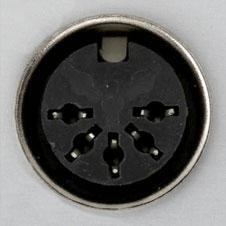 Some MIDI instruments, especially older ones, don’t have any USB ports at all. They will usually use the original 5-pin DIN MIDI ports. This requires a little extra gear but is fundamentally the same as recording a MIDI instrument with USB MIDI only. The big difference is that you’ll need a separate USB MIDI interface to send and receive MIDI between your instrument and computer. Some audio interfaces may come with a built-in 5-pin DIN MIDI interface; otherwise, you can purchase a dedicated one. You can buy inexpensive MIDI interfaces with a single MIDI in and MIDI out port, such as the M-Audio MIDISport 2 x 2, or fully featured rackmounted MIDI interfaces, such as the MOTU MIDI Express series with up to 8 x 8 MIDI ports, depending on how many MIDI devices without USB you have. Once you have your MIDI devices connected to your computer via a USB MIDI interface, the rest of the process is identical to the prior method: recording a MIDI instrument with USB MIDI only.
It might take a little more planning to record a hardware MIDI instrument, but the expression potential and the often unbeatable sound quality make it worth it. Don’t let the fact that the sounds aren’t inside your computer scare you off; recording MIDI instruments is easy!