Double tracking dates back to when tape ruled the world and musicians would record the same part twice. Because the second performance would always have slight timing and pitch variations, these differences created a “bigger” sound when you mixed the two parts together.
A DAW’s suite of bundled plug-ins often includes an ADT (automatic double tracking) or doubling effect that adds slight pitch and timing variations. So, why don’t they sound quite like old-school double tracking?
Simple: They’re not time machines. When a real musician doubled a part, sometimes the notes would hit a bit before the existing part and sometimes a bit after. Plug-in solutions that are based on chorusing can create variations that happen only after the existing part — they can’t go forward in time and double a note that hasn’t been played yet.
Or can they?
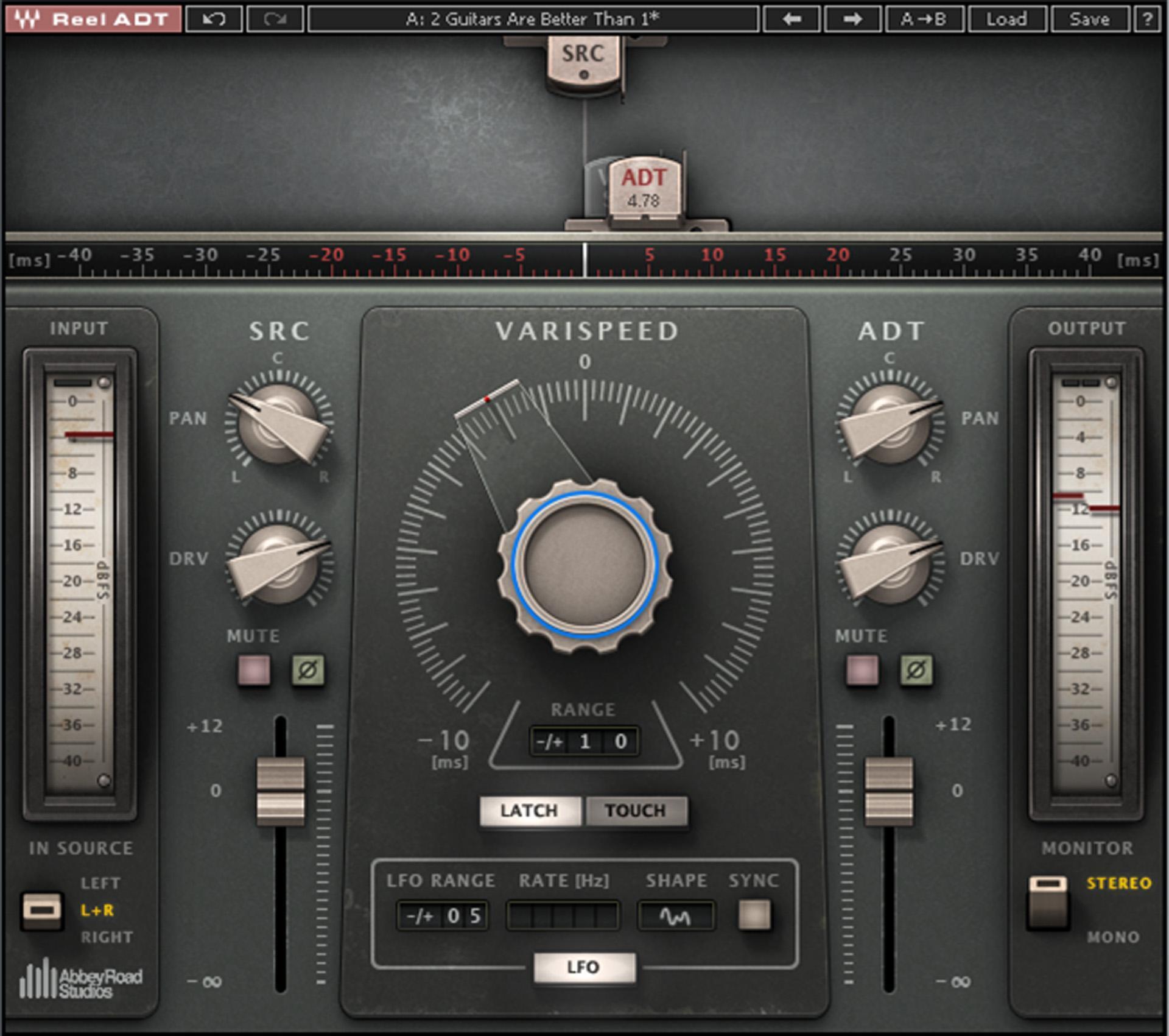
Actually, Waves cracked the ADT code with the Abbey Road Reel ADT plug-in (fig. 1), which can, indeed, render a part that varies between being ahead of or behind the original. But, with a little time-travel magic, we can do the same thing with a program’s bundled plug-ins.
The Secret Recipe for Realistic ADT
The secret is not processing a track but copying it to create a separate track that provides the doubled part — just like with tape, where the doubled part was always on a separate track.
Suppose we put two chorus effects in series on the copied track, each with a 20ms initial time and delayed sound only — no dry sound mixed in. This gives a total initial delay of 40ms. If we move the copied track 40ms earlier on the timeline than the original track, now the initial delay is no longer delayed compared to the original track. So, when we modulate the choruses, the delay will vary from 20ms ahead to 20ms behind the original track. Problem solved!
Although it may seem this attention to detail is getting pretty picky, listen to the audio example below. The first part is unprocessed acoustic guitar, the second part uses one of the better doubling plug-ins, and the third part uses the realistic, vintage ADT effect described here. Although the difference is subtle, I think you’ll find the vintage ADT effect has a more lively, animated feel.
The Two-Delay Approach
Many delay-only effects can’t vary delay times elegantly without causing some glitching. A chorus unit is designed to vary delay time but usually does so over a limited range, with a typical maximum delay up to 30ms (but usually less). That would give a maximum variation of ±15ms, which isn’t enough to give a convincing ADT effect — we need at least ±20ms and sometimes as much as ±30ms. That’s why it’s important to use two delays in series.
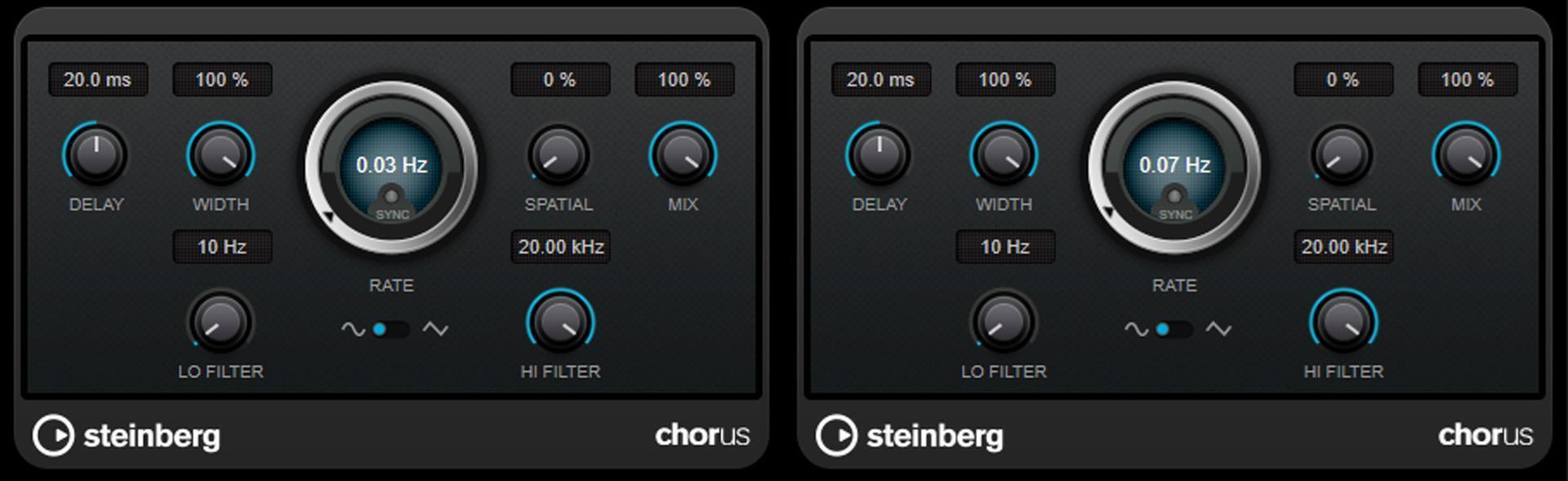
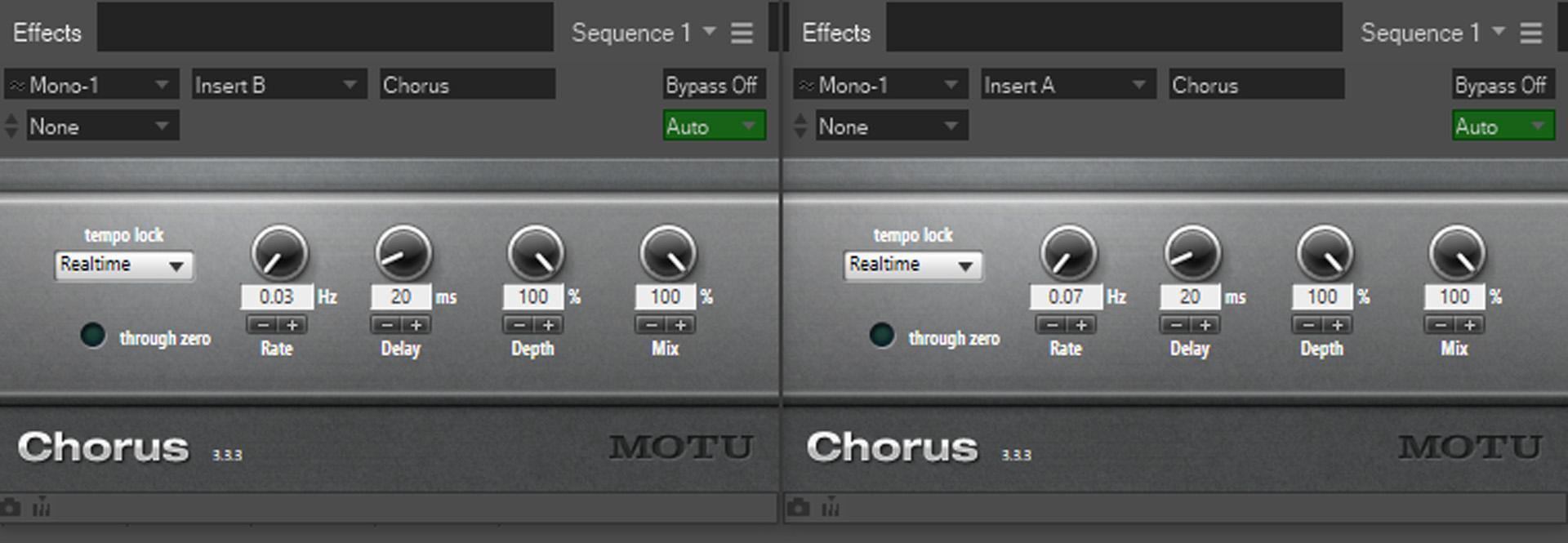
But the two-delay approach has another advantage. Double-tracked timing changes were random, unlike the regular sweep of a chorus’s LFO. Few choruses offer a random waveform; and, when they do, it’s often stepped instead of smooth. With two delays, if we set slightly different LFO rates (like 0.03Hz and 0.07Hz sine or triangle waves), then the longest, and shortest, delays happen only when the maximum deviations of the two LFOs coincide. Otherwise, the delay changes in a less periodic, constantly varying way.
Modulation depth varies the amount of lead or lag compared to the original part. Note that you can apply more depth at slower LFO rates; the faster the rate, the more you’ll have to pull back on the modulation depth.
Bundled Plug-in Solutions
Let’s look at how to set this up for bundled plug-ins in Pro Tools, Ableton Live, Studio One, Cubase, and Digital Performer. In all cases, insert the choruses or delays in series (with delayed sound only — in the case of the AIR plug-in below, Mix control should be set to 100%) on the copied track that provides the doubled part.
With Pro Tools, the Delay III plug-in’s sweep width isn’t sufficiently wide. Fortunately, the original AIR effects include a chorus that does what we need (fig. 2).
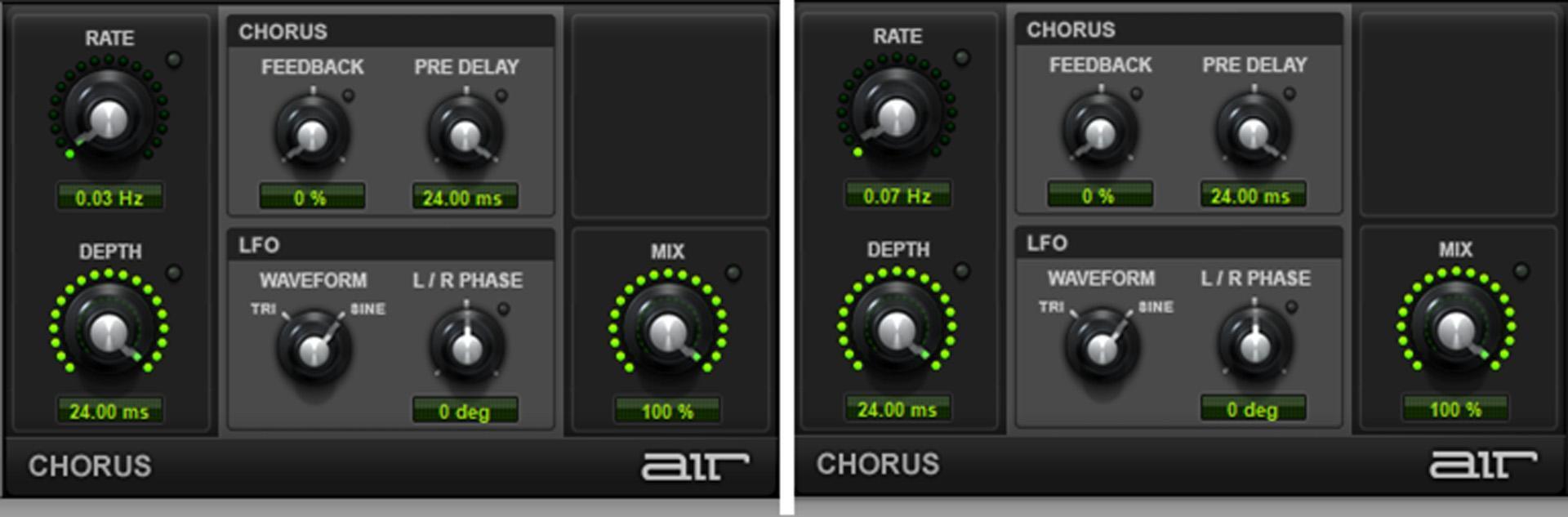
Make sure the L/R Phase is set to 0 degrees. Moving the doubled track earlier by about 50ms–60ms sounds right with these settings.
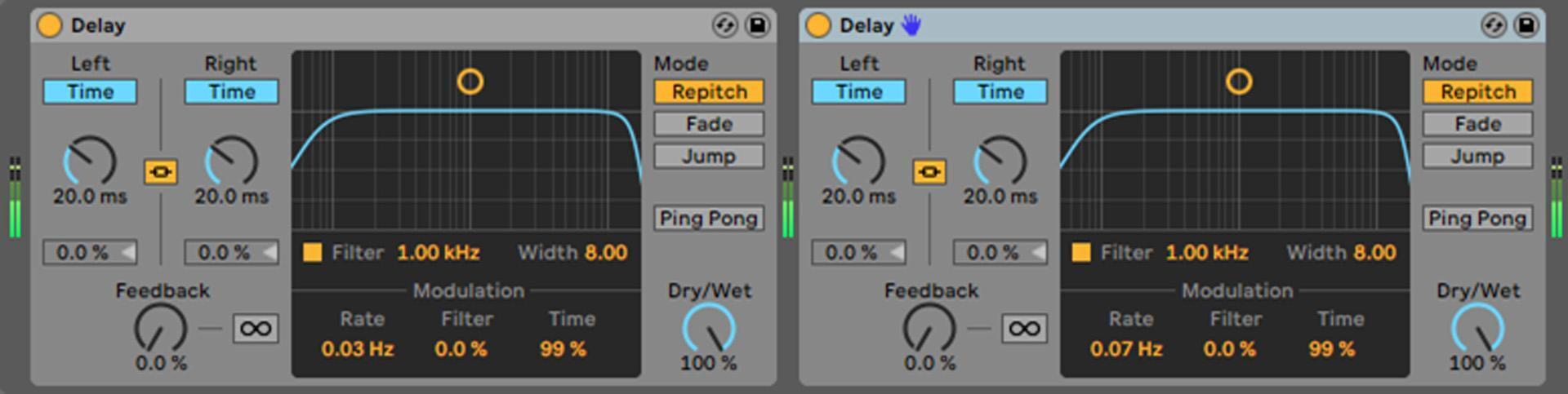
With Ableton Live, the Delay plug-in (fig. 3) is the best choice for a vintage ADT effect. If you plan to use this process in the future, then save the two delays in a custom effects rack.
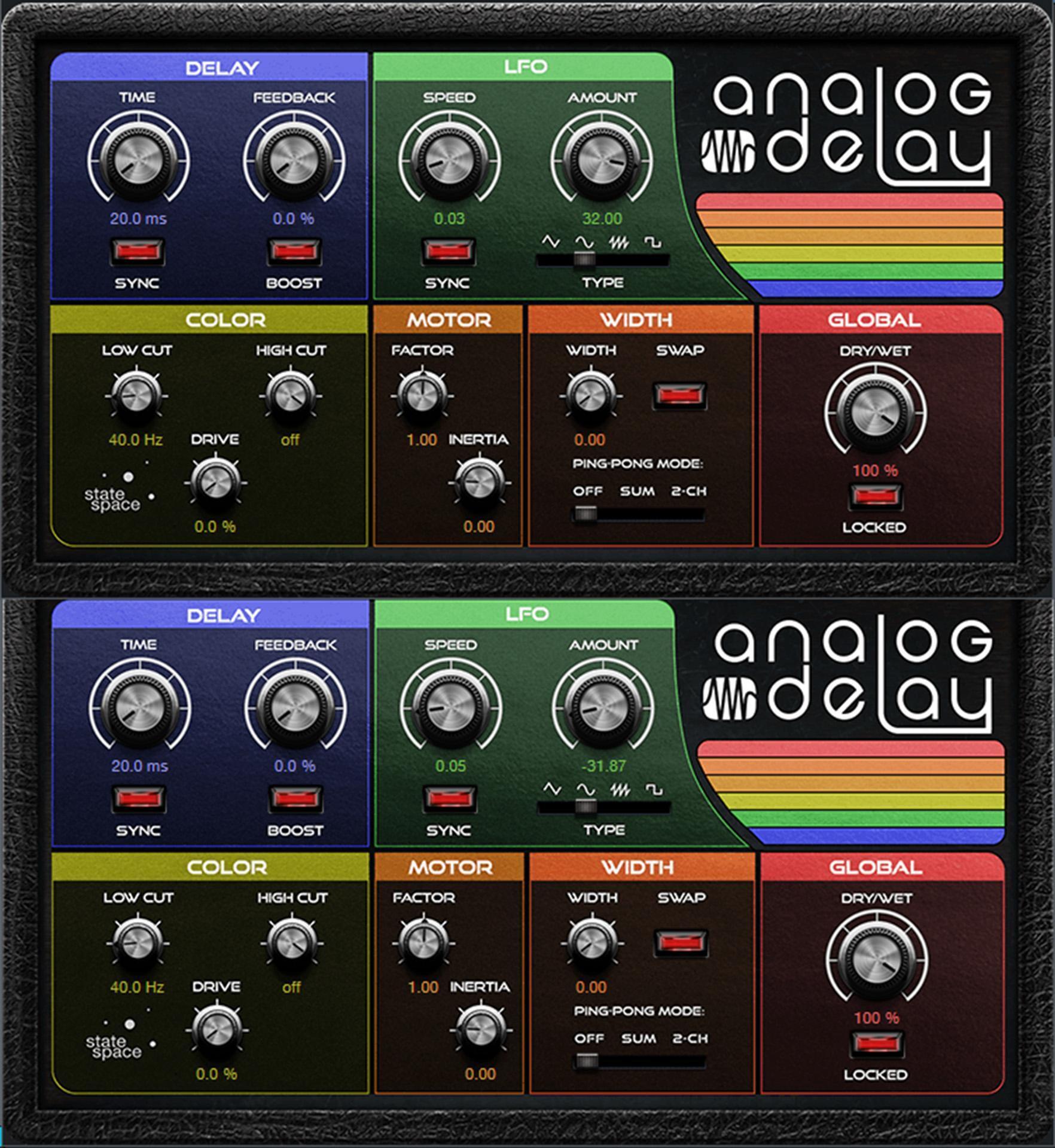
Studio One’s Analog Delay (fig. 4) is ideal for this application, but keep it simple — we don’t want stereo effects like ping-pong, width, sync, or motor changes. Save this as an FX Chain multipreset for future use.
Cubase has a straightforward chorus that’s easy to set up (fig. 5). The Spatial parameter is shown turned down, but try turning it up to see which sound you prefer.
Similarly to Cubase, Digital Performer has a simple chorus effect (fig. 6) that’s tailor-made for this application.
Other Options
If your DAW doesn’t have a suitable chorus, of course there’s Waves’ Reel ADT. However, their H-Delay (fig. 7) works extremely well for this application and is well suited for a wide variety of delay applications, not just double tracking. The settings are like the ones previously — up to about 20ms–25ms of delay; slow, asynchronous LFOs; and delayed sound only.

Additional Tips
Here are some more details on how to make the best use of vintage double tracking.
- Pan the original and double-tracked parts somewhat oppositely. They don’t necessarily have to be panned full right and left, but decent stereo separation enhances the effect.
- If collapsed to mono, then there may be some degree of flanging. Longer initial delays, and more modulation depth, can help offset this. Just remember that, even with a fairly long delay, it’s almost impossible to eliminate flanging effects entirely in mono.
- Some delay effects emulate the less-than-perfect qualities of tape, bucket-brigade echo devices, tubes, and so on. It can sound odd if the double-tracked part has these effects but the original track doesn’t. Either defeat these effects in the delay processors or send the original track through one of these processors set for no delay time.
- If you want that “tape sound” vibe in the doubled part, then follow the series delays with a tape-emulator plug-in. I’ve had excellent results with the Waves J37, IK Multimedia T-RackS Tape Machines, and Universal Audio Studer A800.
- For an even more randomized effect, either program automation that changes the LFO rates subtly or ditch the LFOs completely and draw in or enter automation that controls the delay time randomly.
Finally, please use this power only for good — not every sound has to be layered and big!