

PreSonus has certainly stirred things up this summer with the release of three titles — two new versions of Studio One and the introduction of their Sphere software-license subscription service. Whether you’re new to recording, a longtime Studio One user, or looking for the ultimate music-production experience, we’re sure you’re going to love these new releases as much as we do.
Native Effects Package
For starters, Studio One 5 has received cool new upgrades. Both versions — Studio One 5 Professional and Studio One 5 Artist — include four important updates. They totally redesigned their Native Effects package. The UI looks amazing, and they’ve added a State Space Modeled drive stage to Analog Delay, Rotor, and Tricomp to make them sound warmer and more natural than ever.
Clip Gain Envelopes
Clip Gain Envelopes are another cool addition, allowing you to make dynamic adjustments to individual clips to avoid overcompressing, whereas Aux Channels let you add external audio feeds without adding more resource-demanding recording tracks. Other improvements include support for key switches and note controllers. This support filters out MIDI data that Studio One can’t use and allows it to accept polyphonic expression normally reserved for proprietary sound engines.
64-bit floating point WAV support
Studio One 5 gets even more exciting when you look at all the cool new features you get from the individual versions. Studio One 5 Artist is a massive step up from version 4. For starters, Studio One 5 Artist now supports third-party software, including VST and AU plug-ins, as well as apps that use ReWire. Another major improvement is the integration of 64-bit floating point WAV support, which lets you take full advantage of the latest audio interfaces. Finally, Studio One 5 Artist now supports PreSonus’s Studio One Remote app, which provides handy control when you’re at the mic or parked at your amp.
Show Page
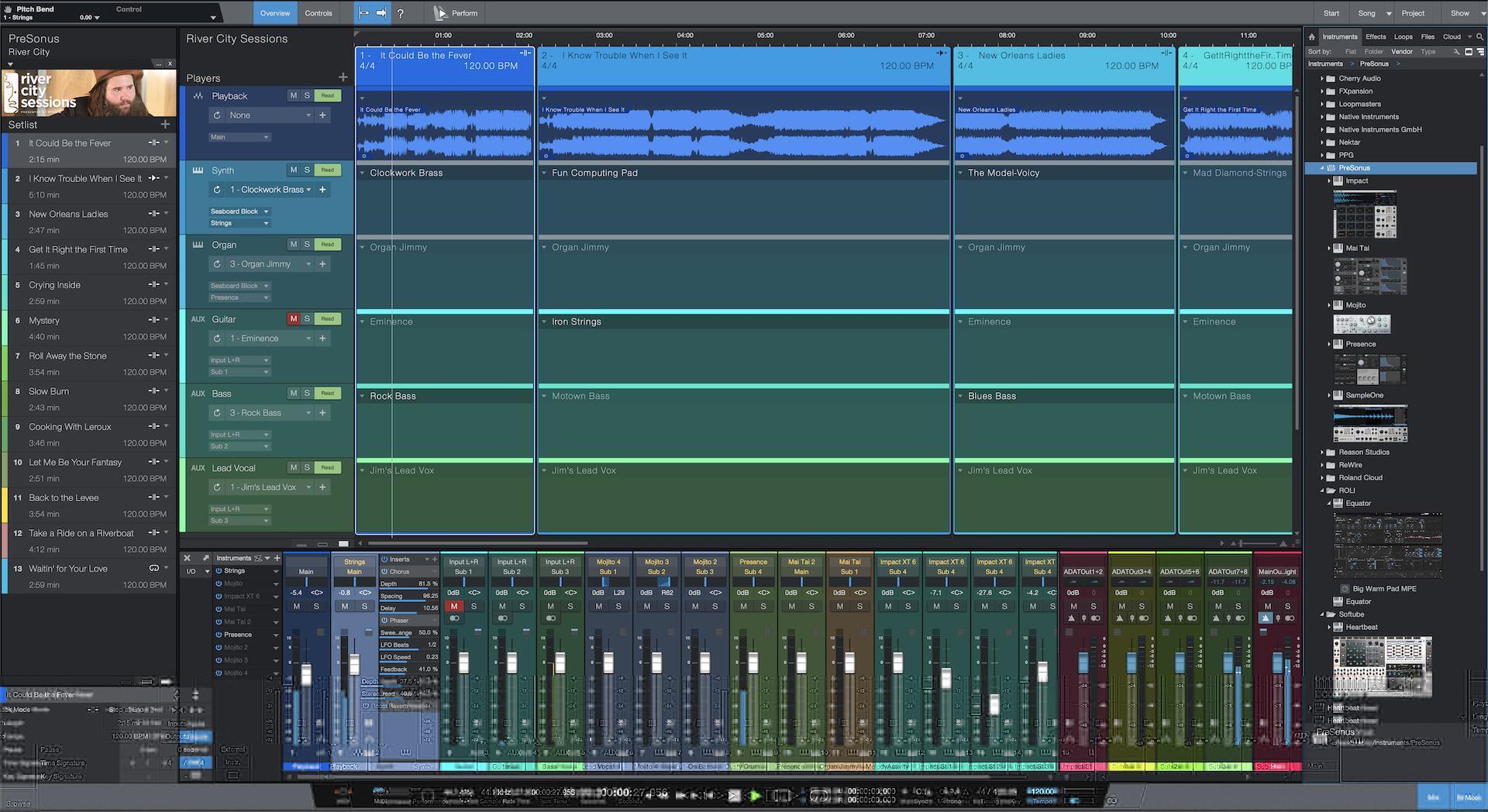
Studio One 5 Professional comes absolutely loaded with exciting new features. First, there’s the Show Page. This new module transforms Studio One from the amazing recording and production tool it already is into a first-rate live music app. You can arrange backing tracks, set up stacks of virtual instruments and effects, and prepare all kinds of other elements you need for live performance. Speaking of live performance, with Studio One 5 Professional’s Extended Mixer Scenes, you can save and recall all or part of your mixer state, including volume, pan, mutes, and more.
Listen Bus
Another mixer-like function now available in Studio One 5 Professional is the independent Listen Bus. The Listen Bus gives you total control of the room feed that’s fully independent of the main output. It has its own level control, AFL/PFL solo option, and even inserts for room calibration plug-ins. There are many excellent ways to use this powerful and flexible tool, and we wouldn’t be surprised if something like this becomes standard in other DAWs down the road.
Score View
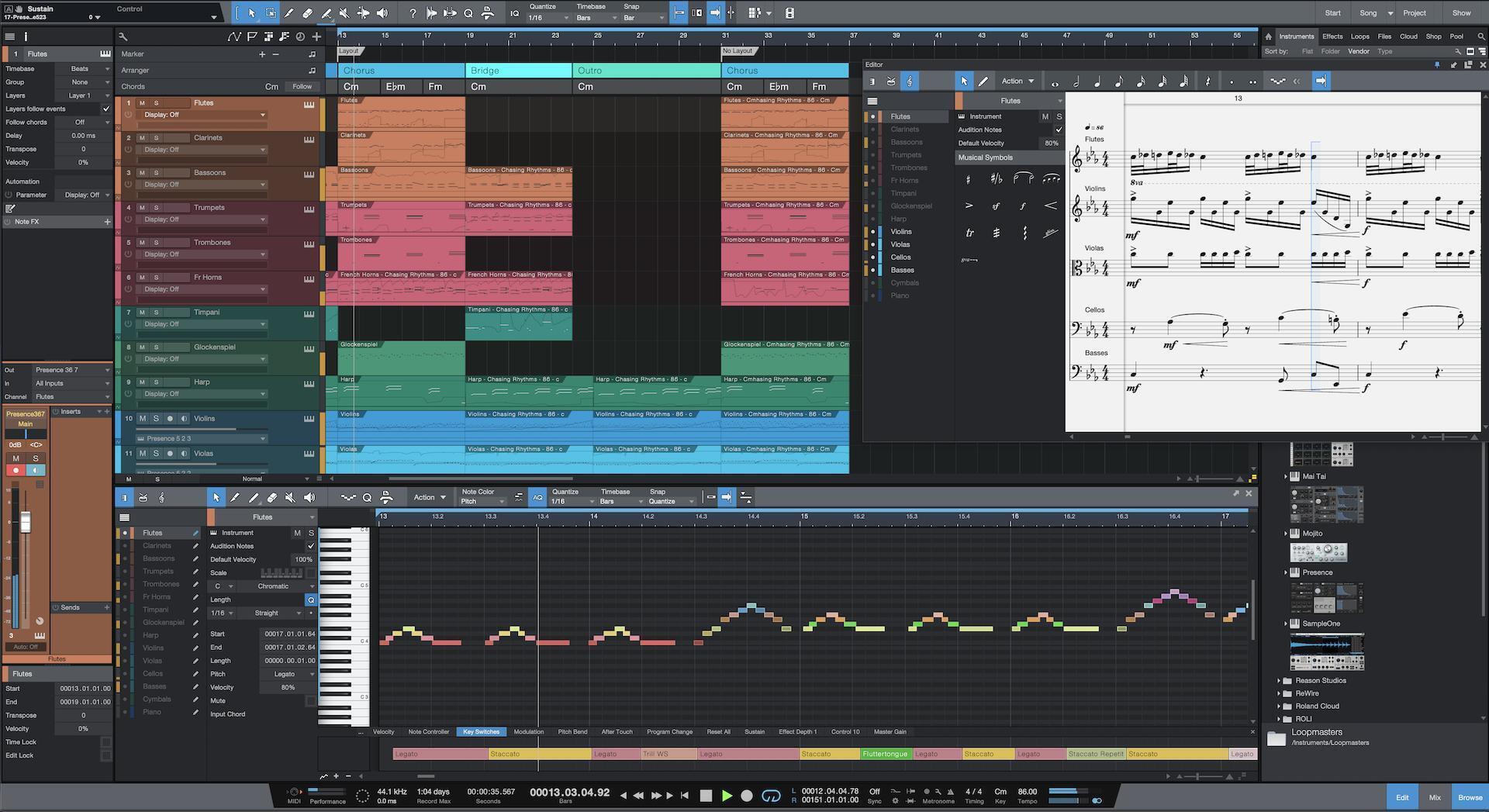
In the studio, traditional composers will love Studio One 5 Professional’s Score View. This view integrates traditional notation from PreSonus’s Notion software. Melodyne Essential 5 integration makes it easy to tweak pitch and correct timing right in the main workspace. It even offers integrated chord detection and a chord grid. Finally, you can now sync Studio One 5 Professional to external hardware devices via MIDI time code (MTC/MMC), making it easy to integrate with elaborate systems built around external audio or lighting hardware.
Sphere

Shifting gears, PreSonus has released a new subscription service called Sphere. If you want it all — from live audio production to in-depth music composition — then you need to check out Sphere. Sphere gives you access to the latest version of Studio One Professional as well as their award-winning Notion scoring software. On top of that, you get every plug-in and add-on that PreSonus makes, including gems such as CTC-1 Pro Console Shaper, Audio Batch Converter, Presence XT Editor, and over 100 amazing content libraries.
There’s a whole lot more to all three of these amazing products — Studio One 5 Artist, Studio One 5 Professional, and Sphere — and you can find out all about them right here at Sweetwater.com. And, if you have questions, don’t hesitate to give your Sweetwater Sales Engineer a call at (800) 222-4700.