

Networked audio is at the same time a fantastic evolution in sound technology and a warehouse club–sized can of worms. There is very little that we, as audio techs, will face that is as complex as networked audio (getting your budget approved might rank a close second). It is equal parts audio and IT and requires that we have a foundational understanding of both.
That doesn’t mean it is something to be afraid of. Not all of us need to know the deep workings of the audio network, as many manufacturers have made it relatively easy to implement. There are, however, some key things we should strive to understand so that we can appropriately budget, plan for, and operate networked audio.
Why Networked Audio?
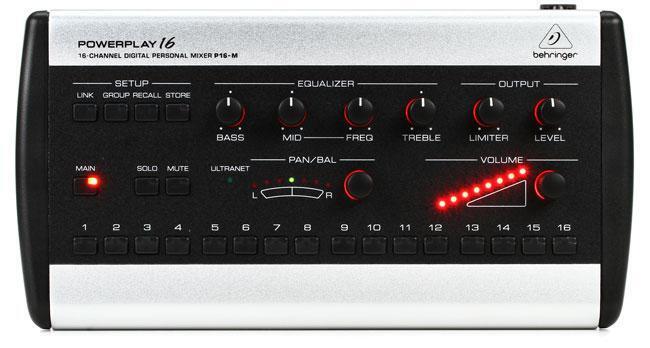
Networked audio simply defined is transmitting audio in a digital format from one place to another over some sort of network. With standard copper wire, we have long, heavy, unwieldy snakes and cable runs from the stage to the console. One hardwired jack connects to one channel on the console. To reroute the audio, we physically unplug the cable and move it into another input or output. The “networked” part of networked audio means that we can route a signal digitally without physically unplugging cables.
For a worship application, this means all that you need is one single network cable between the console and the stage. If you add channels, you don’t have to get out the scissor lift to add more cable. You can easily expand the system to include a video booth, a personal monitor system, a nursing room, etc. It won’t be long before analog-carrying copper cables are a thing of the past.
Connecting all these devices can be fairly complex. The good news is, manufacturers are doing all they can to make it simple.
Benefits of Networked Audio
There are a number of benefits to getting rid of the copper and going with an audio network.
The largest benefit for worship is the ability to grow and upgrade. A well-designed network (with the right choice in protocols) will give you near infinite flexibility. You can start small, with maybe a console and a digital snake. Then add a personal monitor system. Then add networked wireless microphones. Later, add networked amplifiers and speakers. Then you can move to streaming and add a whole video suite, and so on.
Because many networked audio protocols allow you to use the same streams in multiple places, you don’t have to run new cables. Your console, nursing room, overflow room, and video suite can all take the same audio channels off the network.
It is wise to plan for the next five or so years so that you can have a road map for growth. That will help you determine which is the right ecosystem for you.
Protocols and Standards
Let’s dive a little deeper into networked audio protocols. This is the stuff that can make your head spin, but hopefully we can lend some clarity that makes choosing a system easier and more “future proof.” While there are many different technologies competing in this arena, thankfully there are only a few that we really need to address. These are the protocols that have some degree of acceptance or are widely implemented.
A-Net
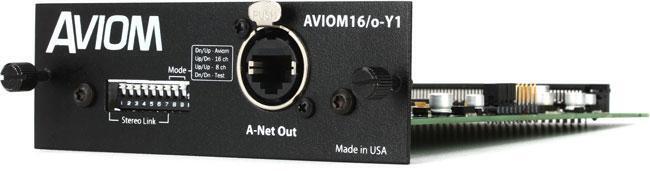
Aviom has done a fantastic job introducing folks to networked audio without them knowing it. If you have used an Aviom personal monitor system, then you have used A-Net. For houses of worship, this is the most common use for A-Net, although it does have other applications.
A-Net is easy to set up, and most console manufacturers offer option cards, making it readily available. A-Net is quick and reliable in spite of the fact that it offers limited expandability and requires a dedicated network.
AVB
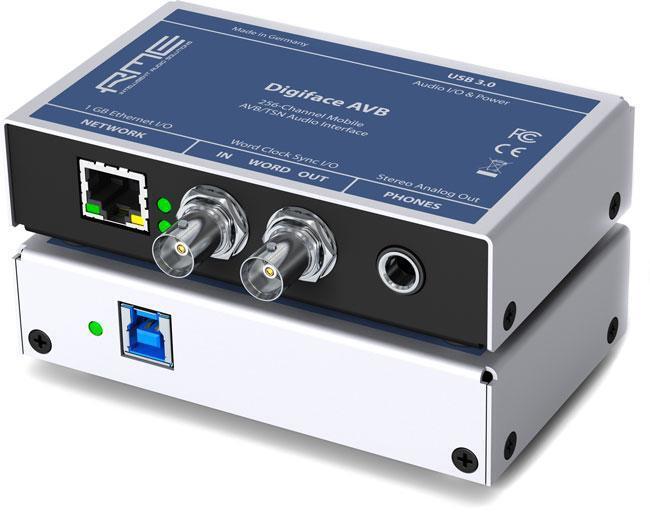
AVB stands for Audio Video Bridging and has been in development for a long time. The great promise of AVB is that it is an official IEEE standard, making it relatively inexpensive to implement and thus cheaper to the end user. At one point, it was anticipated that AVB would become the main industry standard.
There are two challenges to widespread AVB acceptance, especially where house of worship use is concerned. First, in order to use an AVB network, you need a dedicated and often expensive AVB switch. Second, and perhaps more important, is that just because a manufacturer is using AVB does not mean that it can talk to other manufacturers’ AVB solutions.
If you are looking to use AVB as a solution, make sure the devices you want to implement are able to talk to each other. AVB can also be run on your existing network. That makes it easy to expand if you have a network installed in your building.
Dante
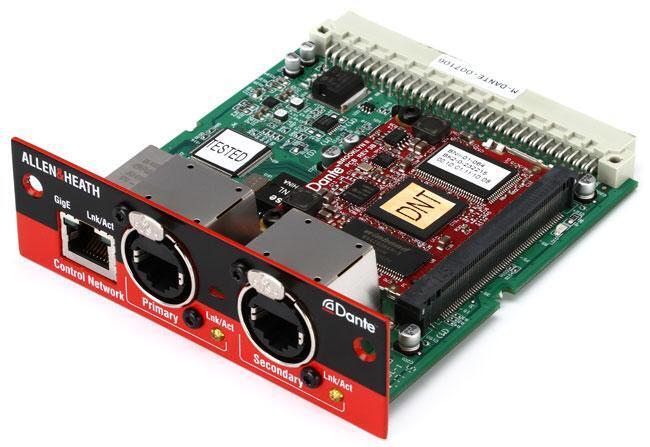
Dante is a networked audio solution developed by Audinate. It has two things in its favor. One, Dante is everywhere, and there’s a very good chance that the device you want to use has Dante built in or has an available option card.
Second, it works. If you buy one Dante device, it will talk to any other Dante device. So you can have a Yamaha console and a LiveMix personal monitor system, add some Focusrite RedNet interfaces, and add Dante addressable amplifiers, and so on. Like AVB, it will coexist with your existing network, meaning you can plug it into the same network that carries your email. Unlike AVB, it uses a standard gigabit switch that can be purchased fairly inexpensively.
It should be noted that Audinate recently announced Dante AV. Dante AV adds video to the Dante network, making Dante a robust contender for a future audio and video powerhouse.
SoundGrid
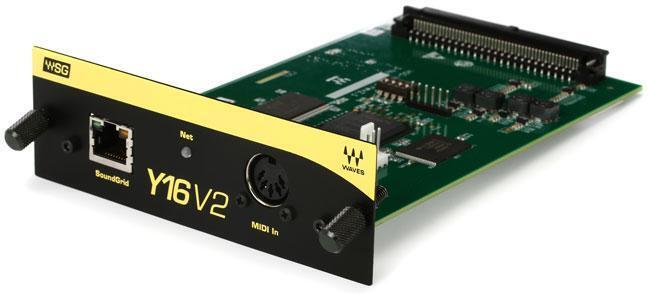
SoundGrid is a proprietary protocol developed by Waves. SoundGrid is widely used in live sound applications for connecting digital mixing consoles to a Waves server running Waves’ popular audio processing plug-ins, but it’s a robust networking protocol that can be used as the backbone of much larger systems.
Here is some additional reading if you would like to go deeper.
Considerations for Your System
You’ve done the research, you’ve checked out the different systems, and now you are ready to take the plunge. Most often, a church will decide what console or mixer they need and then try to make everything work around it. This can lead to frustration, and in many cases may lock you out of upgrade and expansion options in the future.
I’d like to emphasize one thing more than anything else. Here’s the most important takeaway from this article:
Planning is Crucial
Look forward five years and imagine where your church will be. Do you have an aggressive church planting strategy? Will you have satellite locations? Will you add podcasts or video streaming? Dream what your ultimate system looks like, what parts go into it, and how they talk together. Then back up and see what your needs are now.
When designing your ultimate system, make sure the devices and potential systems can all talk to each other — verify this even if they use the same network protocol or standard. Make sure someone has done it before and that it’s repeatable. As mentioned previously, just because a piece of gear supports AVB does not mean it talks to other AVB devices. If you are looking at Dante, however, they are almost guaranteed to work together.
Here are some questions to ask.
- Does my console have XYZ built in, or do I need an option card?
- If I need an option card, is one available, and what will it cost?
- How many channels does my system need? How many channels does the option card allow? Can I use multiple option cards?
- Do I need a switch for my application?
- Will I be able to expand this system in the future?
- Do we have people who can administer and maintain this system?
Once you start setting it up or talking to a systems integrator, you might hear terms that you’ve never heard before, or ones that have new meanings for networked audio. Let’s cover some of those.
Network Lingo
There are a few basic terms that you need to be familiar with when setting up a network. Much of this is covered far better in other places, so I will only address a few terms you might come across in a “simple” setup. If you are looking to be the “expert,” Yamaha has a great white paper on networked audio.
Input and Output
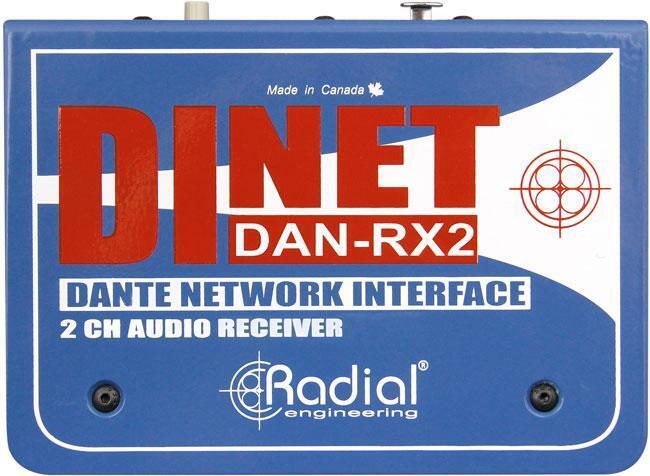
Be prepared for inputs and outputs to not be called inputs and outputs. In networked audio, the data is bidirectional, meaning one cable is sending data to somewhere and from somewhere at the same time. And that same cable is carrying 64 or more channels. Each technology will differ in how you configure it, but using Dante for an example, you must publish a stream to the network first. Then it is available for other devices to subscribe to.
Quality of Service (QoS)
When setting up a switch for use with networked audio, you will see the term Quality of Service, or QoS. This allows you to set up your switch to prioritize certain types of data. For example, you can make sure audio has priority over email and web traffic. This is necessary because some data, like email or web traffic, is not time dependent. If you get an email seconds later than it was sent, it doesn’t impact the system. But audio needs to get where it’s going at the right time.
Unicast
Unicast means you are sending data from one device to one other specific device. This uses up less overall bandwidth, as the data is going to one location only.
Multicast
Multicast sends data from one device and can be received by multiple other devices. This is useful if you are using networked preamps onstage and then want to send those streams to the console for mixing to the house, and to a video booth as well. Keep in mind that multicasting takes up more bandwidth than unicasting.
Clocking
Clocking is the method that your network uses to keep all your devices in sync. Most network protocols will determine which device is the main time keeper automatically. It may even switch as the network changes to make sure the system doesn’t lose sync. If you hear pops and clicks, this is usually a sign that the syncing is off. You may find that you need to set a device as the master, preferred master, or grand master.
Latency
Latency is the measure of the time delay introduced by various parts of the system. We don’t think about latency as much with analog audio, but it is critical in the digital world. When designing a system, look at what the total latency might be.
If you’re working with musicians who use in-ear monitors, keeping latency to a minimum is absolutely critical. Some latency in the main and monitor speakers might be acceptable, but even a few milliseconds could be a major deal-breaker for musicians with in-ears. For example, a digital wireless microphone may have approximately 2.5ms of delay in conversion from analog to digital and back again. If you use wireless in-ear monitors, you need to factor in another 2.5ms of conversion time. That gives us a total of 5ms, and we have not factored in a digital network yet. Every time audio is converted to or from digital, it needs at least 1ms (with low-latency converters, more if the converters have higher latency).
The human ear starts to hear a delay when it’s greater than 6–7ms, so we are right against it to start. Getting that network latency down is critical. When your team starts hearing phase issues, echoes, or even lag from when they play to when they hear, the culprit is latency.
This is good to think about for your guitar players with digital effect pedals. Every time they run into and out of a digital effect pedal, they are adding 2–3ms of delay. Three digital effect pedals mean they can now “feel” the difference. Then add the 6–7ms to that, and performance is affected.
Switches, Hubs, and Routers
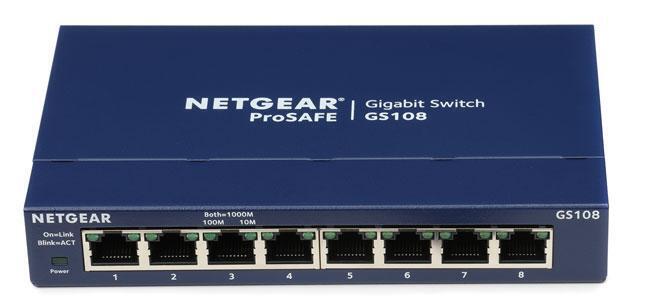
These three things usually look the same, but the differences are critical in setting up your network.
A hub retransmits all the data coming into any of the ports to all the other ports. Many, if not most, networks will fail when a hub is involved. Hubs create a significant amount of duplicated traffic and can take up bandwidth.
A router will route data from one network to another, completely different, network. Routers are not used very often in network audio.
A switch is what you will use most of the time in networked audio. A switch is an intelligent hub that takes incoming data and sends it only to the device it is addressed to. AVB networks require a dedicated AVB switch. Dante networks can use standard gigabit switches with QoS.
Power over Ethernet (PoE)
Power over Ethernet is just what it sounds like — sending an electrical current through an Ethernet cable to power a device on the other end. It’s a similar concept to phantom power in analog audio. Not all Ethernet switches, hubs, and routers support this, so it’s important to choose wisely if you have devices that are looking to the network for their electrical power.
Cables
Most networked audio uses some form of Ethernet cable. The most common cables are Cat 5e, which are favored for audio and long cable runs. Video tends to favor Cat 6, as it is rated for higher speeds and has better crosstalk rejection. Where possible, use shielded cable, which is always advisable to reduce noise from lighting, power, or any other stray emissions.
If you do have a problem, check your cables first. Network cables are not super robust, and there are 8 mini wires in each cable. It is pretty easy for one of those to malfunction.
Layers
It is important to know which layer your protocol uses and how it interacts with your existing network. Networked audio runs on one of the lower levels of the OSI network model.
Layer 1
Layer 1 is called the Physical layer. This is like having two houses next to each other and communicating with a couple of cans connected to a string. That’s obviously oversimplifying, but it paints the picture. The devices are connected to each other via a network cable, and the two (or more) devices talk to each other. The advantages of Layer 1 are speed and accuracy. The drawbacks are that you cannot use this on a preexisting network, and it requires more point-to-point work within the system.
Key examples of protocols that use Layer 1 technology:
- AES50 (Found on Behringer X32)
- A-Net, which is used for Aviom personal monitors
Layer 2
Layer 2 in network parlance is called the Data Link layer. This would be like sending mail from your house to someone in the same city. Depending on the protocol used, you may or may not be able to use a hub or a switch. And you may need a specific type of switch for some of the protocols. Advantages include the ability to use an existing network to transmit data and a better addressing system than Layer 1. Disadvantages are that you may need a dedicated audio network, or a dedicated network within your existing network, and some switches can be expensive.
Key examples of Layer 2 protocols
- AVB
- AES51
- CobraNet
- Roland’s REAC
- SoundGrid by Waves
Layers 3 – 7
Layer 3 sends data at the Network layer. This is a bit like sending a package via UPS. It may go through a number of hubs, switches, and trucks, but it will get where it is supposed to go. Layer 3 protocols allow us to plug into an existing network, use standard switches, and route across networks.
Key examples of higher level protocols
- Dante
- AES67
- Ravenna
- Q-LAN
If you have additional questions, call an expert such as your Sales Engineer at Sweetwater who’s always ready to help. We’re waiting for your call at (800) 222-4700.