¡Obtenga asesoría en español!  Llámenos hoy a (800) 222-4701
(800) 222-4700 Talk to an expert!
Loading Cart
Your Cart Is Empty

See what's new at Sweetwater.

My Cart this.cartQty
Recording Guitar Bass Keyboard Drums Live Sound DJ Band & Orchestra Content Creators Worship

The MUTE/ALT button on Mackie mixers explained.

The MUTE/ALT button on Mackie mixers explained.

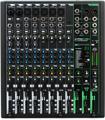
Q: “What exactly is the Mute/Alt button on the (Mackie) 1202 (VLZ-Pro)?”

A: The dual purpose MUTE/ALT 3-4 bus is a Mackie signature, and has been on some Mackie mixers from almost the beginning of Mackie. The story is that when Greg Mackie was designing one of his first products he had to include a MUTE switch for each channel. Rather than leaving the MUTE switch to perform only one function (which is to turn off the signal by routing it nowhere), he decided it would make sense to route the MUTE-ed signal somewhere functional, like an extra bus. So, you can use this button simply as a MUTE, and/or you can use it to bus that channel to an alternate set of outputs known as ALT 3-4. Something additionally useful about this MUTE/ALT 3-4 thing is that you can use it for subgroup mixing – even in the main mix. Now you’re thinking, “I thought that if it’s MUTE-ed then it wouldn’t pass through the main output?” Well, you would be right, except the brainiacs at Mackie thought of everything. When you assign channels to the ALT 3-4 bus (by pressing in the button on the respective channel), engage the ALT 3-4 function in the SOURCE matrix of the master section and the signals will appear at the CONTROL ROOM and PHONES outputs. Next, route that signal to the main mix by engaging the ASSIGN TO MAIN MIX switch. Now the CONTROL ROOM/SUBMIX level control becomes the one knob to control the levels of all channels assigned to ALT 3-4. This may seem like a long way around the barn, but it really is a neat way to get an extra pair of subgroups without adding any more knobs and faders to the mixer (you’re using controls that, depending upon a switch position, normally take care of other things and have to be on the board anyway). This type of clever design is one reason why Mackie is able to deliver such a high quality product as such a low price.
Mackie Best Sellers

Shop Sweetwater

Offer applies only to single-receipt qualifying purchases. Select manufacturers may require that only the manufacturer’s products qualify towards the minimum purchase amount needed to be eligible for promotional financing. Otherwise, an invoice that meets the minimum purchase amount and contains at least one qualifying manufacturer product is eligible for promotional financing. No interest will be charged on promo purchase balance, and equal monthly payments are required on promo purchase until it is paid in full. The payments equal the amount financed divided by the number of months in the promo period, rounded up to the next whole dollar. These payments may be higher than the payments that would be required if this purchase was a non-promo purchase. During the last month(s) of the promo period the required monthly payment may be reduced due to the prior months’ rounding. Regular account terms apply to non-promo purchases. New Accounts as of 07/31/2025: Purchase APR is 34.99%. Penalty APR is 39.99%. Min Interest Charge is $2. Existing cardholders: See your credit card agreement terms. Subject to credit approval.

Offer applies only to single-receipt qualifying purchases. No interest will be charged on the promo balance if you pay it off, in full, within the promo period. If you do not, interest will be charged on the promo balance from the purchase date. The required minimum monthly payments may or may not pay off the promo balance before the end of the promo period, depending on purchase amount, promo length and payment allocation. Regular account terms apply to non-promo purchases and, after promo period ends, to the promo balance. New Accounts as of 07/31/2025: Purchase APR is 34.99%. Penalty APR is 39.99%. Min Interest Charge is $2. Existing cardholders: See your credit card agreement terms. Subject to credit approval.

The estimated required monthly payment shown which excludes taxes and delivery equals the amount financed divided by the number of months in the promo period, rounded up to the next cent. During the last month(s) of the promo period the required monthly payment may be reduced due to this rounding. These payments apply only with the financing offer shown. If you make these payments by the due date each month, you should pay off this amount financed within the promo period, if it is the only balance you are paying off. If you have other balances on your account, this payment will be added to any other minimum monthly payments.

Applies only to select items from this manufacturer. Ask your Sweetwater Sales Engineer for more details.