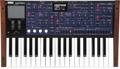
The programmers at Korg have given M3 owners a magic bullet for use with the internal 16-track sequencer. See, if you run up against the 16-track limit and need more, keep in mind that the Korg M3 has the ability to resample itself! What that means is that you can program your tracks, then sample the entire MIDI sequence right back into the M3 as a stereo one-note event. This frees up 15 tracks along with eight DSP effects and a whopping 118 voices of polyphony. When using the internal sequencer, touching the Track field lets you change the current track to be recorded. This selection may be made using the Value Dial, the Value slider, touching the “popup arrow,” or by typing in the desired track number with the keypad. It’s worth remembering that the M3’s sequencer is actually 16 tracks plus a Master Track, which remembers any tempo or time signature changes throughout a song. If the keypad is part of your personal work flow, typing the number “17” will take you directly to the M3’s Master Track.