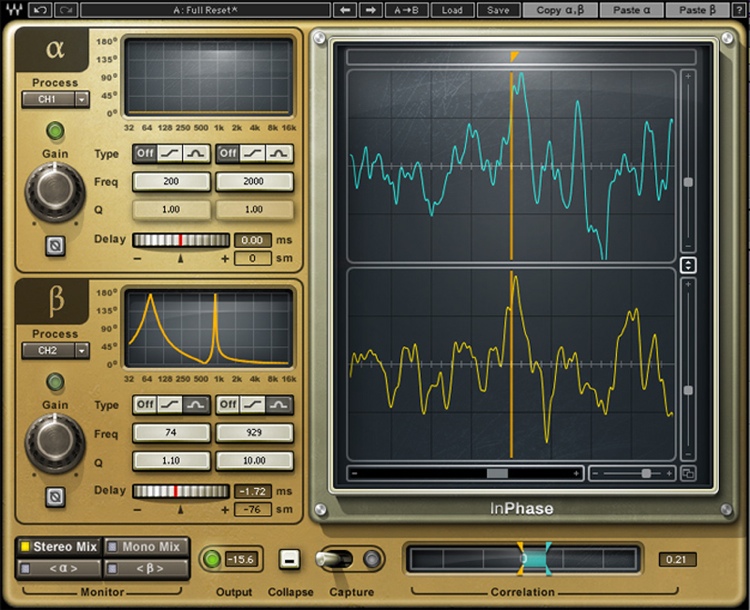
Sometimes, you just can’t seem to get your snare recordings to sound punchy. You do all the right processing in your DAW — compress the snare, EQ it to be snappy, but it still sounds lackluster. What you may be running into is phase issues between the isolated snare track and the overheads. If they aren’t in phase, the overheads will “smear” the sound of the snare subtly but surely. Of course, it’s best if you make sure the phase between various drum mics is correct before you hit the record button. But this problem can be addressed after the fact, as well. One way to fix this is to slide the snare track forward or back by a tiny amount (sometimes as small as samples). Another is to use a phase-correction plug-in such as InPhase by Waves to correct the phase between the snare and overheads. When the overheads and snare track are in phase, you’ll find that you’ll be able to process your isolated snare track and make it as punchy as you want.