¡Obtenga asesoría en español!  Llámenos hoy a (800) 222-4701
(800) 222-4700 Talk to an expert!
Loading Cart
Your Cart Is Empty

See what's new at Sweetwater.

My Cart this.cartQty
Recording Guitar Bass Keyboard Drums Live Sound DJ Band & Orchestra Content Creators Worship

Local control on your Novation keyboard.

Local control on your Novation keyboard.

“I’m can’t get any sound from my Novation Bass Station. What’s wrong?”

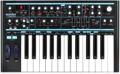
The most common cause of this in the Bass Station Keyboard is that the MIDI RX (receive) and MIDI TX (transmit) channels have been set to different values. This causes the keyboard to be “Dead” (no sound). Most keyboards have a parameter known as “local control” that determines whether the built-in keyboard plays the built-in sounds or is simply transmitting MIDI. In the Bass station they simply map the MIDI channel of the keyboard to the receiving channel of the synth engine. If they are set to different values the synth isn’t going to play. Here’s how to get it set correctly:

Turn the keyboard on.
Set the UTIL. MODE switch (below the PORTAMENTO knob) to the KEY’B position.
Press the TX KEY once (the second E up).
Press the lowest C key once (labeled 1).
Press the RX KEY once (the second F up).
Press the lowest C key once.
Now return the UTIL. MODE switch to the OFF position.
Playing the keyboard should now produce sounds.

Other possibilities for no sound output include:

Volume knob set to zero.
An incorrect MIDI RX channel has been selected when playing from another keyboard
A volume MIDI message of zero has been received.
The modulation wheel has been assigned to control volume – try pushing the mod wheel forward to see if volume increases.
Novation Best Sellers

Shop Sweetwater

Offer applies only to single-receipt qualifying purchases. Select manufacturers may require that only the manufacturer’s products qualify towards the minimum purchase amount needed to be eligible for promotional financing. Otherwise, an invoice that meets the minimum purchase amount and contains at least one qualifying manufacturer product is eligible for promotional financing. No interest will be charged on promo purchase balance, and equal monthly payments are required on promo purchase until it is paid in full. The payments equal the amount financed divided by the number of months in the promo period, rounded up to the next whole dollar. These payments may be higher than the payments that would be required if this purchase was a non-promo purchase. During the last month(s) of the promo period the required monthly payment may be reduced due to the prior months’ rounding. Regular account terms apply to non-promo purchases. New Accounts as of 07/31/2025: Purchase APR is 34.99%. Penalty APR is 39.99%. Min Interest Charge is $2. Existing cardholders: See your credit card agreement terms. Subject to credit approval.

Offer applies only to single-receipt qualifying purchases. No interest will be charged on the promo balance if you pay it off, in full, within the promo period. If you do not, interest will be charged on the promo balance from the purchase date. The required minimum monthly payments may or may not pay off the promo balance before the end of the promo period, depending on purchase amount, promo length and payment allocation. Regular account terms apply to non-promo purchases and, after promo period ends, to the promo balance. New Accounts as of 07/31/2025: Purchase APR is 34.99%. Penalty APR is 39.99%. Min Interest Charge is $2. Existing cardholders: See your credit card agreement terms. Subject to credit approval.

The estimated required monthly payment shown which excludes taxes and delivery equals the amount financed divided by the number of months in the promo period, rounded up to the next cent. During the last month(s) of the promo period the required monthly payment may be reduced due to this rounding. These payments apply only with the financing offer shown. If you make these payments by the due date each month, you should pay off this amount financed within the promo period, if it is the only balance you are paying off. If you have other balances on your account, this payment will be added to any other minimum monthly payments.

Applies only to select items from this manufacturer. Ask your Sweetwater Sales Engineer for more details.