Christmas and Easter — arguably the two most important celebrations in the life of the church. These are also the times of year when attendance surges in churches around the world.
Most churches go all out to celebrate the season, often incorporating advanced production techniques not typically used other times of the year — elements such as added vocals, special instrumentation, mixed-media presentations, dramatic lighting and decoration, set pieces, special effects, even live animals — you get the idea.
Because Christmas and Easter are such major events, now is a good time to consider best practices when prepping for any major event. Here are some helpful tips to ensure you and your team are ready for the big day and equipped to meet the challenges — both the planned and the unplanned.
Talk It Out
Communication is key to ensuring everyone on the team understands the overall vision and goals for your special programs. Once they know the overall scope of the program, they can begin asking the right questions about technical needs. Your team won’t know the plan without clear and complete communication.
Pastors, invite your tech staff to join in on early planning meetings. If you’re on tech staff, ask your leadership and creative teams to include you in the planning meetings. There are few things more frustrating than when the planning team has emotionally committed to an idea, only to discover all too late that it isn’t feasible based on the technical capacity of your system.
Once you have a plan set for your program, share the plan with the tech team so they can begin preparing for technical needs. Your team’s technical prep should always be according to the plan for the production. No matter your role on the team, it is important to reach out to your leaders to understand the overall objective of the production and your specific role in that plan.
Are you a volunteer? Talk to your tech director. Are you the worship minister? Connect with the lead pastor. Are you part of a tech team? Engage the producer or tech director. Consider the big picture. Ask questions about details pertaining to the technology. Your prep time will be considerably more effective if you know the plan. Everybody wins when you have the opportunity to talk it through.
Triage the System
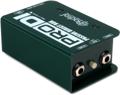
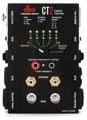
Now is the time to address any weak links along your signal path across your systems. Start by using a cable tester to identify any bad cables and channels. Troubleshoot and eliminate any ground loops, hum, and other noise issues. Root out and correct every bad connection. Check the monitor mix. A big event — like Christmas or Easter — can be a wonderful time to update smaller items such as cables, direct boxes, and microphones.


While prep for major events can be tedious, unexpected issues during a major event can be terrifying! Here are some additional items to troubleshoot or replace:
Video
- Relamp and aim projectors
- Clean filters and reset any pesky maintenance dialogues
- Dust the lenses
- Check and secure cable connections
Lighting
- Ensure you have enough haze fluid/dry ice
- Re-aim and refocus light fixtures
- Replace bulbs in traditional lighting fixtures and relamp the house lights. Many churches choose to replace all the bulbs at one time, whether they are burned out or not. It may seem wasteful, but it eliminates constant trips to the ceiling to replace individual bulbs throughout the year, unless, of course, you are lucky enough to have convenient access, such as a catwalk, to get to each light fixture.
Computers
- Using Bluetooth input devices? Double-check to make sure they are charged.
- Working from a network? Consider saving a backup copy of any media (video, audio, props, and other cues) on the local computer.
Radios
- Charge the base units
- Clean earphones and mics
- Confirm they are operating clearly so there are no missed cues
Gaffer Tape
- Buy it. Use it. In this case, the hassle of taping cables down may deter serious harm. Get on your hands and knees, tape the cords down, and avoid harmful accidents. The GaffGun is a major time-saver if you regularly tape down long cable runs.
Important Note About Upgrading Your System!
- Don’t upgrade! Upgrading major production equipment in proximity to large, important events is risky and not a best practice. Making significant system changes such as speakers, mixing consoles, lighting, and video systems can expose you to unexpected system failure, throw rehearsal schedules off, and create unnecessary stress for your team members. Remember, large and complex events will likely involve more volunteers, and you want your team to be confident and comfortable on any new equipment!
- Instead, take notes! As you go through any big event, keep a log of what works and what doesn’t, what your volunteers understand as well as what they don’t. Thinking beyond specific equipment, consider your production and how you need your gear to serve your vision. Once the season has passed and you’ve have some time to process your needs, now is a good time to implement system changes with plenty of time for installation AND training, giving your system updates the attention they deserve and your team enough time to learn the gear.
Preparing for the Inevitable
For many, simply identifying and correcting the persistent technical problems listed above is a major victory. It is also important to be prepared for the unexpected – this is likely the most important step for volunteers. After all, a big event in the church is likely impossible without a multitude of volunteers, and they all need to be prepped on how to respond when something goes wrong.
Preparing for the inevitable is all about preparing the volunteer for the inevitable. It’s important to develop a backup plan in collaboration with the rest of the team: leaders, speakers, musicians, and other technicians. Otherwise, you risk panic and disappointment when things go wrong.
Set aside backups, such as extra cables, a strategically placed wired microphone or two, extra copies of the production notes, and the ever-failing/always-needed batteries that power everything from guitar pickups to wireless mic bodypacks. Think about any redundant part that has the potential to fail.
Here is a brief checklist:
- Have a wired mic ready to go as a backup, and make sure presenters know where to find the mic if a wireless mic fails
- Stash some batteries backstage for presenters and musicians
- If you don’t have a designated tech onstage, then appoint a responsible musician/singer to be the tech assistant
- Order extra lamps for projectors
- Print extra copies of music and production notes
- Place flashlights in prime locations backstage to facilitate unobtrusive movement or repair (restringing a guitar)
- Have extra guitar picks, drum sticks, and bottled water on hand
- Have your woodwinds bring an extra reed, and have your guitarists put on new strings in time to break them in (not right before the show)
- …and did we mention BATTERIES?!

Keep in mind, big events are inherently complex and require everyone to know and conduct the right steps in the right order. Its success is much less dependent on connecting the right parts together and more dependent on connecting the right people together. None of these steps can work without healthy collaboration. With that in mind, big event prep requires that you…
Rehearse. And Again I Say, Rehearse!
Rehearse, rehearse, rehearse. Rehearsal is important enough for any given service, but absolutely essential when incorporating new elements and changing workflows for special occasions — oh, and last year’s Easter doesn’t count as the rehearsal! When you rehearse, consider these key elements:
- Transitions — Practice tough cue changes, especially those involving multiple moving parts.
- Levels — Check levels all over the room. Be especially aware of potentially moving, poignant, or powerful moments. Be ready for them. The last thing you want are distractions that could be avoided with a little more rehearsal.
- Video — Many churches are now using streaming technology. Use the rehearsal to identify potential visual distractions and to improve transitions.
- Debriefing — You should debrief every event to identify potential areas of improvement and to revel in victories. A high five beats a wagging finger any day of the week. And discussing areas that can be improved is what takes your productions to the next level. So debrief the rehearsal. Ask each other, “What can we correct, improve, or perhaps leave in place for the performance?”
Finally, Trust Each Other!
You’ve collaborated with your team on the plan from the beginning. You’ve triaged the system and repaired or replaced defective parts. You have created contingency plans and communicated with the team on what to do when things go wrong, especially the volunteers and key leaders. And you have rehearsed and reviewed every aspect of the program.
You’re ready to go, right? Almost. Here is one last tip: after all you’ve done to prepare for an event, enjoy it! Have fun! Trust your team! After all, the reward of preparation is found in the pleasure of seeing it all come together!