Tech booths never seem large enough, especially when they’re a mess. As clutter grows, inefficiency and frustration grow, too. Amidst the rush of preparing for live services, it’s easy to let standards slip until maintaining a clean booth isn’t a high priority.
But the advantages of a clean booth far outweigh the effort required. Setup is faster. The space feels more inviting and fun to work in. Troubleshooting stress and frustration caused by searching for gear are reduced. You have more room for your techs and for training new volunteers.
The appearance of your booth matters, too. It’s often one of the first things guests see when entering the worship space. It’s your opportunity to tell them that what you do matters, that there’s an expectation of excellence, and that they’re about to experience something special.
Pro Tip: Besides creating an efficient and distraction-free aesthetic, your tech booth’s appearance shouts volumes about how you steward tithes from the congregation. Church board members and individuals responsible for approving budgetary decisions are paying attention.
- Guidelines
- Redesign Tips
- Rack Drawers
- Battery Station
- Mixing Console — Go Remote
- Wireless Diversity Fin Antenna
- Music Stand Cart
- Cables
- Guitar Hangers
Guidelines
Clear out everything but the essentials; think of the tech booth as a function-only workstation rather than an office, storage area, or repair center. This way, during the hustle and bustle of service and rehearsal time, you can remain free from distractions, be able to focus on what’s important, and even take advantage of training opportunities or share a moment of impact with someone.
One caveat, however. Creating a clean tech booth does not mean that everything should be hidden. Consider ergonomic factors and keep everything you need to touch within arm’s length. If you rely on outboard gear like compressors or EQs, then why waste several precious seconds reaching for a rack below the counter every time you need to make an adjustment? It means taking your eyes off the platform, grabbing a flashlight, and moving your ears to a place where they can’t evaluate the adjustment you are making.
Designate one location for every type of item, including equipment that needs repairs. Label all these areas. If something isn’t used regularly enough or cannot be fixed within a reasonable time frame, then get rid of it.
Communicate expectations so volunteers and staff know what they’re counted on to do. Designate someone to be responsible for booth appearance and organization. Avoid the temptation to underestimate your volunteers — they can learn to keep things tidy!
Establish a routine that emphasizes readiness. When things remain in a ready-to-go state, time isn’t wasted on preparation. For example, teach the musicians to properly wrap cables before putting them away (which means you have a designated place to put them in the first place!)
Develop a regular cleaning routine for the tech booth that includes wiping down equipment, dusting, vacuuming, and sweeping the floors. A procedure list may be a helpful reminder. Make sure to use appropriate cleaning products that won’t damage the equipment.
Redesign Tips
If you’re redesigning your tech booth, then consider these ideas:
- In addition to meeting current needs, your build should be designed to accommodate running services with a skeleton crew while incorporating room for training new volunteers. Plus, leave space for future expansion.
- Surround the tech booth with a slanted rail cap to prevent coffee cups, wireless packs, or other items from piling up.
- Add a hinged access panel outside the control station surround to make cable and gear changes more practical.
- Add some switchable LED rope lights below the counter so you don’t need a flashlight.
- If you’re mixing on an open table or portable stand solution with exposed wiring, then consider adding a partial surround to clean up the space and hide the cabling. It’s amazing the difference some removable curtain skirts, drapes, or walls can make.
- Adding a door to the tech booth helps reduce foot traffic, minimizes people trying to talk with the technicians during the service, increases security, and keeps the booth cleaner.
- Get the wires away from your feet by mounting a long power strip, like the 12-outlet Furman VT-EXT12 or 16-outlet Furman VT-EXT16, underneath the desktop.
Rack Drawers
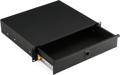
While efficiency calls for storage space as close to the stage as possible, practicality sometimes demands that some gear is stored in the tech booth. Keep your station tidy with rack drawers to maximize storage space, protect your gear, and minimize access time. A wide range of box heights and depths will give you locations for everything, including handheld mics, headsets, wireless packs, gaff tape, adaptors, cleaning supplies, remotes, dusting brushes, notepads, pens, battery charging stations, your label maker, and perhaps a special drawer for the pastor’s keys and wallet during the service.
The On-Stage locking rack drawers come in heights from 1U to 4U and full or half depths. Standard Gator rack drawers are made from cold-rolled 16-gauge steel and feature spring-loaded latches, a knockout with lock and key, and removable grommets for rear access cabling. Protective foam inserts prevent wireless and wired mics from rolling around in the drawer and scratching or denting their grilles.
Pro Tip: Keep in mind that rackmounted electronic equipment requires adequate airflow to prevent overheating while running. Allow space in your rack to facilitate proper ventilation.
Battery Station
Consider concealing your battery chargers in a rack drawer with power access. Not only will you cut the clutter, but you’ll also have ready-to-go batteries whenever you need them. The Ansmann Energy 16 Plus battery charger charges and maintains up to 16 batteries: one to 12 AAA, one to 12 AA, one to six C, one to six D, and one to two 9-volt batteries. Plus, it has two USB sockets for 5-volt phone or tablet devices and a pre-charge cycle for restoring worn batteries. Its little brother, the Ansmann Powerline 4.2 Pro professional battery charger, can simultaneously charge, test, and refresh up to four AA or AAA batteries. Then there’s the Ansmann Rackmount drawer, which has three Powerline 8 battery chargers. This charging station charges up to 24 channels of AA and AAA batteries and provides a trickle charge to keep batteries at peak readiness. For smaller spaces, the Ansmann Comfort Multi multi-size battery charger can recharge one 9-volt battery and up to four AA, AAA, C, and D batteries.
Mixing Console — Go Remote
For added flexibility and increased training capability (especially if you have a small tech area), consider lighting, sound, and monitor consoles that utilize remote control. For smaller churches with adaptable setups, cut down on the clutter when your musicians plug directly into the sound console by plugging them into a rackmount console concealed neatly on the platform that you can control via a tablet or smartphone from anywhere in the room.
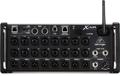
The Behringer X32 Rack rackmount digital mixer puts 40 input channels, 25 buses, 16 Midas-designed preamps, eight stereo effects slots, onboard stereo recording, and eight XLR outputs at your fingertips. Connect to a computer to record individual channels for virtual sound checks. If you have a small acoustic team or need fewer channels, then the Behringer X Air XR18 18-channel tablet-controlled digital mixer provides 16 preamp channels, two hi-Z inputs, effects, and EQ. Just plug in, and you’re ready to go!
Digital Snake
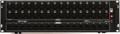
Consider a digital snake if you want to use a console with a more traditional control surface. Like a conventional snake, the musicians plug in on the platform. However, you’ll replace more than 16 cables running to the tech booth console with a single, easy-to-run Ethernet cable that’s much less noticeable and less of a tripping hazard. The Behringer S16 digital stage box provides 16 inputs and eight outputs. The Behringer S32 digital stage box gives you twice the capacity with 32 inputs and 16 outputs.
Wireless Diversity Fin Antenna
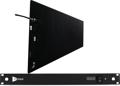
Condense your forest of wireless microphone receiver antennas into a single unit with an RF Venue Diversity Fin Antenna. Even better, conceal the fin in a rack with the receivers on the platform or in one of the platform wings. Antennas come in 2-channel, 4-channel, and 9-channel configurations, which can be mounted on a wall or stand.
Music Stand Cart
If your storage area has become so cluttered with music stands that gear has begun taking up residence in the tech booth, then take a page from the music education world and save space with a wheeled music-stand cart. The sturdy Manhasset Model 1920 Short Stand Cart, for example, has a 12-to-13 stand capacity.
Cables
When in a pinch, no one wants to reach for a cable only to discover it isn’t there. Storing your cables closer to the platform backstage or in a nearby space is more efficient and keeps your tech booth functional and presentable. Whether positioning cables onstage or in the booth, use the over-under cable-wrapping method to keep cables tidy and protect them from damaging kinks and shield degradation. If it’s time to address the rat’s nest, then you have many options.
Cable Storage
Hang your cables. If you have available wall space, then the wall-mountable, 19-slot Gator Frameworks GFW-CABLEHANGER cable hanger and organizer will keep your cables in easy-to-find condition. The 32-slot, mountable Gator Frameworks GFW-CABLEHNGRTRAY mic stand cable hanger and organizer turns an extra mic stand into an easy-to-move storage solution. Manage heavier power cables and longer XLR cables with a Middle Atlantic Products D-RING wall or rackmount cable manager. However you manage your cables, keep them tidy and easily separated with Hosa WTI-508 hook and loop cable ties, for example.
Cable Organization
Improve troubleshooting and speed up your setup with a 60-pack of Hosa Label-A-Cable adhesive cable labels. Clean up cable spaghetti with easy-to-move plastic loom tubing, like the Hosa WHD-410 black split-loom cable organizer. Use the Pro Tapes & Specialties Pro Spike Stack 1-inch gaffers tape to color-code cables by length to help keep them separate and help volunteers successfully put things in the correct places. Eliminate cable-path trip hazards with the Secure Cord ASC25B cable management system for carpets.
Pro Tip: When running cables onstage, simplify troubleshooting and eliminate the rat’s nest at the snake by starting the cable run at the snake/mixer and coiling the slack at the mic/instrument stand.
Guitar Hangers
Another common solution for saving space is installing a pegboard or slatwall to create designated spaces for gear that would otherwise take up space in the tech booth. In addition to the wide range of shelves and hangers you’ll discover online, consider yokes for guitars and basses. For a long-arm slatwall mount, reach for the auto-grip, auto-swivel Hercules Stands GSP40SB PLUS guitar hanger. For a regular, forward-facing slatwall mount, select the auto-grip Hercules Stands GSP39SB PLUS guitar hanger.
Find New Homes for Old Gear
Leverage that stack of music gear you’re no longer using by selling it on Sweetwater’s Gear Exchange. Right now, apply 100% of your earnings — with no seller fees — to future purchases of Sweetwater gear. Not only will you regain valuable space in your tech booth, but you’ll also safely convert unused resources into the tools you really need.
Get Some Help from a Friend
To learn about the newest options that can help clean up your tech booth or to discover what solutions may work best for you, reach out to your Sweetwater Sales Engineer at (800) 222-4700.