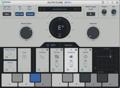
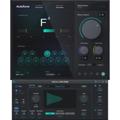
The folks over at Antares have just announced the release of the first major updates to their brand-new Auto-Tune Evo software. While maintenance releases typically focus on stamping out minor bugs, these releases add some substantive feature enhancements that will further streamline users’ pitch-processing workflow. Key features in the updates include:
- A new Options dialog checkbox that is used to turn on or turn off the display of the Output Pitch Curve (i.e., the green curve) in Graphical Mode. This is useful when you are doing some meticulous graphical tweaking and want to temporarily turn off the green curve to get a better look at the tracked pitch and a correction object (e.g., Note, Line, or Curve). And to make this feature even more convenient, they’ve added the ability to assign a key to toggle the green curve on and off in the Key Binding options.
- The following settings have been added to the saved-session data: the undo stack and zoom state in Graphical Mode (all versions) and the window width and height (RTAS and TDM only). So, when you open a saved session, you’ll be conveniently ready to continue your work exactly where you left off.
- They have now disabled auto-scrolling in Graphical Mode while using one of the graphical editing tools (e.g., drawing a curve by hand).
In the RTAS and TDM (Mac and PC) versions:
- Antares has implemented automatic delay compensation when using AudioSuite – no more having to manually move the corrected audio. (This is a huge time saver!)
In the Audio Units version:
- Added the ability to respond to the QWERTY number keys, so now Logic, Digital Performer, and other AU users can take advantage of the enormous convenience of Auto-Tune Evo’s assignable Key Binding system.
In the VST PC version:
- The company has added the ability to respond to the QWERTY number keys in SONAR and SoundForge, thereby enabling the Key Binding functions.
For the complete list of changes, refer to the Read Me files that accompany each version, and keep in mind that these are free updates for all current Auto-Tune Evo owners!