Video has evolved from “nice to have” to core ministry infrastructure that can powerfully connect with people both inside and outside your walls. From livestreaming services and capturing life-changing sermons to creating midweek content that keeps your community engaged, the right camera setup helps you share your message with clarity, warmth, and excellence.
Choosing the right camera isn’t about buying the most expensive gear. It’s about finding tools that work with your space, your lighting, your volunteers, and your long-term vision — so your team can serve confidently, and your message is never distracted by technical limitations.
Let’s make that vision into a reality.
- First Things First
- Key Features to Look for in Cameras
- Understanding Camera Types
- Three Recommended Camera Setups from Simple to Advanced
- Building the Best System for Worship
First Things First
Before jumping directly into camera solutions, we need to talk about lighting and sound quality. The golden rule for improving your online participation and effectiveness is to address lighting and sound before video. Here’s why.
Lighting Matters More
Here’s a reality that can save time, money, and frustration:
Great lighting will make a midrange camera look incredible while poor lighting can make even an expensive cinema camera look disappointing.
When your stage lighting is clear, balanced, and intentional, your online audience experiences your service the way it feels in the room — warm, engaging, and distraction-free. Because cameras don’t see like our eyes do, strong lighting gives your visuals a major quality boost by improving:
- Natural, healthy skin tones
- Crisp image detail and clarity
- Accurate, vibrant colors
- Consistency when panning or using multiple cameras
- A polished, professional look that builds trust
Dial in your lighting first. Then every dollar you invest in cameras works harder to deliver visually excellent worship experience with more impact.
Learn more by reading “7 Ways to Improve Your Church Streaming Presence” below:
Sound Quality Matters Most
The top reason viewers abandon a stream is poor sound quality. Viewers may tolerate mediocre video; however, even committed attendees often leave immediately if the audio:
- Distorts, clips, or has too much echo to be intelligible
- Has too much background noise
- Is too quiet
Clear audio enables engagement with the message. High-quality audio is essential for conveying your message — both the spoken word and lyrics.
That’s why many worship programs create a dedicated audio mix just for their stream. By blending a great mix with subtle room microphones, you give online viewers both clarity and atmosphere. They feel like they’re truly part of the service, not just watching from a distance.
For helpful tips, read “Clean Up Your Livestream Audio” below:
Key Features to Look for in Cameras
Not all cameras are built for live worship environments. These features matter most:
Strong Optical Zoom
Sanctuaries are deep rooms. But even if your cameras are far from the platform, your audience shouldn’t feel far away. A 20x–30x optical zoom lets you capture close, expressive shots of worship leaders and others on the platform from a considerable distance to help your viewers feel connected and engaged. This is especially important when considering PTZ cameras and camcorders, which have built-in zoom for powerful framing without intrusive camera placement.
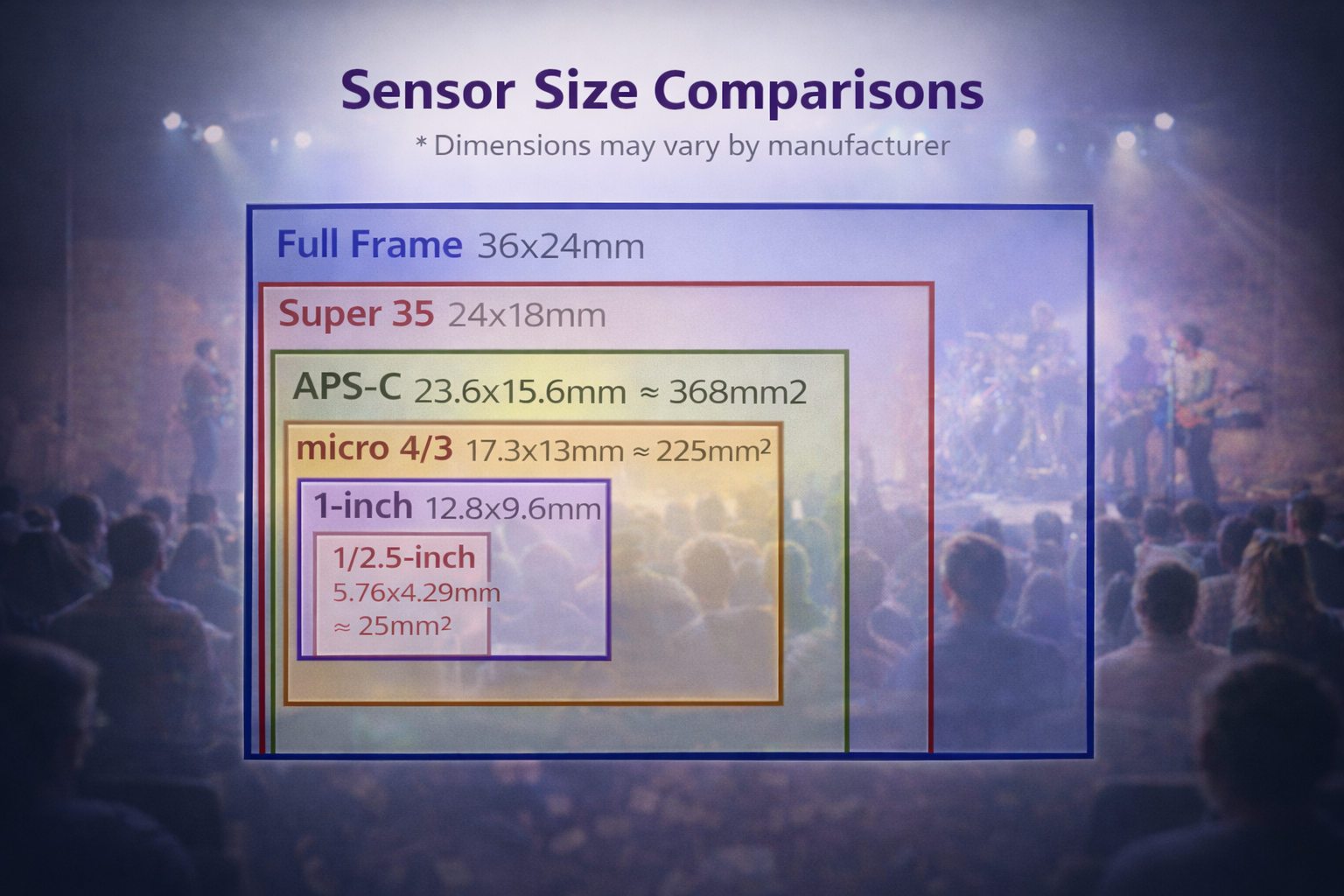
Sensor Sizes for Good Low-light Performance
Worship spaces are often designed to draw people into devotion and reflection, not to achieve 1,000-lux studio-level brightness. So, choosing a camera with a larger sensor (Full Frame, Super 35, or APS-C) helps you capture clean, detailed images even in low light. Smaller sensor sizes (micro 4/3, 1-inch, and 1/2.5-inch or smaller) are more compact and cost-effective, but they require stronger light. Cameras that perform well at higher ISO levels preserve rich colors, natural skin tones, and sharp detail during worship sets or candlelight moments, so your online audience experiences the atmosphere without distracting grain or muddiness.
Professional Video Outputs (HDMI/SDI)
A dependable video connection keeps your stream stable and your team confident. HDMI works well for short cable runs and is affordable and widely available. But when cameras are farther from your switcher, SDI is the more reliable choice. It’s built for long distances and secure connections, reducing signal dropouts and technical hiccups that can distract from the service. Choosing the right cabling helps your video stay consistent and professional from start to finish.
1080p vs. 4K (or More!)
While 1080p is perfectly fine for creating excellent, engaging livestreams, 4K (or more) provides future-proofing and allows for cropping and zooming in post without losing clarity, especially as more viewers watch on larger and higher-resolution screens.
Ease of Use for Volunteers
If most of your production team is made of volunteers, then look for cameras that offer a good autofocus feature, simple menus, and presets that you can save and recall. For remote control, shot recall, and automation features, think of PTZ cameras.
Integration with Switchers
Some worship services stream with a simple, single-camera setup. But adding multiple cameras and a switcher opens the door to a far more engaging and dynamic viewing experience. Using cameras that integrate smoothly with switchers such as the Blackmagic ATEM Mini Pro makes it easier for your team to manage multiple angles, create seamless transitions, and deliver a polished, professional stream without introducing unnecessary complexity for volunteers.
Transmission Protocols
Cameras use different protocols for passing video and control information. SDI is the standard for long-distance (over 300 feet), uncompressed, low-latency signals. HDMI is for short-range runs under 50 feet. NDI is an IP-based protocol using standard Ethernet for network-based, high-quality, low-latency video production. While NDI is especially common with PTZ cameras, other camera types can often incorporate NDI through an external converter such as the OBSBot UVC to NDI Adapter. For smooth adoption, select a camera with the protocol that matches your production needs — or, better yet, call your Sweetwater Sales Engineer for personalized recommendations.
Understanding Camera Types
Different types of cameras serve different roles. Many growing ministries eventually use a combination of these.
PTZ Cameras (Pan-Tilt-Zoom)
PTZ cameras are robotic cameras you control remotely to pan, tilt, and zoom. One operator can manage multiple cameras, and you can save recallable presets that each camera can use for important shots, such as the pulpit, specific areas of the platform, or a sweeping view of the auditorium. Typically mounted on the ceiling or walls and powered over Ethernet (PoE), PTZs offer a clean, professional look. Some include AI-assisted tracking, which may help by automatically following subjects. PTZ cameras can be effective with any auditorium size or shape. They’re ideal for places of worship with limited volunteers, permanent installs, and multicamera setups.
Learn more about PTZ camera options by reading:
Pro Tip: Not all AI-assisted tracking is equally effective. If you use AI-assisted tracking, then consider practicing with your worship leader to ensure a pace that works with your camera’s capability to capture smooth, natural shots that look professional on every streaming service.
Standout PTZ Cameras
PTZOptic Move SE 30X
With resolutions up to 1080p 60 fps, the Move SE 30X with auto-tracking provides a powerful 30x optical zoom for longer sanctuaries. (NDI upgradeable)
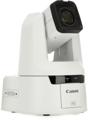
Canon CR-N500
Featuring a one-inch CMOS sensor, DIGIC DV 6 image processor, auto-tracking, built-in ND filter, and 15x optical/30x digital zoom, this Canon delivers impressive 4K video with ease.
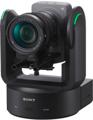
Sony Cinema Line FR7
Capture stunning, cinema-grade visuals with the advantage of PTZ automation, remote operation, a full-frame CMOS sensor, tally light, and interchangeable lenses.
Camcorders (All-in-one Workhorses)
Camcorders are built for video and remain a strong choice for worship. They excel at recording long services from the back of the room using built-in long zoom lenses and onboard video storage. Easy to operate and highly stable on a tripod or handheld, camcorders are ideal for a center-back camera focusing on the sermon — perfect for volunteer operators who need simplicity and reliable results.
Standout Camcorders
Panasonic V900
Get clear, engaging worship footage with the Panasonic V900’s 1/2.5-inch sensor, bright f/1.8 lens, and powerful 24x optical zoom that brings the platform closer without losing detail. Smooth stabilization and accurate autofocus keep every sermon and song steady and detailed, helping your stream look polished and professional from start to finish.
Canon XA70
Capture immersive worship moments in crisp 4K UHD with the Canon XA70’s one-inch CMOS sensor, DIGIC DV 6 processor, and powerful 20x optical zoom that keeps every sermon, song, and testimony clear from any seat. Stream and record with confidence, thanks to reliable image stabilization, pro XLR audio inputs, and simple USB connectivity that fits seamlessly into your live production workflow. For a compact, 1/2.3-inch sensor version, reach for the Canon Vixia HF G70. For one-inch CMOS sensor quality and other pro features, step up to the Canon XF605.
Sony NX800
Create stunning, broadcast-ready 4K 60 fps video with a large 1-inch sensor, advanced AI autofocus, and autoframing that keeps your subject perfectly composed without extra crew. Zoom from wide shots to tight details with powerful 20x optical reach while enjoying pro audio inputs, long battery life, and intuitive controls that make high-end production fast and effortless. For more connectivity, consider the Sony PXW-Z200.
Mirrorless Cameras (Cinematic & Flexible Hybrids)
Mirrorless cameras feature large sensors and interchangeable lenses, delivering a shallow-depth cinematic look with clear subjects and beautifully blurred backgrounds. They excel in low-light settings and modern worship environments. Compact and versatile, they’re a great run-and-gun option ideal as side-stage cameras for ceremonies, interviews, or creative content when you need cinematic shots while keeping your team nimble. With lightweight portability and features including autofocus with eye-tracking, high-speed burst rates, and electronic viewfinders, mirrorless cameras have the added value of being fantastic for still photography.
Standout Mirrorless Cameras
Panasonic Lumix G7
Capture crisp, cinematic 4K video of your worship services with a lightweight mirrorless body, included 14–42mm lens, and sharp 16MP Micro Four Thirds sensor for dynamic, clear visuals. Streamline your workflow with Wi-Fi connectivity, adjustable LCD monitor and OLED viewfinder, and flexible exposure controls with savable presets for consistent, professional-looking broadcasts.
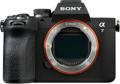
Sony Alpha 7 V
Elevate your worship service streams with a 33MP interchangeable-lens full-frame mirrorless camera featuring a partially stacked Exmor RS CMOS sensor and BIONZ XR2 processor with built-in AI for fast, precise autofocus, rich dynamic range, and reliable onstage subject tracking. Designed by Sony for hybrid creators, it delivers clean 4K livestream recording, internal recording while streaming, strong low-light performance, and stable handheld capture so every worship moment looks clear, consistent, and professional. For even higher resolution, step up to the 8K, 61MP Alpha 7R V.
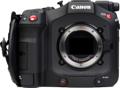
Canon EOS R5 C
Craft inspirational worship streams with Canon’s do-it-all EOS R5 C, a full-frame mirrorless hybrid 45MP photo/8K cinema camera body that captures cinematic 8K 60 fps RAW video, switches instantly between optimized Photo and Video modes, and records continuously with active cooling and dual CFexpress/SD slots. Deliver sharp, distraction-free coverage using Dual Pixel CMOS autofocus with eye detection, 8K HDR capture, and a compact, versatile design that handles everything from wide sanctuary views to close-up moments. For a run-and-gun option, consider the 32.5MP full-frame EOS R6 Mark III or the 24.2MP full-frame EOS R6 Mark II.
Mirrorless Camera Overheating
Many mirrorless cameras are designed for hybrid use to handle both still photography and professional video. However, due to their compact body design, extended recording in warm environments, especially at high resolution, may cause overheating issues in some fanless models. These tips can help:
- Record externally.
- Use an external power source instead of internal batteries.
- Flip out the LCD screen.
- Open the battery door.
- Use a tripod instead of handhold.
- Keep out of direct sunlight.
- Use an external camera fan.
- Turn off unnecessary features.
- Turn off camera when not in use.
- Record at lower resolution and speed.
- Keep the software updated.
All mirrorless cameras recommended in this article are known for their overheating resistance!
Cinema Cameras (High-end Production)
Cinema cameras deliver broadcast-quality, cinematic images with rich color, wide dynamic range, and precise creative control. They capture more detail in highlights and shadows, making worship close-ups look stunning. With professional codecs, dual SDI/HDMI outputs, and built-in ND filters, they’re perfect for houses of worship with dedicated video teams producing special services, conferences, albums, or high-end projects.
Standout Cinema Cameras
Blackmagic Design PYXIS 6K
Engage your viewers with exceptional cinematic 6K full-frame images with rich dynamic range and natural color, even in challenging light. The built-in streaming, Bluetooth control, intuitive 4-inch monitoring, and seamless DaVinci Resolve integration streamline your workflow from capture to final delivery. Want even higher resolution? Step up to the PYXIS 12K.
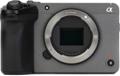
Sony Cinema Line FX30
For reliable, cinema-grade visuals, capture your service with this full-frame 20.1MP camera. The 4K 120 fps HDR resolution, fast autofocus, dual card slots, three 1/4-inch mounting points, and cooling fan, achieve professional-quality results across long services and varied lighting while integrating easily into sanctuary rigs and multicamera setups. For extremely low-light environments, step up to the Cinema Line FX3A.
Canon EOS C80
Deliver beautifully detailed, reliable worship streams with this 6K full-frame cinema camera featuring ND filters, autofocus, a top handle for flexible rigging, and built-in Wi-Fi and Ethernet for streamlined networked production. The combination of compact mobility, robust connectivity, and broadcast-ready image quality keeps every moment clear and consistent. For a more compact photo/video run-and-gun hybrid, consider the full-frame Canon EOS C50.
Studio Cameras (Designed for Live Production)
Studio cameras are designed for live production, making them ideal as permanent stage cameras in multicamera setups. With professional connections, tally lights to show presenters which camera is live, and larger operator displays, they simplify switching and control, delivering reliable, polished coverage from front-of-house tripod positions and control room direction.
Standout Studio Cameras
Blackmagic Design Studio Camera 6K Pro
Capture every moment in breathtaking 6K with this camera, featuring a Super 35 sensor for a classic cinematic look and wide range of lens availability, EF lens mount, 50 fps resolution, autofocus compatibility, and a high-brightness touchscreen for easy settings control. Stream seamlessly to any platform with integrated Ethernet, USB-C, and RTMP support while enjoying remote-control functionality, assignable buttons, and versatile mounting options for any worship environment. For a 4K version, select the Studio Camera 4K Pro G2.
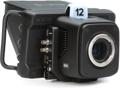
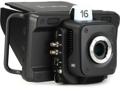
Blackmagic Design Micro Studio Camera 4K G2
Discreetly capture your worship services from any angle in cinematic quality with this compact 4K box camera featuring a micro 4/3 sensor, built-in color correction, and pro connectivity via 12G-SDI, 4K-HDMI, and USB-C networking for seamless live production. Its compact design, rugged build, and flexible mounting make it ideal for remote-controlled tight shots delivering studio-grade image quality and reliable integration with your streaming setup.
Blackmagic Design URSA Mini Pro 4.6K G2
Elevate your service livestreams with features including a Super 35 sensor, 4.6K recording at up to 120 fps, built-in ND filters, EF interchangeable lens mount, and a responsive 4-inch touchscreen for effortless control. Capture every moment with dual card slots, USB-C external recording, 12G-SDI connectivity, and full remote operation, making high-quality, professional streaming simple and flexible. Step up to 80MP, 12K quality and versatility with the URSA Mini Pro 12K.
Three Recommended Camera Setups from Simple to Advanced
Check out these common setup starting places for worship video systems. Of course, you can always dive deeper!
Simple Setup (Minimal Team/Startup Stream)
A minimal setup is built around a single camera angle from a reliable camcorder or PTZ camera with a strong zoom and a large sensor. This is a common solution for houses of worship wanting to cleanly capture services with simple, volunteer-friendly operation. By using a PTZ camera with auto-follow capabilities and recallable shots, one operator can easily add variety to the viewing experience even while handling other tasks.
Growing Team Setup (2–3 Cameras)
Add variety and keep your congregation engaged by capturing dynamic shots from multiple camera angles. With a simple switcher, you can seamlessly combine these feeds for a polished, TV-style worship experience — making every service look professional while keeping production manageable for your team.
Example Setup:
- Center Camcorder – Tight sermon shots
- Side Mirrorless Camera – Worship close-ups
- Wide PTZ – Full stage view
- Switcher – ATEM Mini Pro or similar
Advanced Multicamera Setup (4–6 Cameras or More)
For a fully dynamic worship production, this setup blends automation, reliability, and cinematic storytelling to give your video team the tools to create engaging, immersive services. Every shot, transition, and camera movement works together to engage viewers with a powerful, in-the-room experience that feels polished and professional.
Example Setup:
- 2–3 PTZ cameras for wide, automated shots
- 1 camcorder for consistent sermon framing
- 1–2 mirrorless or cinema cameras for emotional worship moments
- Studio cameras at front positions for live switching
- Switcher: ATEM SKI Extreme ISO Video Production Studio or similar
For helpful information about creating effective shot combinations, read:
Building the Best System for Worship
While you can always find examples online of how other houses of worship use video effectively, the best camera system for you isn’t about chasing trends — it’s about serving your ministry effectively.
Start by asking:
- How large is our room?
- Is teaching or worship the visual focus?
- Are we streaming, recording, or both?
- How many volunteers do we have, and what is their skill level?
- What quality issues, resolution needs, and lighting challenges must we address to engage our viewers?
Then build a scalable system that supports those goals and can grow with you.
If you invest wisely, then your camera system won’t just capture services — it will help you reach people who may never step inside your building. Your video provides the eyes through which you welcome new attendees and maintain connection with current participants while they’re away. That’s worth doing well!
If it’s time to develop your video reach, then call your Sweetwater Sales Engineer at (800) 222-4700. We’ll answer your questions, listen to your goals and concerns, and provide you with personalized recommendations so you can move forward with eyes wide open.
Related articles:
Where is all that gorgeous video footage stored? While some cameras offer onboard recording capabilities, that’s usually used as a backup. Even when your live content is streamed, most systems capture raw footage and store it on a computer or with a hardware video recording deck such as the Blackmagic Design HyperDeck Studio HD Pro or AJA Ki Pro Ultra 12G digital recorder and player, or for cameras, the Atomos Ninja TX monitor and recorder.