For more than four decades, Sweetwater has been your number one resource for pro audio gear, musical instruments, and live sound equipment. And now, thanks to our merger with Mynett Music, we’re also your one-stop shop for brass, woodwind, and orchestral string instruments and accessories.
Sweetwater has always been a great resource for advice, and, ever since we became a premier destination for band and orchestra, we’ve frequently been asked for home-recording tips and tricks for brass and woodwind instruments.
In this article, we’re going to discuss how to record a flute in your home studio. Recording a flute can be a bit daunting — even in a professional recording space. That said, you’ll be surprised what you can accomplish at home with the right gear and a little know-how. We’ll explore home-studio basics, provide microphone recommendations, and give you recording tips tailored specifically to the flute.
Level Up Your Room First
Before you even think about hitting the record button, you’ll need to survey your room’s acoustics. Flutes are loud, high-frequency instruments. Thus, their sound tends to reflect off every surface of your production space. The best recording environment for a flute is a large, relatively dead-sounding space. That said, a smaller room will yield you great results if you alleviate the flutter echoes, slapback, and other session-wrecking sonic artifacts that are an unfortunate side effect of recording in a smaller, rectangular space.
Check out Sweetwater’s “Acoustic Treatment Buying Guide” for an in-depth look at effective ways to fix your room’s acoustic deficits.
Take Care of Your Body
Tired flutists tend to overcompensate for a lack of breath support by squeezing their lips together to force air through a tiny aperture. This fatigues your lips and facial muscles, yielding flat dynamics and a thin, strangled sound that you definitely would not want to record for posterity. So, give yourself plenty of rest between recording sessions. And, if your lips are sore, stiff, and fatigued, listen to your body and give it a rest.
How to Build a Home Studio
If you already have a home studio, then you can skip this part. If not, then you’ll find this section immensely useful. Aside from a qualified computer, you’ll need four essentials to record your flute:
- DAW
- Audio interface
- Studio monitors
- Headphones
A DAW — a.k.a. digital audio workstation — is your recording software. Sweetwater stocks a variety of DAW software including Pro Tools, Studio One, FL Studio, and more. Because different DAWs include different features, and because of computer compatibility issues, we recommend that you call your Sales Engineer if you’re unsure which software is best for you.
You’ll also need an audio interface to route audio into and back out of your computer. This enables you to record sound and to play back the sounds you’ve recorded. Sweetwater carries a massive array of USB, Thunderbolt, and Ethernet audio interfaces for Mac, Windows PC, and iOS devices. Again, due to differing features and compatibility issues, we recommend calling your Sales Engineer for advice.
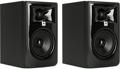
“Studio monitor” is another name for a studio-quality speaker. Studio monitors allow you to hear the sound that comes out of your audio interface clearly and accurately. JBL 305P MkII, Kali Audio LP-6, and PreSonus Eris E4.5 are three first-rate, value-priced studio monitors. Read Sweetwater’s “Studio Monitors Buying Guide” for more information.
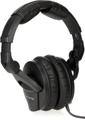
The last item you’ll need is a high-quality set of headphones to wear while you’re recording. There are many models available, but you’ll want to get closed-back headphones for recording purposes. Closed-back headphones safeguard against sound leaking into your microphones. Sennheiser HD 280 Pro headphones are among the most popular here at Sweetwater, and they are very affordable. Check out our “Sennheiser Headphones Buying Guide” to learn more.
Get the Right Microphone for the Job
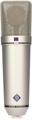
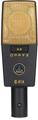
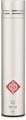
All microphones serve the same purpose: they capture sound. That said, different microphones yield different results. For recording a flute, our first recommendation is a small-diaphragm condenser microphone, such as a Neumann KM 184 or a Shure SM81. Large-diaphragm condenser mics like the Neumann U 87 Ai and the AKG C414 XLII can also give you excellent results. Condenser mics deliver a detailed sound with outstanding clarity and openness — exactly what you need to capture the honest essence of your flute.
If a condenser is bringing out the worst characteristics of your room, then try deploying a Beyerdynamic M 160 ribbon microphone — its ambient-noise-rejecting hypercardioid polar pattern offers excellent sound in less-than-stellar sonic environments. You can’t go wrong with a Royer R-121 either — there’s a reason why it’s considered an industry-standard ribbon mic. Another plus for ribbons is that they tend to tame the high-end harshness inherent with flutes and piccolos.
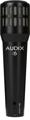
You can also use a dynamic microphone like the Audix i5. It may not be fancy, but it will get the job done. And, with the right mic technique, it can sound amazing.
How to Mic a Flute
Proper mic placement plays an important part of getting a great-sounding flute recording. When capturing a flute, it’s essential that you remember that its sound comes from multiple points along the instrument. Start by pointing your microphone between the headjoint and the player’s left hand about six inches above the flute. From there, experiment with angles and distances until you like what you hear. Remember, the further away you stand from the microphone, the more your room will affect the recording. That’s why quality acoustic treatment is so important!
For a more detailed foray into flute miking techniques, check out our “How to Mic a Flute” article.
Watch Your Levels
Every flute has a unique sound, and some players move around more than others — two things you need to be aware of to capture the instrument effectively. Regardless, you’ll want to watch your recording levels. If your levels are too low, then you risk having a noisy track. If your levels are too hot, then you’re likely to get clipping. To avoid clipping, set your levels using the loudest portion of your performance and tweak your settings so that peaks hit between -12dBFS and -6dBFS (decibels relative to full scale) during recording.
Attain a Studio-quality Sheen
After you’ve created a flute recording that you’re satisfied with, it’s time to inject it with some studio magic. That’s where plug-ins come in. Even though your DAW probably includes a cache of acceptable plug-ins, a couple of third-party add-ons will help you attain the studio-quality sheen you’re striving for.
The first plug-in you’ll want is a reverb to give your flute a sense of dimension and space. A reverb plug-in like iZotope’s Exponential Audio Phoenix Verb will make your flute sound like it was recorded in a concert hall. Beyond that, a double-tracking effect, such as Waves Doubler, is an easy way to lend a slick, produced sound to your performance.
Give Us a Call!
Recording a flute at home can be tricky. That said, Sweetwater has the gear and knowledge you need to achieve high-quality, pro-level results. Give your Sales Engineer a call today at (800) 222-4700 to get started!