Re-recording less-than-perfect drum tracks isn’t always an option. If you’re a mix engineer for hire, then you work with whatever tracks are provided. Or maybe you recorded the perfect performance with spot-on timing, just the right amount of push and pull, and exceptional dynamics, only to find out your mic selection was less than ideal. Whatever the scenario, if you’ve been mixing for a while, then you know that your job is to make the best out of whatever you have to work with. Let’s take a look at some tried-and-true methods for fixing drums in the mix.
Correct polarity and phase issues
As we’ve covered in detail in this Sweetwater article, getting a good drum sound starts with fixing any polarity and phase issues. Polarity is fairly simple — zoom in on the waveforms of your individual drum tracks, and verify that the start of each hit’s waveform is positive and not negative. If you find a track that’s pulling instead of pushing, flip the polarity of that track in your DAW.

Assuming you’re using multiple microphones to record drums, you’ll next want to optimize the phase relationships of your tracks. Choose a track or pair of tracks as your baseline (I like using the overheads as my reference), and add in other tracks one at a time while listening critically. If anything sounds off — the snare sounds hollow, cymbal crashes sound like a phaser has been applied, the kick has no body, etc. — you’ll need to adjust that individual track’s timing relative to the baseline track. On a recent project I mixed, the snare was close-miked and needed to be delayed a couple of milliseconds to snap into focus with the overheads that were miked a few feet away. Lining up the transients in your DAW won’t work nearly as well as adjusting the track fractions of a millisecond at a time and listening to the results — you’ll know when you’re delaying a track by the right amount, because you’ll hear it.
If you’re working on a solitary mix, then it’s fine to manually move the audio regions in your DAW by a few milliseconds to fix phase issues. If you’re working on multiple mixes for the same project that were recorded in the same session, then I recommend using a utility plug-in in your DAW to apply a short delay (and flip the polarity if needed). Once you find the best delay times for that mix, you can copy the plug-in setting to the other songs in the project instead of having to manually shift regions every time. Once you’re satisfied that you’ve minimized phase issues with proper region alignment, you’re able to accurately assess what else your drum tracks need to succeed.
Remove unwanted noise(s) with iZotope RX

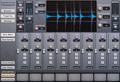
Background noise in a drum recording can be caused by poor gain staging in the signal chain, air conditioner hum, traffic, and other mechanical sources. Unwanted noises could include drum sticks hitting each other during a drum fill, the drummer setting his or her drumsticks down on the snare head as the cymbals fade out, a car horn on the street outside, and so on. When you’ve captured a perfect take, but one or more of these problems is apparent in the recording, you’ll be amazed at what iZotope’s RX audio restoration suite can do. Its AI-assisted processing works magic when it comes to removing specific types of noise from your recordings: all of the noise problems mentioned above can be removed transparently, leaving no indication that there was ever a problem to begin with. RX can even fix digital clipping caused by recording levels being too high, and if you’re a mix engineer for hire, you know that happens more often than it should.
Fine-tune transient response with Sonnox Oxford TransMod

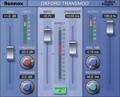
If your drums lack punch, your hi-hats cut too sharply, or you experience any other transient problems with your drum tracks, the Sonnox Oxford TransMod plug-in is an engineer-approved solution. TransMod gives you amazing control over the transients of your drum tracks, helping individual drums pop out or sit back in a way you can’t achieve with compression and EQ. TransMod is especially useful when you’re dealing with an unbalanced kit sound, for example, if the drummer is using a fresh snare drum head and years-old tom heads. TransMod also lets you increase or reduce the effects of room ambience, making it a great tool for reducing the sound of a lively room.
Replace problem drums with Steven Slate Drums Trigger 2 Platinum

Once you’ve sorted out polarity and phase issues, you’ve removed unwanted noises, and you’ve fine-tuned the transients of your drum tracks, you may find elements of the drum kit that simply aren’t good enough for the mix you envision — that’s when drum replacement tools like Steven Slate Drums Trigger 2 Platinum prove their worth. Whether it’s a snare that was pitched up too high, a floor tom that sounds like a plastic tub, or any other troublesome drum or cymbal, Trigger 2 Platinum gives you a set of world-class drum sounds you can use to replace them. Trigger 2 Platinum excels at accurate drum replacement, even if there’s heavy sound leakage from other drums in your target track. Drum replacement software like Trigger 2 Platinum allows you to keep the feel of a performance while improving the core drum sounds — and if you’re a mix engineer for hire, you absolutely need to have this option available.
Keep your goal in focus
As a mix engineer, your job is to make the most out of the tracks you have to work with. In a perfect world full of perfect takes, all you’d ever need to do is push the faders up until you have a balance you like. In the real world, the tools listed above excel at making the most out of imperfect recordings. If you’d like to know more about these mix tools, or you’d just like to vent about the terrible drums you had to mix last week, give your Sales Engineer a call at (800) 222-4700. We’re passionate about making mixes the best they can be too, and we’re always happy to advise — or at the very least, empathize.